A Step-by-Step Guide To the Binance Exchange – Part I
Binance is one of the most famous cryptocurrency exchanges that offers a secure and fast trading experience to its users. The exchange supports more than 200 cryptocurrencies.
By Victor

Binance is a third-party cryptocurrency exchange that allows the users to buy/sell a huge number of cryptocurrencies as well as fiat currency. It is one of the fastest, and the largest (by trade volume), crypto exchanges in the world.
Founded by Changpeng Zhao in July 2017, the Binance exchange was initially based in China, but due to increasing regulations, the company has now moved its headquarters to the European island nation of Malta.
Apart from supporting a huge number of cryptocurrency pairs, the platform offers a very low trading fee and advanced security features. Thus, within 2.5 years, the platform has gained significant adoption among crypto users and became the largest crypto exchange by trading volume in the world. Currently, the platform manages approximately an average daily volume of 2 billion with 1,400,000+ transactions per second.
BNB is the native token of the Binance platform and is used in paying transaction fees on the exchange.
We will make a series of guides exploring every detail of the Binance exchange.
Table of Contents
ToggleFeatures
- Wide range of supported cryptocurrencies and fiat currencies
- Fast, safe, and secure
- Low trading fee
- Multiple payment options
- Offers multiple features
- Highly renowned and reputed
- 24/7 support
However, it has certain negative points:
- Centralized and custodial
- Security breaches in the past. However, the platform has announced the creation of a “secure asset fund for users” (SAFU) that will store 10 percent of all trading fees to cover losses in extreme situations.
- No phone support
Usage Guide
To use the Binance Exchange, go to this page.
The application landing page looks like this.
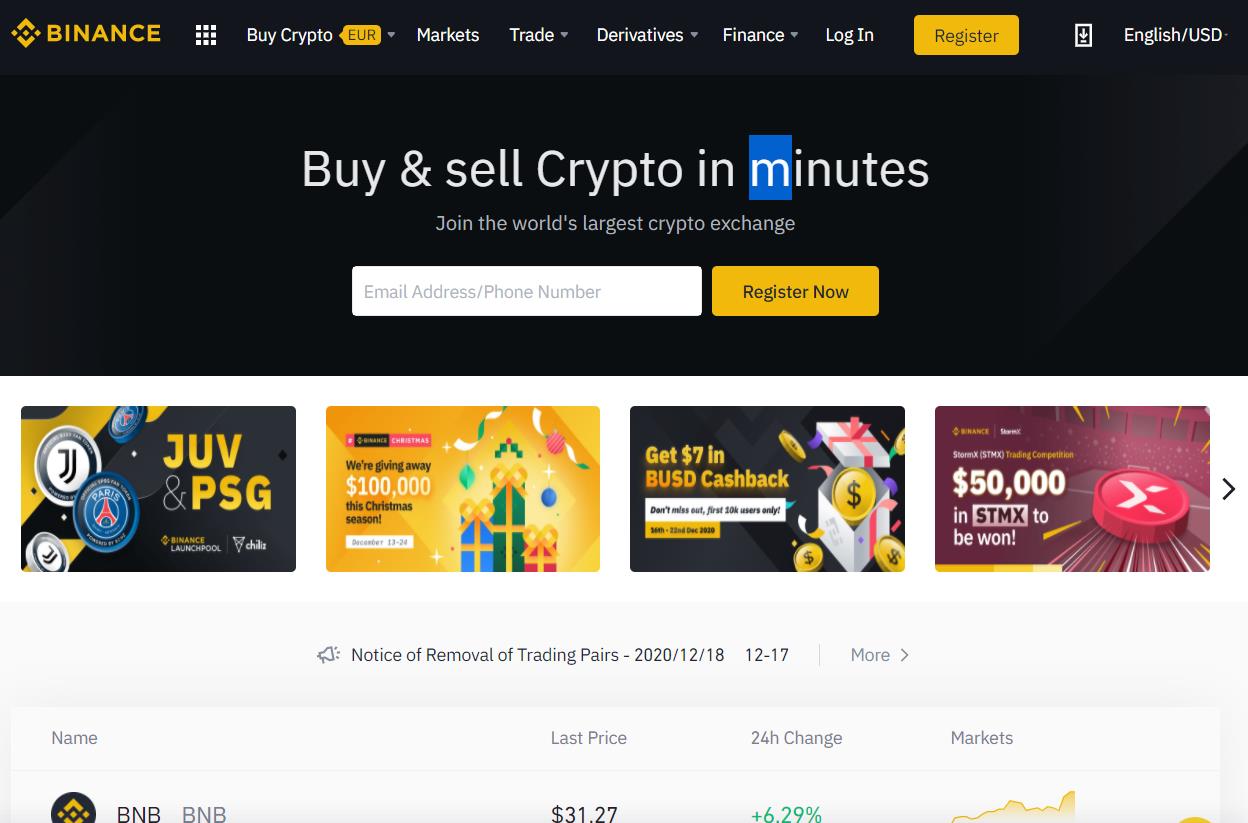
The platform allows users to connect using two methods:
- Login (existing user)
- Register (for new user)
Choose option 2 if you are a new user.
Register
If you are a new user and want to use the Binance exchange, then you can create an account for free.
Just click on Register, and a page will pop up that will ask you to provide basic details like your email address, an account password, and referral code (if any).
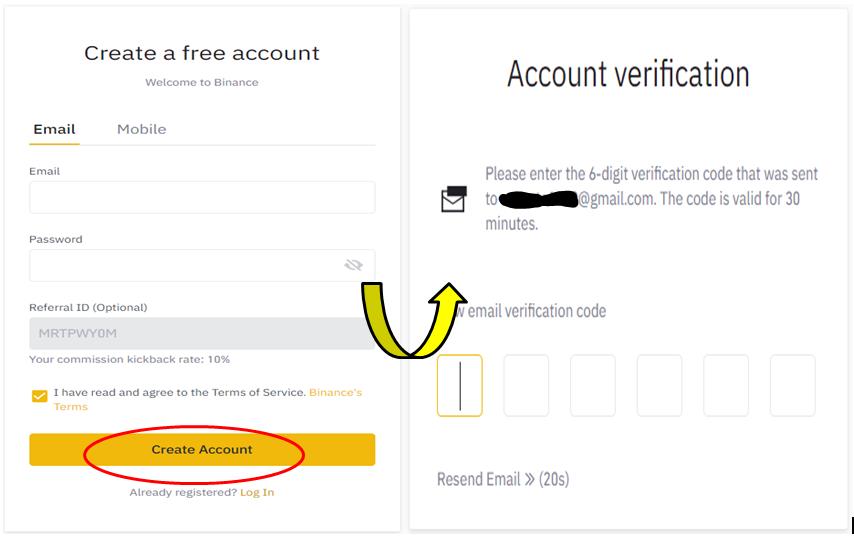
Users are required to verify their email address, and once verified, your account will be registered.
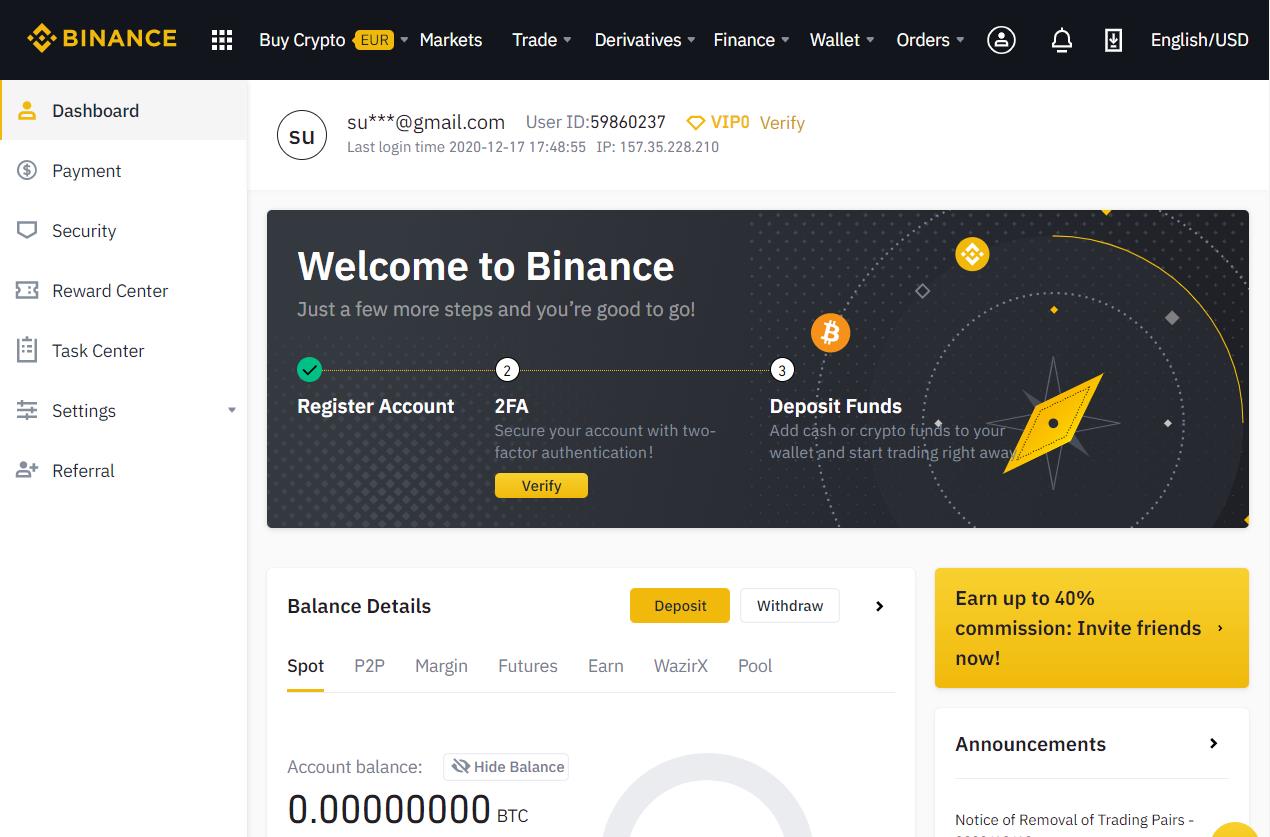
To ensure high account security, the platform recommends users to activate 2FA.
Security Verification
Click on verify 2FA, and the application will ask you to verify your phone number or Google verification.
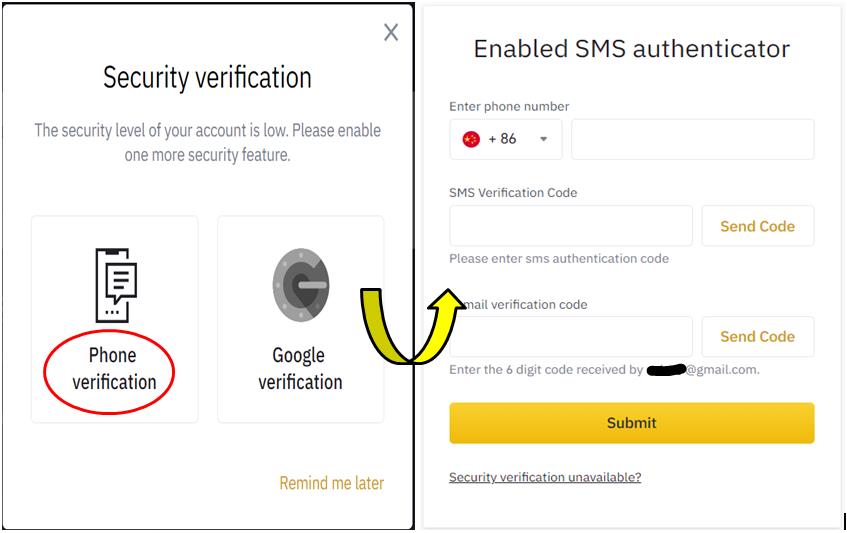
For Google verification, users need to download the Google authenticator application from the Google Play store (Android) and verify the code appearing against Binance.
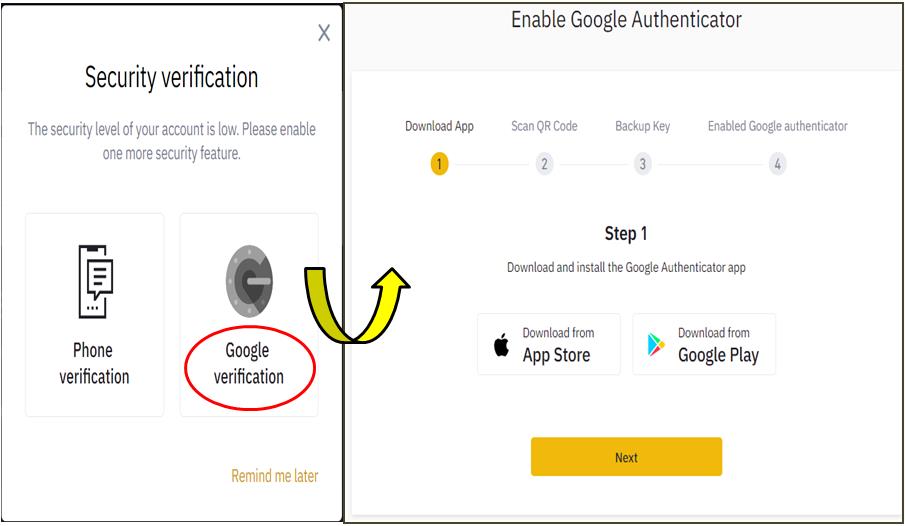
Once you have done these two steps, you can deposit funds in your Binance account.
Login
If you are an existing user, you can log in by giving your email ID and account password.
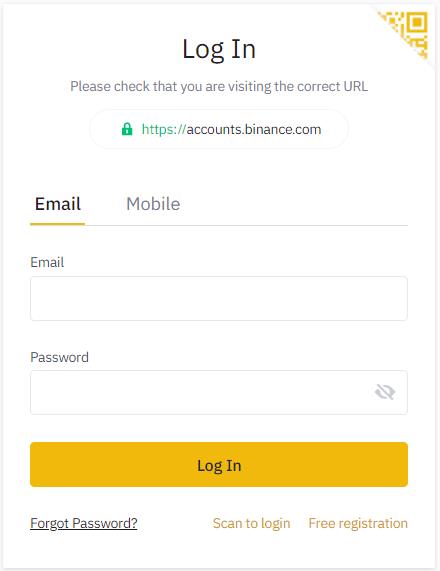
Enter your credentials. It will send a verification code to your phone, and once you have verified, you can access the platform.
The platform offers numerous features and facilities to its users. We will view each feature in detail.
Dashboard
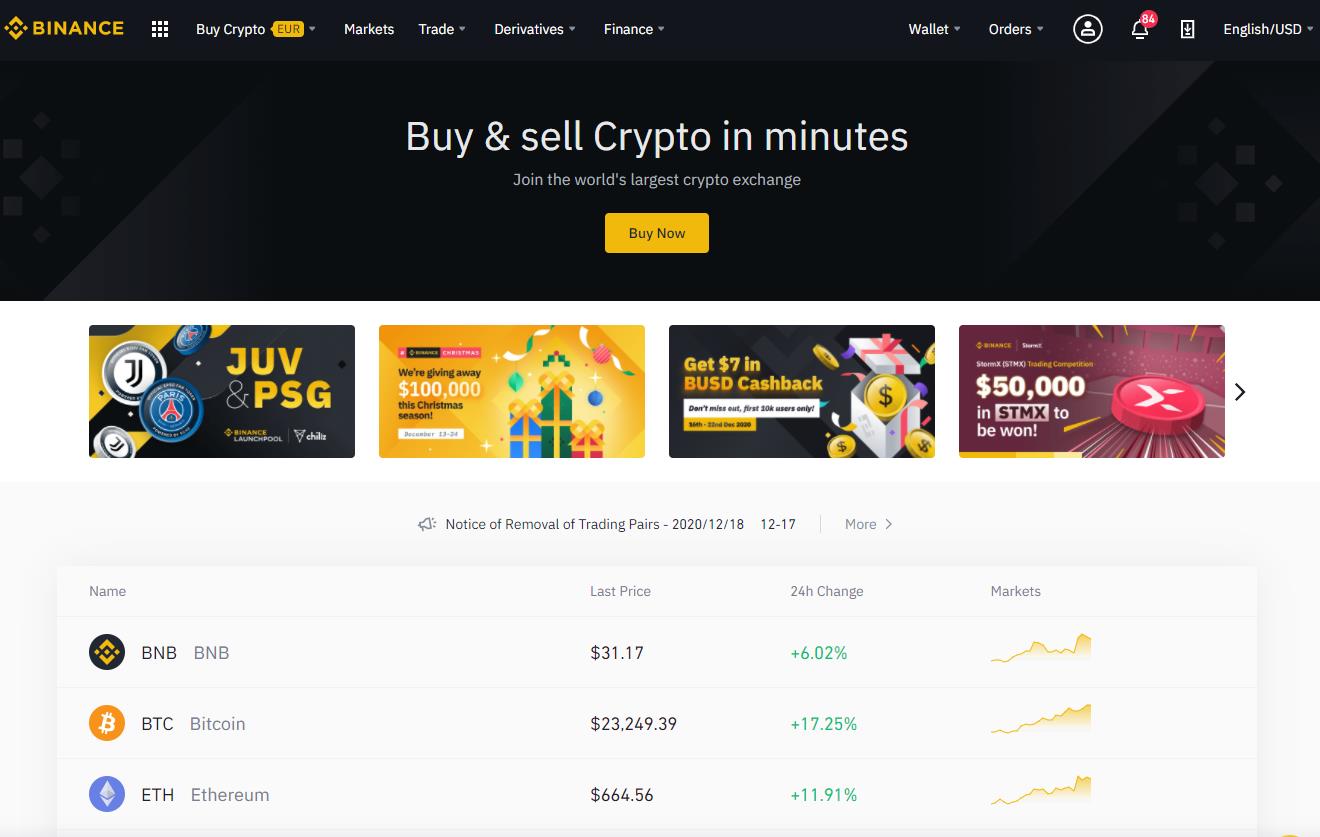
The dashboard looks like this.
You can see the following things on the landing page upon login:
- User account
- Language and currency
- Binance application installation link
- Important features and tabs (wallet, order, markets, trade, buy crypto, finance, derivatives, etc.)
- Account notifications
Wallet
The Wallet tab contains the account/assets details of the users.
Using the Wallet tab, you can check the following things:
Overview
You can see the following accounts in the overview tab.
- Fiat and Spot
- Cross Margin
- Isolation Margin
- USDT Futures
- Coin Futures
- P2P
- Earn
- Pool
You can easily see the different types of activities like deposit, withdraw, buy, transfer, etc. that you can perform on each account.
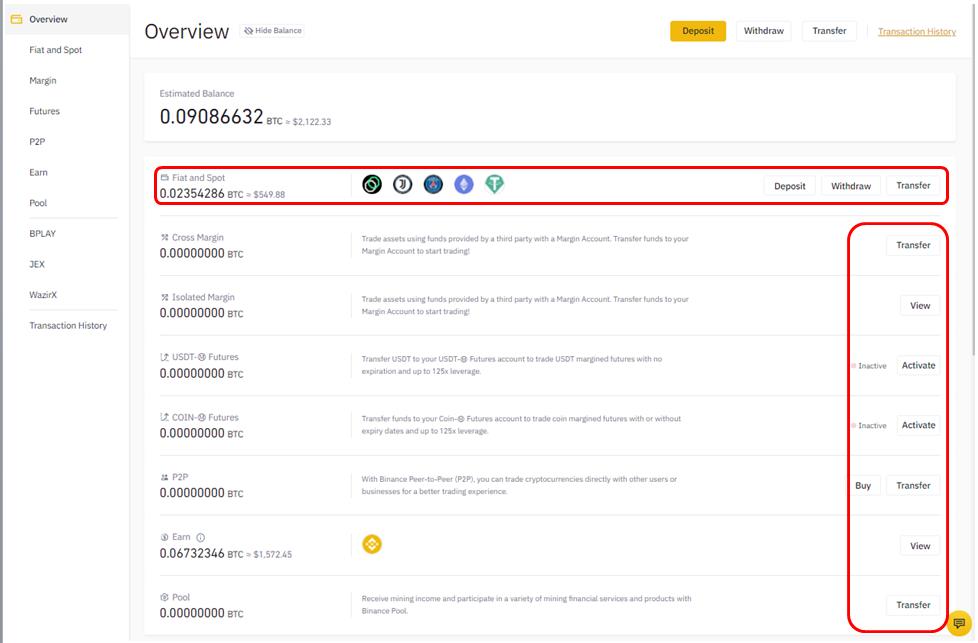
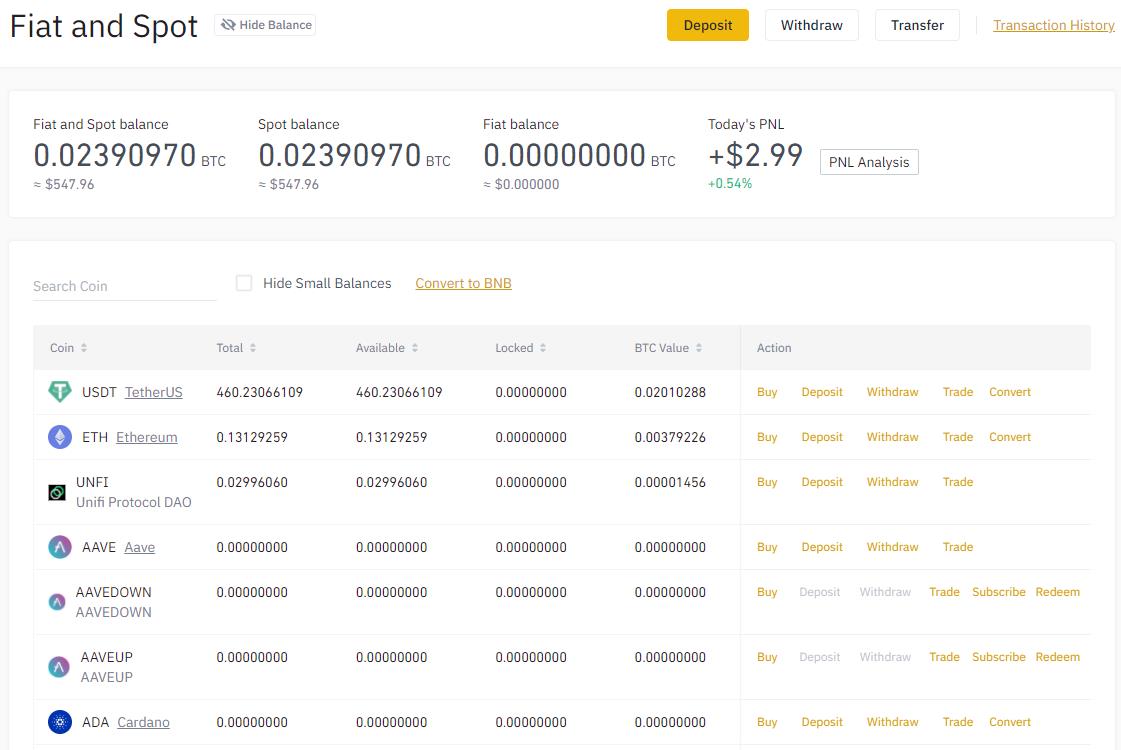
You can see your account balance summary (total) from the Fiat and Spot tab.
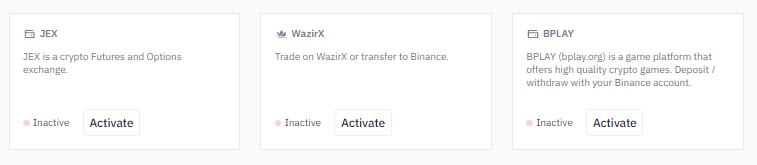
Users can also activate and add the BPLAY, JEX, and WazirX account.
Transfer
The transfer facility is available to only those users who meet the below criteria:
- For a corporate account user, the sub-account feature will be enabled automatically.
- For VIP 1 (or higher) personal account user, the sub-account feature will be enabled automatically.
- If it is not in the above two cases, please contact customer service for activation.
If the transfer facility is activated in your account, then it will allow you to create up to 1,000 sub-accounts. Each sub-account requires you to provide an email address and password. And the sub-account can only be activated once you verify the email.
You can Freeze and Unfreeze all functions for a particular sub-account at any time. You can also change the sub-account password from your master account.
You can check the account transfer history from the Transaction History tab.
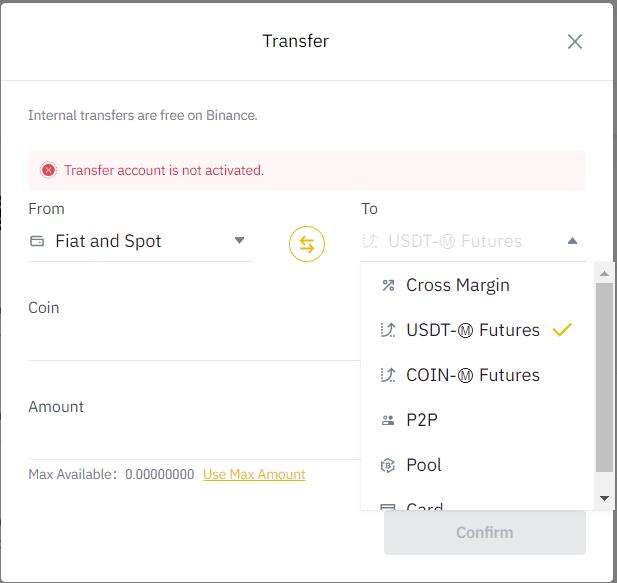
Using transfer, you can convert one internal account into another without any fee. However, there are certain restrictions regarding account transfers:
- Funds in the Spot account can be transferred to P2P account/Pool account/USDT Futures account/Cross Margin account/Card account.
- Funds in the P2P account can be transferred to Spot account/USDT Futures account/Pool account.
- Funds in Cross Margin account can be transferred to Spot account/USDT Futures account.
To transfer, you need to provide the following details:
- To and from account
- Token type
- Token amount
Transaction History
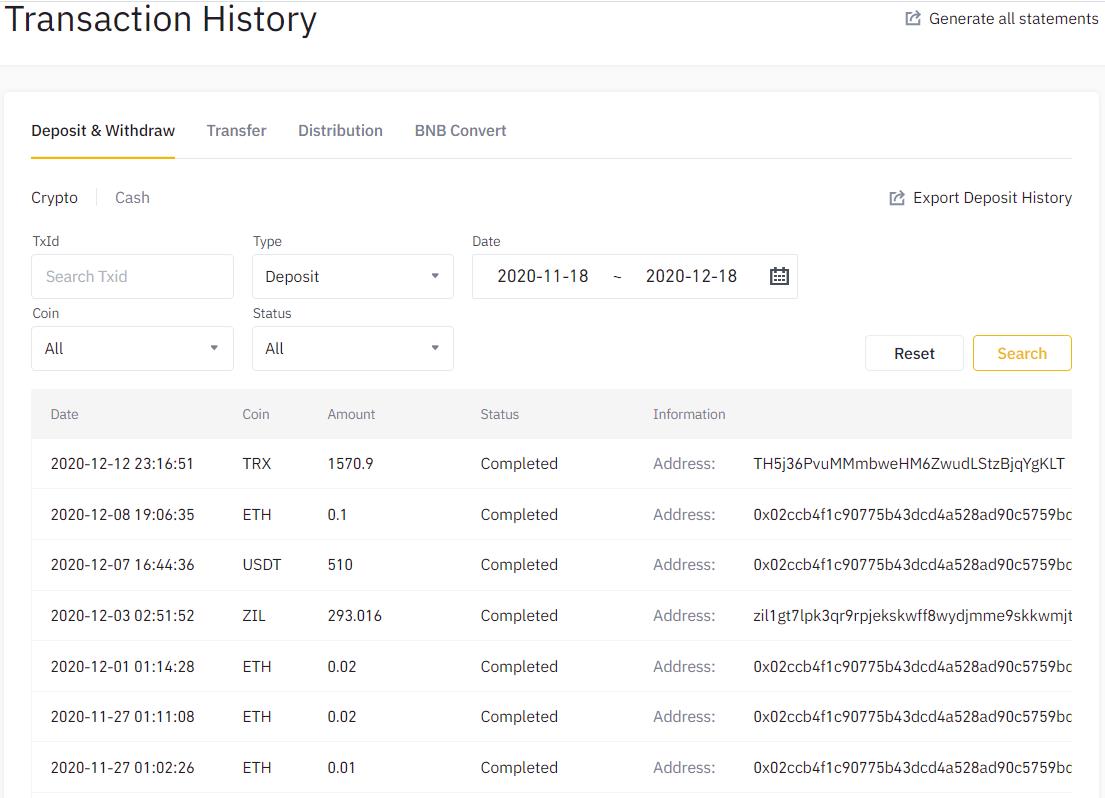
From the Transaction History tab, you can see the following details:
- Deposit and Withdraw History (Crypto/Cash)
- Account Transfer History
- Distribution History
- BNB Convert
Fiat and Spot
Users can see their token holdings and the various activities that are allowed on the tokens from the Fiat and Spot tab.
Deposit
Using Deposit, users can share the token address with other users to receive funds in their Binance account.
Binance allows you to deposit two types of assets:
Crypto
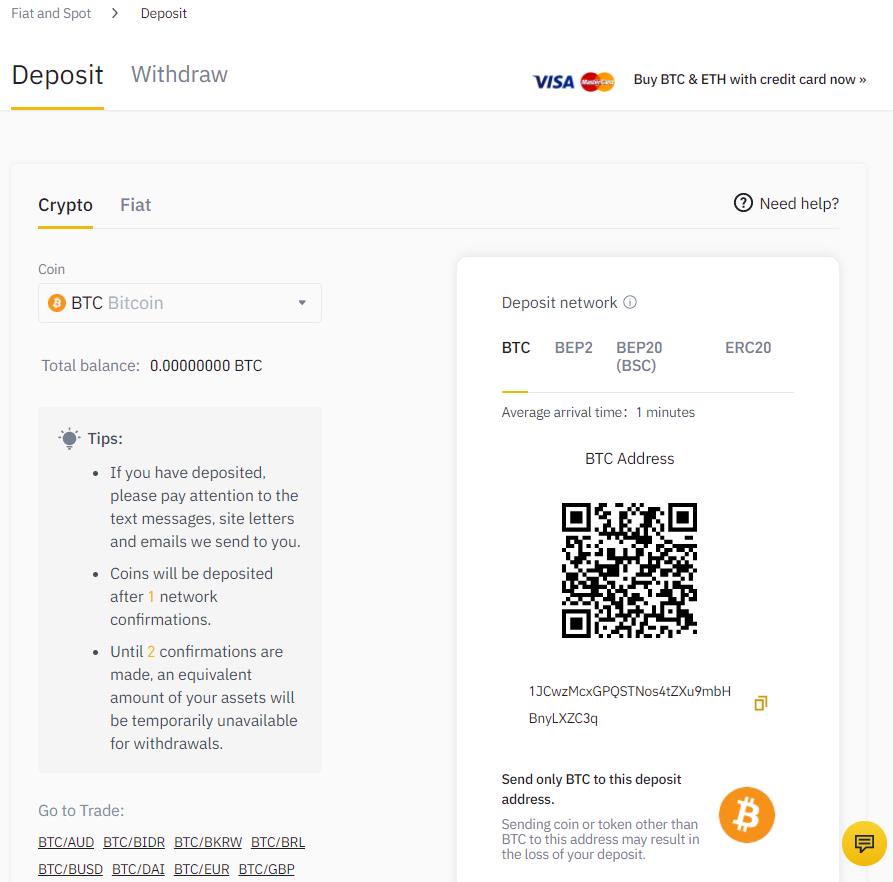
Use crypto if you can want to share the address/QR of any crypto token.
Select your desired token, copy the token address, and share it.
Do not forget to select the appropriate network. Otherwise, you may lose your assets.
- BTC – For Bitcoin
- BEP2 – For Binance Chain
- BEP20 – For Binance Smart Chain or BSC
- ERC-20 – For Ethereum network
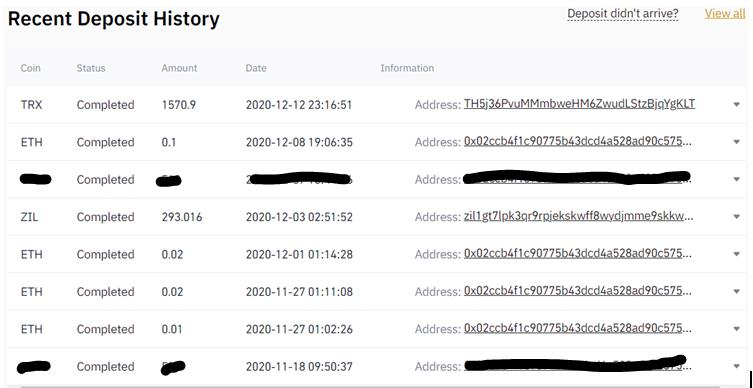
From the bottom of the Deposit tab, you can also check the deposit history.
Fiat
Users can also deposit fiat currency in their Binance account. It supports the following payment methods which account holders can use to deposit money.
- Bank transfer (SEPA)
- Card (Visa/ MasterCard)
- Ideal
- Advcash account balance
- Etana account balance
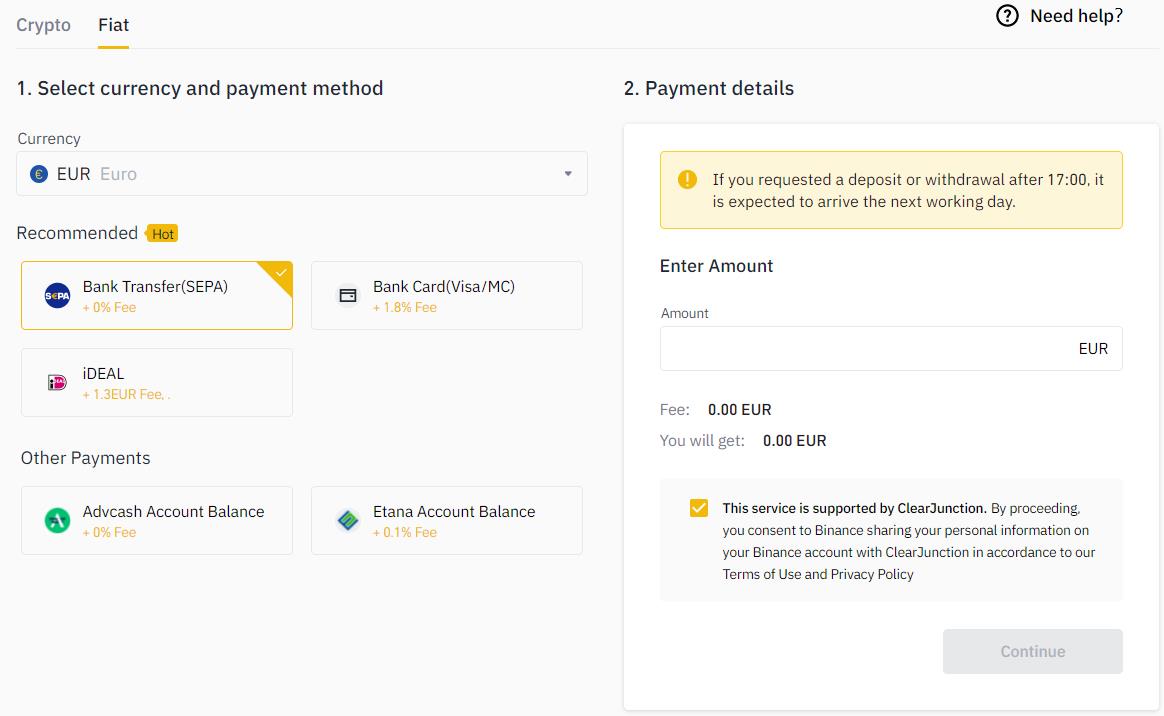
To deposit fiat, users first need to select the currency (if available) and then the payment method.
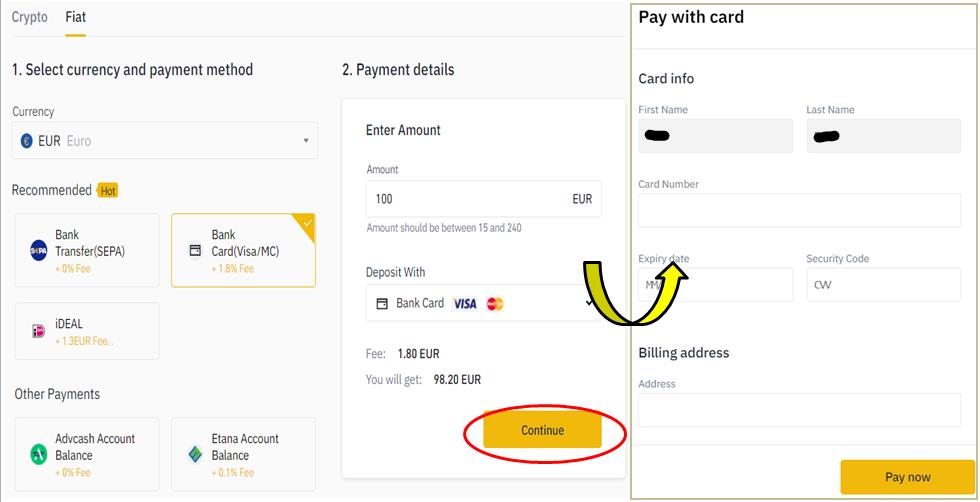
Enter your card details and proceed with the payment.
You can also check the fiat transaction details from the bottom of the page.
Withdraw
Users can withdraw assets using this tab. Binance allows you to withdraw fiat and crypto assets.
Crypto
To withdraw tokens, users need to provide the following details:
- Desired token
- Token amount
- Recipient address
- Recipient network
Important: Users can withdraw up to 2 BTC per day if their profile is not verified.
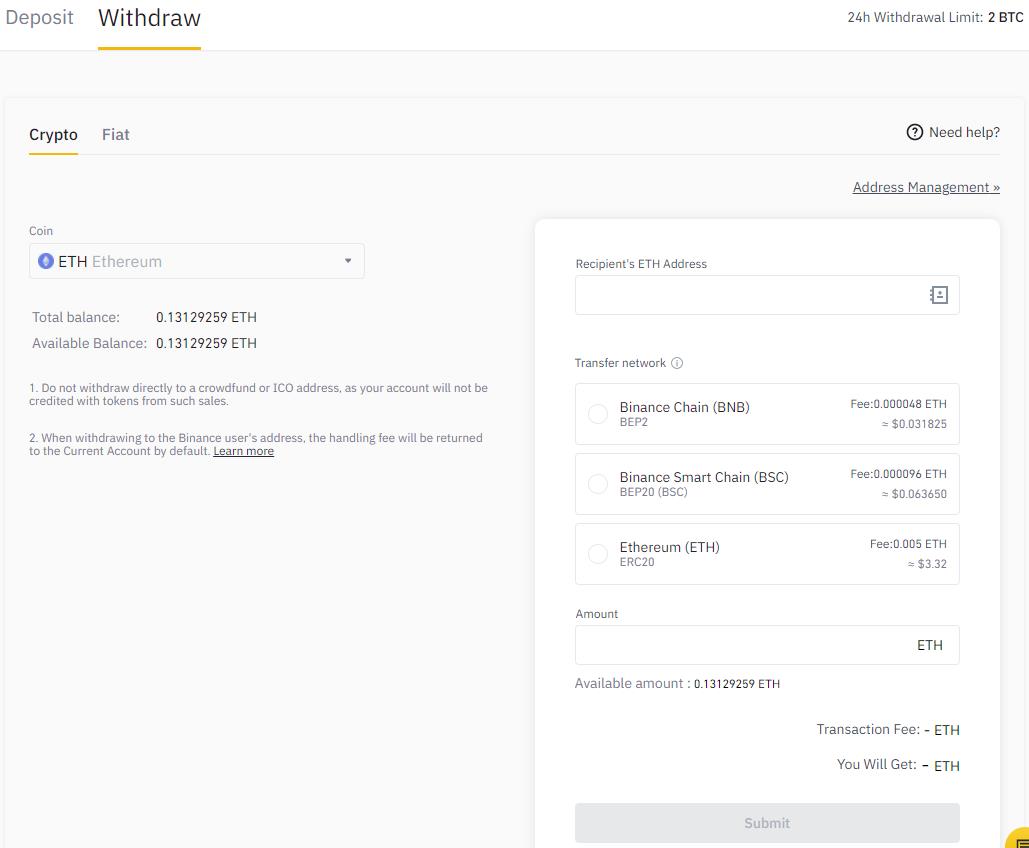
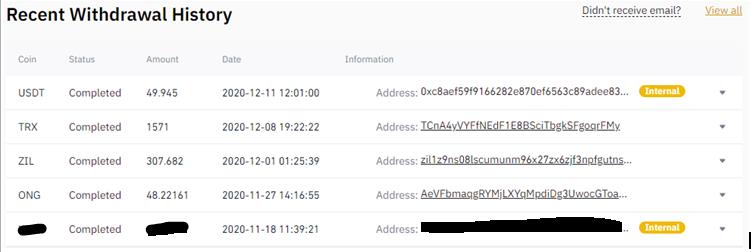
You can check the withdrawal history of crypto assets from the bottom of the page.
Fiat
Users can also withdraw fiat currency from Binance by using the following methods:
- Bank transfer
- Advcash account balance
- Etana account balance
Users need to select the currency, amount, and payment method.
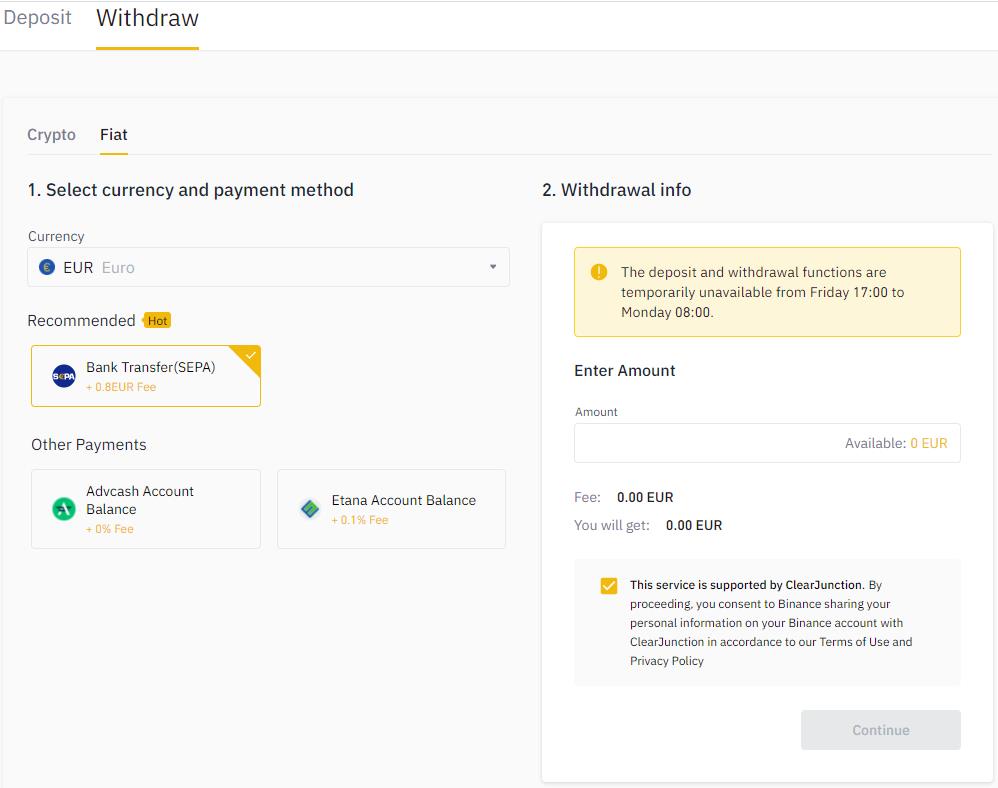
You can check the withdrawal history of fiat assets from the bottom of the page.
We will explore some more important features in our next article.
Resources: Binance
Next up
Bitcoin ETFs Draw $1.07B in Three Days, Short of Rally-Era Pace
US spot bitcoin ETFs took in about $1.07 billion from Oct. 19 to 21, led by IBIT. Past steep rallies ran on months of $200 million-plus daily inflows.
 BTC
BTCRelated
More in Crypto NewsRelated
Bitcoin Drops Below $80K as Crypto Liquidations Top $834M
BTC ETH
ETH
Sui's Hashi Adds Anchorage Digital as $500M Bitcoin Launch Nears
BTC SUI
SUI
Bitcoin Core Speeds Up Fixes for AI found Bugs Drops
BTC
Bitcoin ETFs Lose $635M in a Day as DWF Study Says Flows Chase Price
BTC