Arbitrum Bridge Beginner’s Guide – Part 2
Arbitrum, a layer-two scaling solution for Ethereum, is an excellent way to solve speed, cost, and scalability problems with Ethereum. In Part 1 of the Beginner’s Guide to the Arbitrum Bridge, we discussed what Arbitrum is and how the Arbitrum Bridge works. In Part 2, we take a…
By Abhay H

Arbitrum, a layer-two scaling solution for Ethereum, is an excellent way to solve speed, cost, and scalability problems with Ethereum.
In Part 1 of the Beginner’s Guide to the Arbitrum Bridge, we discussed what Arbitrum is and how the Arbitrum Bridge works. In Part 2, we take a look at cross-chain transfers and how to connect Arbitrum to other well-known blockchain networks. Whether you want to connect Arbitrum to Ethereum, Avalanche, Optimism, or zkSync, this detailed guide will show you how.
1) Using the Arbitrum Bridge to Transfer Tokens to Ethereum
Transferring ERC-20 tokens from the Ethereum blockchain to Arbitrum can provide numerous advantages. Firstly, the scalability allows for faster transaction times, with the capacity to handle 4500 TPS (Transactions Per Second).
Furthermore, implementing “optimistic roll-ups” has resulted in lower transaction fees, making it a cost-effective scaling solution. On the Ethereum mainnet, the standard gas fee is $10 (on a normal day). While on Arbitrum, the typical gas fee is only about $0.10. So, Bridging tokens to Arbitrum allows token issuers to expand their user base and improve the overall user experience through enhanced scalability and reduced fees.
How to Usethe Aribtrum Bridge with Ethereum
- Go to the Arbitrum Bridge website.
- Connect your wallet to the platform. (Several wallets, including Ledger Live, Coinbase Wallet, and MetaMask, are available.)
- Select the asset ($ETH, $USDC, $USDT, and $DAI) you want to bridge.
- Input the number of tokens.
- Follow the prompts to finish the transaction.
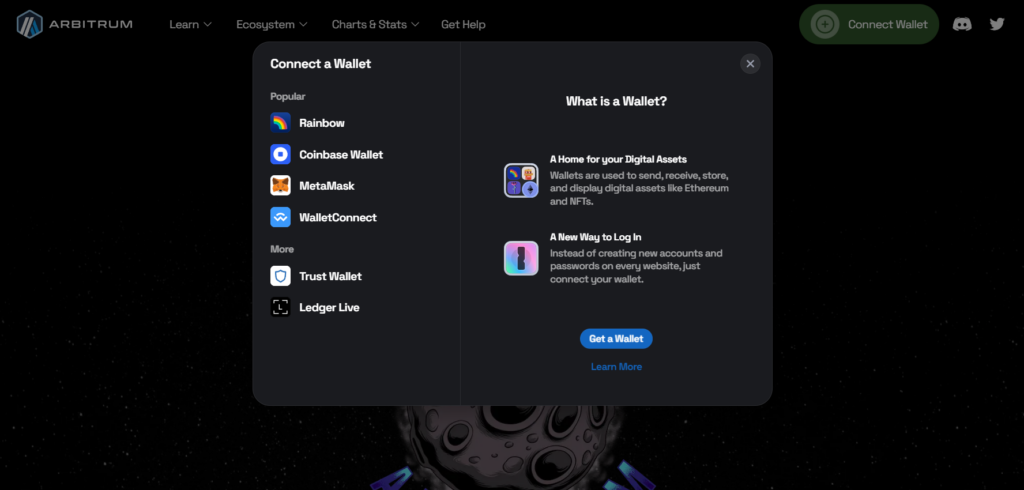
The gas fee is paid in $ETH. So ensure your wallet has enough ETH to pay the gas fee.
2) Using the Arbitrum Bridge to Transfer Tokens to Avalanche
The bridge between Arbitrum and Avalanche provides users with multiple advantages. The main advantage is lower gas fees compared to Ethereum mainnet. For instance, Gas fees on Arbitrum average around $0.10, while on Avalanche, they are even lower at approximately $0.05.
Arbitrum and Avalanche offer faster transaction speeds than Ethereum mainnet. In addition, Arbitrum and Avalanche offer faster transaction processing with average times of 2 seconds and 1 second, respectively.
So, using the Arbitrum bridge with Avalanche provides access to a broader selection of DeFi applications on Avalanche. According to DeFillama, Avalanche has more than 200 dApps, providing users with more options for yield farming and trading. However, Arbitrum also has more than 200 dApps. Moreover, Avalanche has better liquidity. As of May 2023, DeFi on Avalanche has surpassed $10B in total value locked, while Arbitrum has around $5B.
How to Use the Aribtrum Bridge with Avalanche
Users can transfer assets from one network to another by using a bridge service, such as Avalanche Bridge, to connect Arbitrum to Avalanche using the following steps:
- Go to the Synapse Protocol website.
- Connect your wallet to the platform.
- Select the asset you want to transfer.
- Input the number of tokens.
- Follow the prompts to finish the transaction.
When it comes to bridging between Avalanche and Arbitrum, the Synapse protocol is one of the safest and most cost-effective options.
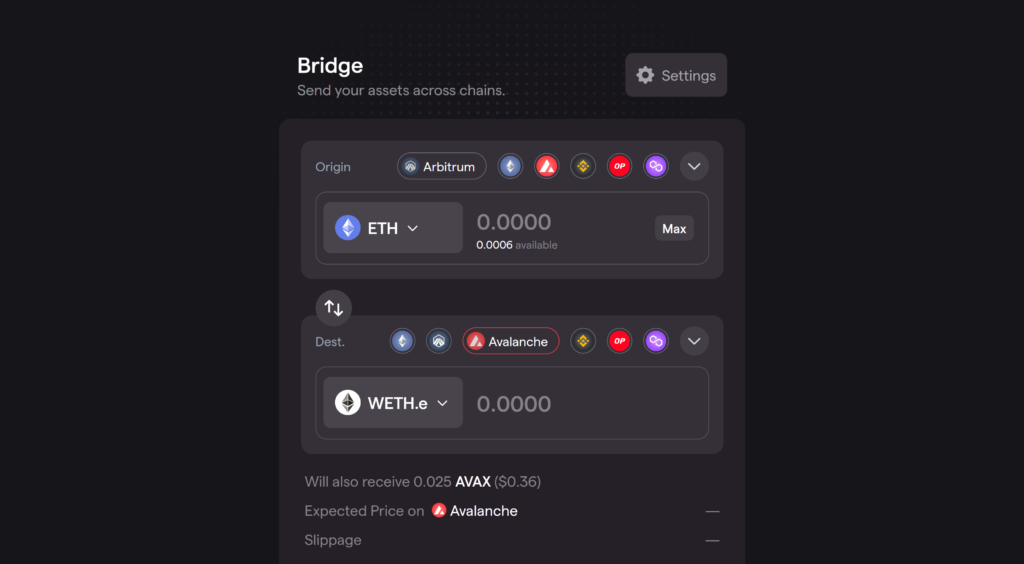
So, the costs of using Synapse for the bridge are about $10. This fee structure is noticeably less expensive than other platforms, which frequently charge between $20 and $35. Using $SYN, the Synapse native token, users can benefit from 0% slippage and lower transaction fees.
3) Using the Arbitrum Bridge to Transfer Tokens to Optimism
Optimism, a layer-two scaling solution for Ethereum, employs Optimistic Rollups to boost throughput and lower fees. This architecture lets Optimism handle transactions faster and cheaper than Ethereum.
So, using the arbitrum bridge with Optimism with lower gas fees than Ethereum mainnet, averaging around $0.10 and $0.05, respectively. Also, Optimism offers faster transactions in 1 second.
How to Use the Aribtrum Bridge with Optimism
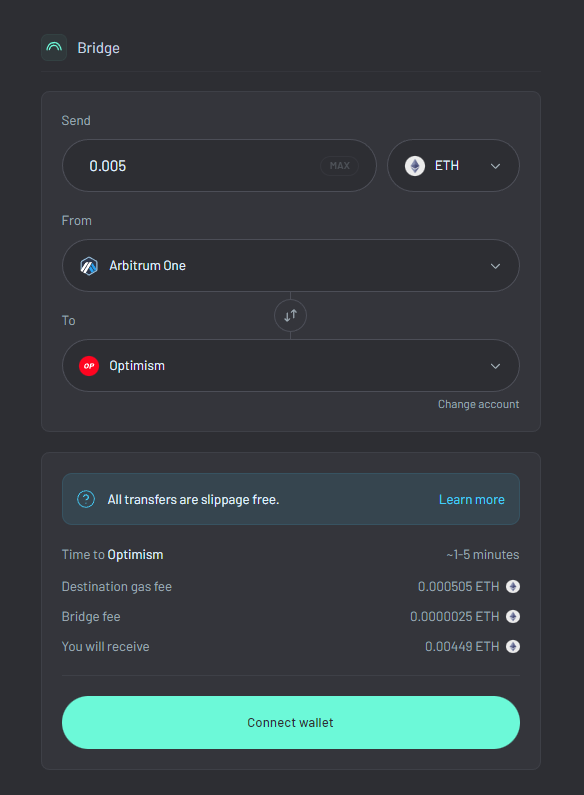
- Go to the Across Protocol.
- Connect your wallet to the platform.
- Select the asset you want to transfer.
- Input the number of tokens.
- Follow the prompts to finish the transaction.
Synapse, Hop, Anyswap, and Multichain protocols are all solid options for transferring assets from Arbitrum to Optimism. However, the Across protocol, a trusted Layer-2 cross-chain bridge, is the best way to connect Optimism and Arbitrum. The platform is the go-to bridge for layer 2 protocols on Ethereum, such as Optimism, Arbitrum, Boba, Polygon, and many others.
4) Using the Arbitrum Bridge to Transfer Tokens to zkSync
zkSync is an L2 scaling solution that utilizes zero-knowledge roll-up technology to enhance transaction throughput and reduce fees. As a result, zkSync makes transactions faster and cheaper. So, the Arbitrum bridge with zkSync provides several advantages for users, such as reduced gas fees, quicker transaction processing, enhanced security, and ease of use.
How to Use the Aribtrum Bridge with zkSync
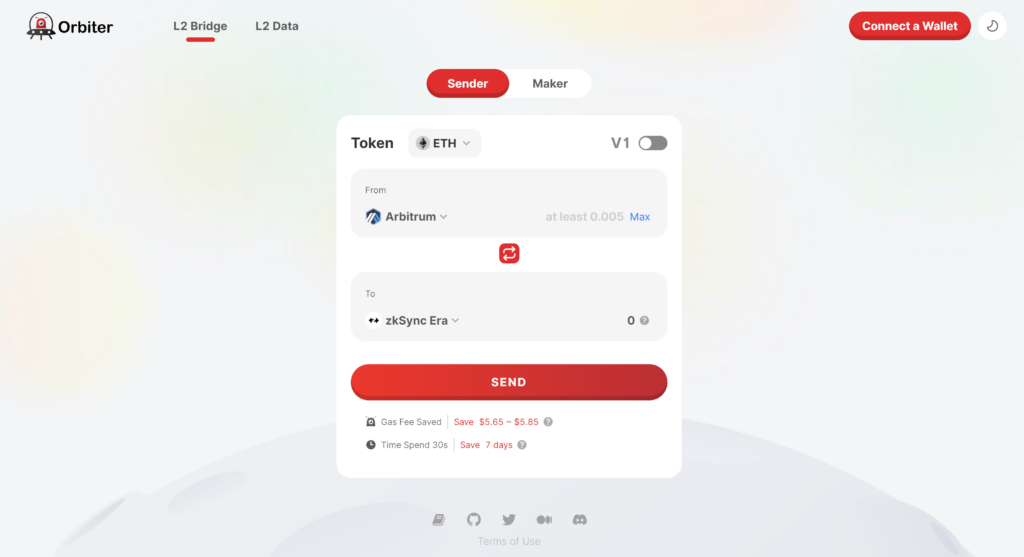
- Go to the Orbiter Finance.
- Connect your wallet.
- Choose the token you want to bridge.
- Select the zkSync network as the destination network.
- Enter the number of tokens you wish to bridge and follow the instructions to complete the transaction.
Conclusion
The Arbitrum Bridge’s simplicity and security make it a valuable tool for exploring opportunities in layer-2 and layer-1 networks. Also, It enables users to navigate and bridge between different chains, including Ethereum, Polygon, Optimism, Avalanche, ZKSync, and more.
⬆️ For more cryptocurrency news, check out the Altcoin Buzz YouTube channel.
⬆️ Our popular Altcoin Buzz Access group generates tons of alpha for our subscribers. And for a limited time, it’s Free. Click the link and join the conversation today.
Next up

Bitcoin ETFs Draw $1.07B in Three Days, Short of Rally-Era Pace
US spot bitcoin ETFs took in about $1.07 billion from Oct. 19 to 21, led by IBIT. Past steep rallies ran on months of $200 million-plus daily inflows.
 BTC
BTCRelated
More in Crypto NewsRelated
Bitcoin Drops Below $80K as Crypto Liquidations Top $834M
BTC ETH
ETH
Sui's Hashi Adds Anchorage Digital as $500M Bitcoin Launch Nears
BTC SUI
SUI
Bitcoin Core Speeds Up Fixes for AI found Bugs Drops
BTC
Bitcoin ETFs Lose $635M in a Day as DWF Study Says Flows Chase Price
BTC