How To Use The Relay Bridge
This article contains detailed steps on how you can use the Relay bridge to transfer assets among various networks.
By Victor

At present, more than a hundred blockchain networks are in existence. Each of these networks has its consensus method and tokens. With so many blockchains, interoperability becomes a priority so that users can move their assets without limits. And to achieve this, there are several bridges solution in the market now.
Bridges connect multiple blockchains and allow token transfer between them. Therefore, in this article, we will talk about one more bridge solution, Relay Bridge.
What Is Relay Bridge?
Relay is a fast and secured multi-chain bridge that supports almost all major blockchain networks. The bridge supports a unique feature to add new assets and ecosystem with all the existing ones once it is added to the platform. It is the first platform to introduce a bridge gas token faucet, which means the bridge airdrops native gas token to new users.
Now, we’ll give you a detailed guide to using the Relay bridge.
Relay’s Supporters and Investors
The Relay Bridge is currently supporting Ethereum, Binance Smart Chain, Fantom, Polygon, Avalanche, IoTex, Moonriver. Also, Relay supports Heco, Shiden, Cronos, Harmony, OKEx, MoonBeam, MultiVAC, and Metis Network.
On the other hand, Relay has collaborated with multiple platforms to achieve cross-chain asset transfer. The partner ecosystem includes the following protocols:
Guide to Use the Relay Bridge
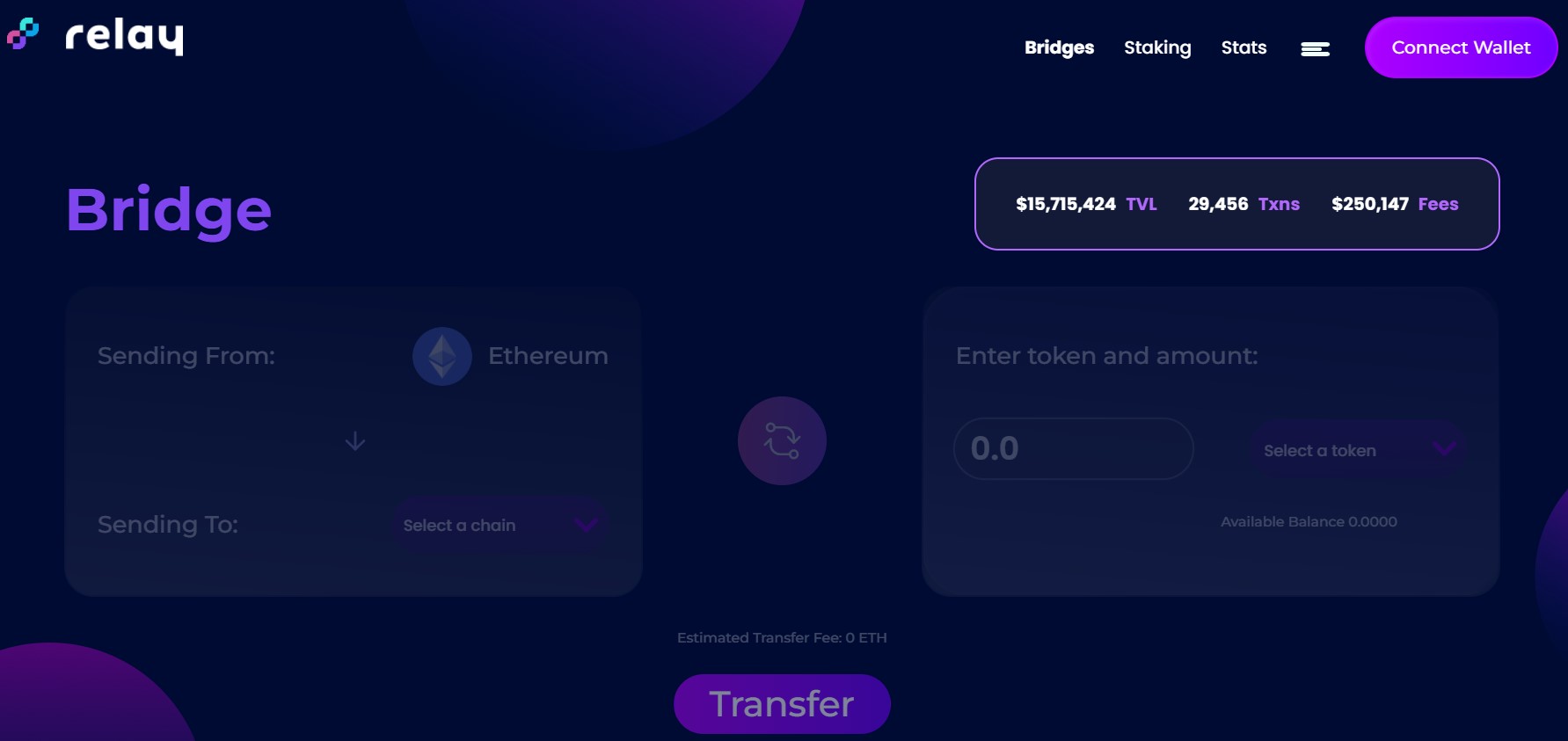
First, you need to visit their website and click on Launch App.
Step 1: Connect Wallet
To access the bridge, users need to connect their wallets. Click on the “Connect wallet” button located on the upper right-hand side. . You can connect the following wallets: Metamask, WalletConnect, Coinbase Wallet, Formatic, and Portis.
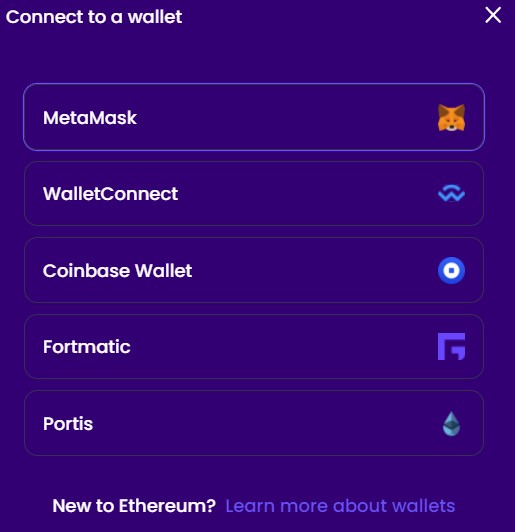
In this case, we have connected with the Metamask wallet and we will transfer tokens from the Binance Smart Chain to Polygon.
Step 2: How to Transfer From Binance Smart Chain to Polygon
Once you have connected your wallet, the next thing you have to do is to select the source and destination network.
Binance Smart Chain as the source network and Polygon as the destination network.
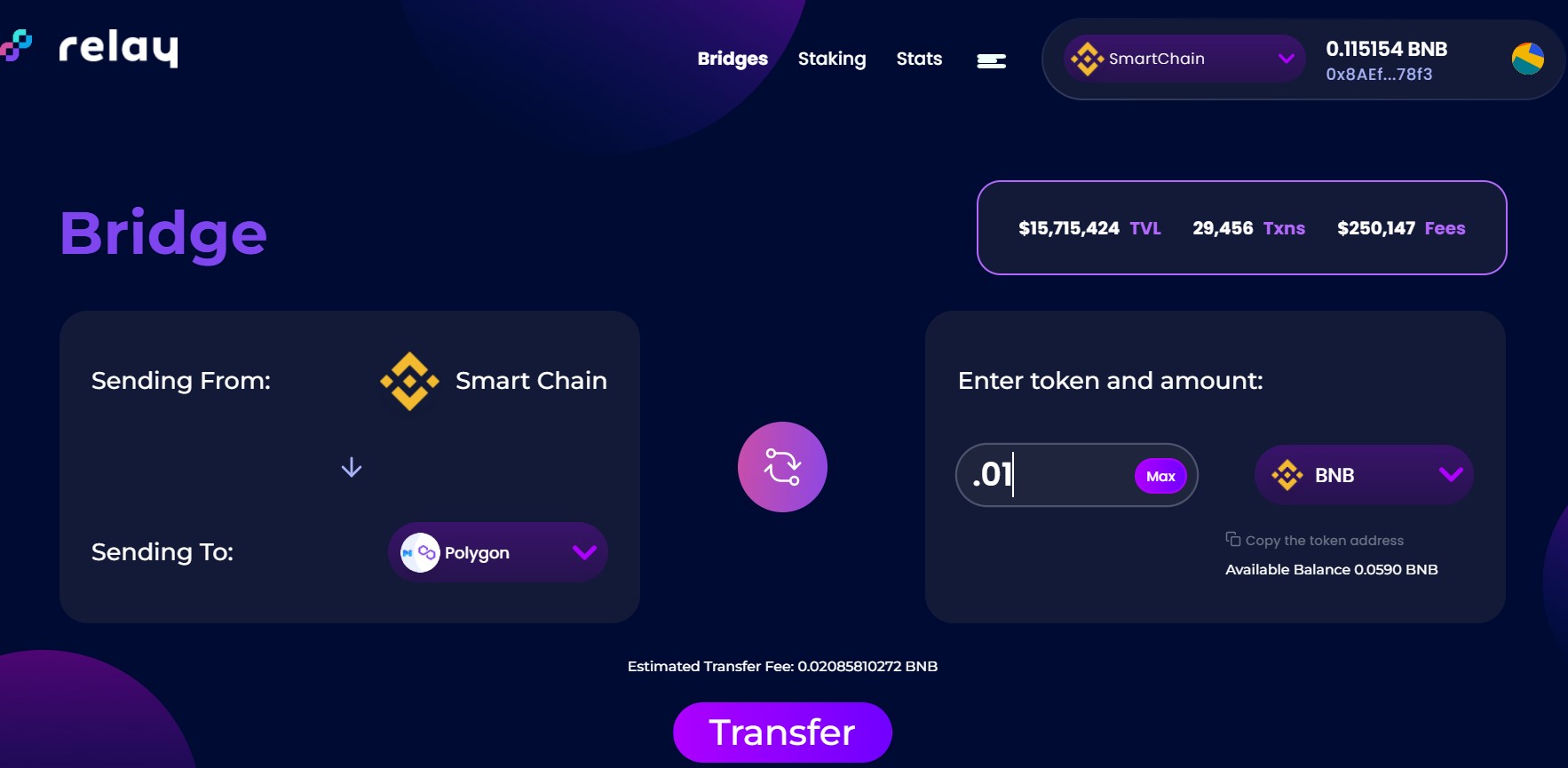
Next, select the token and the amount of the token to transfer. Then, click on the “Token field” to check the list of tokens that you can transfer.
Note: The list of supported tokens may vary from network to network.
As you can see from the above screenshot, the bridge charges a fee of 0.02 BNB which is way too low as compared to other bridge solutions. Then, once you have filled in these details, click on the “Transfer” button.
Check the transaction details, and approve the transfer again. This will generate a Metamask transaction that you need to confirm. Once confirmed, you can see the progress bar in the picture below.
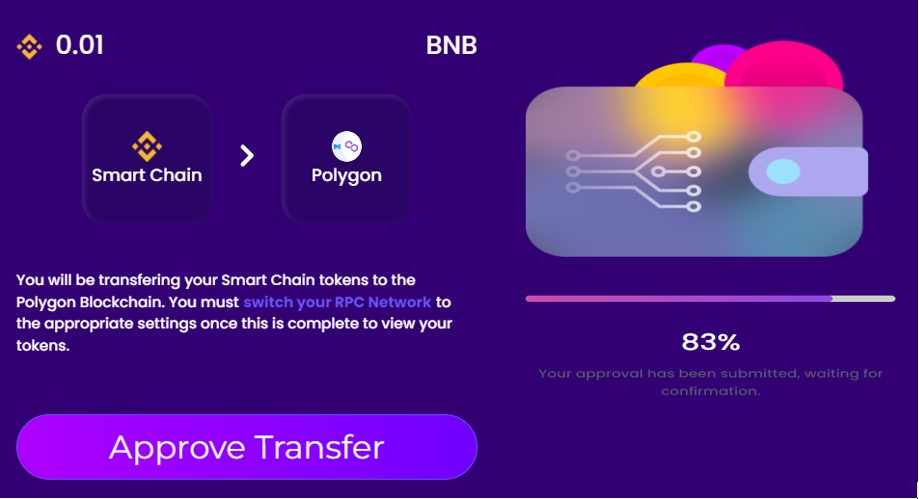
Afterward, users need to confirm a new transaction request click on the “Start Transfer” button and confirm the Metamask transaction.
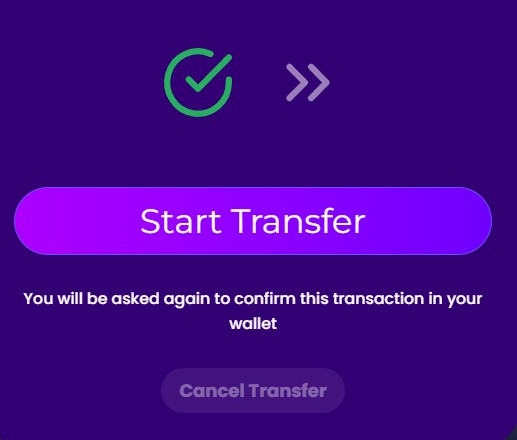
Once the transaction is done, you can see the desired tokens in your wallet.
Step 3: Set Up Polygon Network In Metamask
Now that we have transferred tokens to the Polygon network, you need to set up a Polygon network in their Metamask wallet to see visualize your tokens in Metamask.
To do it, you can use the below network details to add the Polygon network to your metamask wallet.
Go to Setting-> Networks, now click on the “Add A Network” button and then fill in the below details:
- Network Name: Polygon
- New RPC URL: https://polygon-rpc.com
- Chain ID: 137
- Currency Symbol: MATIC
- Block Explorer URL: https://polygonscan.com/
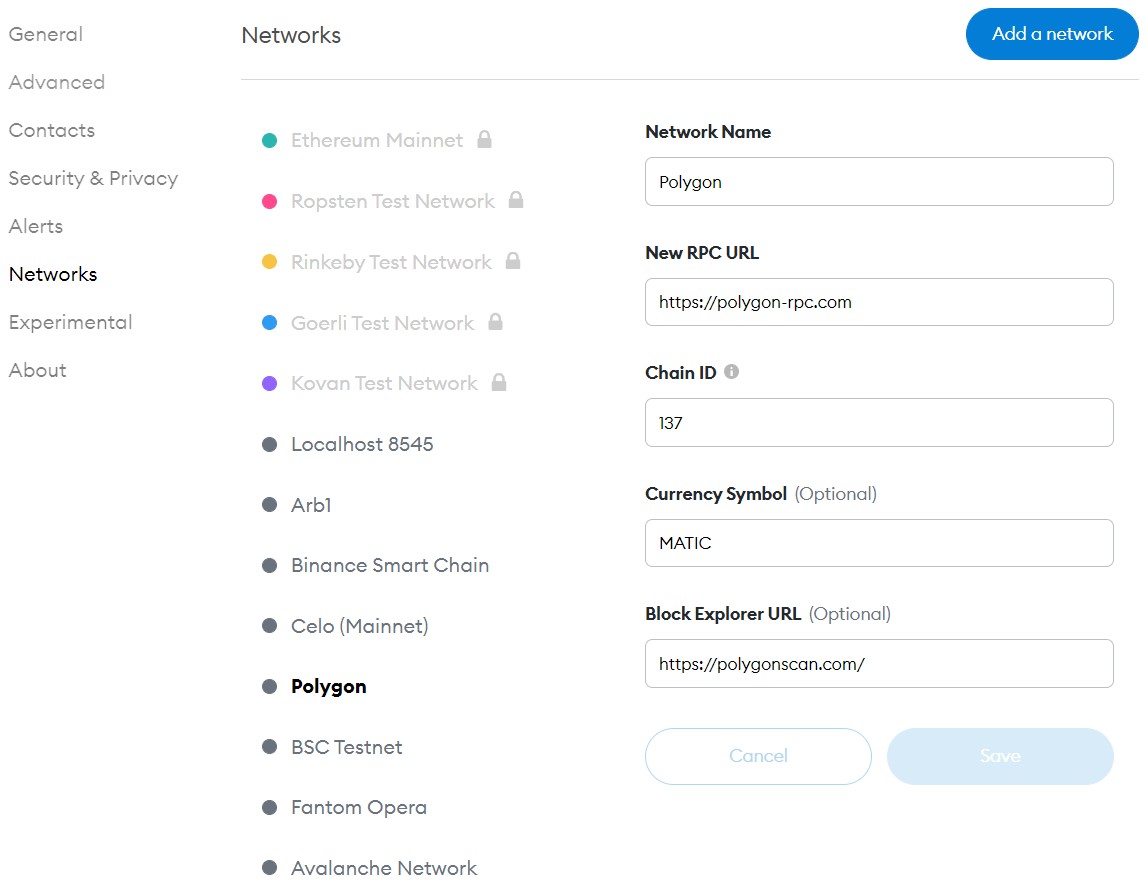
Note: Skip this step if you already have a Polygon network set in your wallet.
Step 4: Visualize Tokens In Destination Network and Wallet
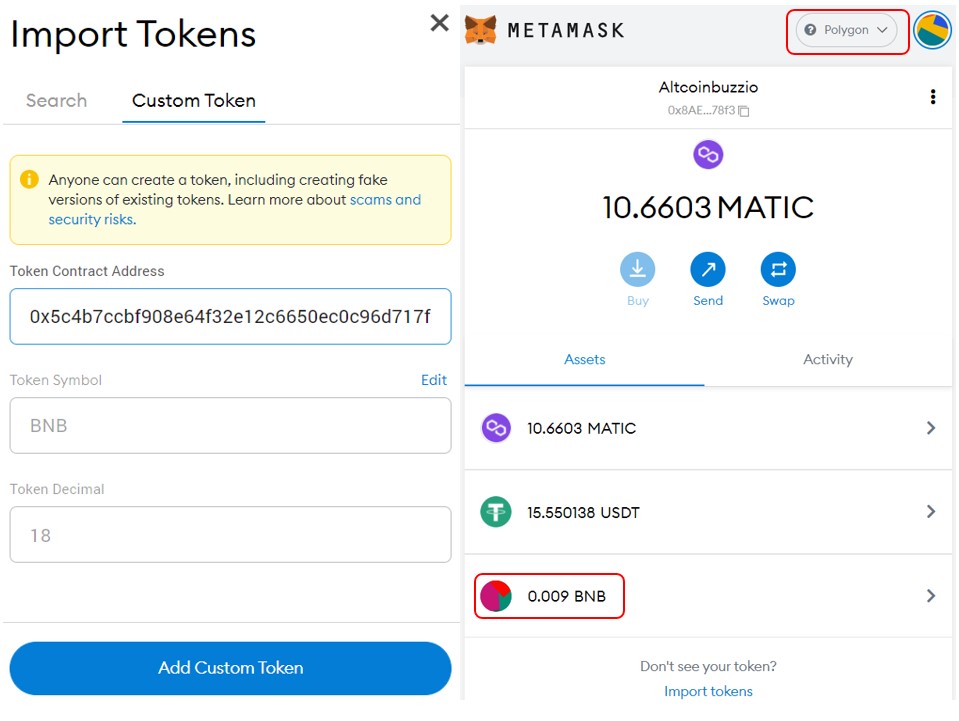
It is quite possible that you cannot see the token in your wallet after the transaction is done. Therefore, users need to manually add the token contract address in the wallet to see the token.
To do it, you can copy the token contract address from the transaction details, and then add it to the “Custom Token” field to see the token.
Join us on Telegram to receive free trading signals.
For more cryptocurrency news, check out the Altcoin Buzz YouTube channel.
Next up

Bitcoin ETFs Draw $1.07B in Three Days, Short of Rally-Era Pace
US spot bitcoin ETFs took in about $1.07 billion from Oct. 19 to 21, led by IBIT. Past steep rallies ran on months of $200 million-plus daily inflows.
 BTC
BTCRelated
More in Crypto NewsRelated
Bitcoin Drops Below $80K as Crypto Liquidations Top $834M
BTC ETH
ETH
Sui's Hashi Adds Anchorage Digital as $500M Bitcoin Launch Nears
BTC SUI
SUI
Bitcoin Core Speeds Up Fixes for AI found Bugs Drops
BTC
Bitcoin ETFs Lose $635M in a Day as DWF Study Says Flows Chase Price
BTC