How To Install and Use the Exodus Wallet – Part I
Exodus is a user-friendly, multi-currency wallet that allows the users to store any ERC-20 tokens.
By Victor

Exodus is a user-friendly, multi-cryptocurrency wallet. It was founded in 2015 by Daniel Castagnoli and JP Richardson.
Using this wallet, you can store any currently unsupported and custom ERC-20 tokens.
Currently, the Exodus wallet is available for Windows, Mac OS, Linux, Android, and iOS users.
We have explored both the mobile wallet and desktop application as a few features are not available in a mobile wallet. So read the guide here and then decide which wallet will best serve your purpose.
Table of Contents
Toggle- Wallet Features
- Installation Guide
- Wallet
- Add Token
- Send
- Receive
- Exchange
- Token Price and Balance
- Add Bitcoin
Wallet Features
- Easy to use
- Built-in exchange
- 24/7 human support
- Live charts & portfolio
- Sync with your Exodus Desktop app
- Advanced security for your cryptocurrency
Installation Guide
Users can download the Exodus wallet mobile application from the Google Play Store (Android).
For desktop, we recommend you to go to their official website and download the application from there.
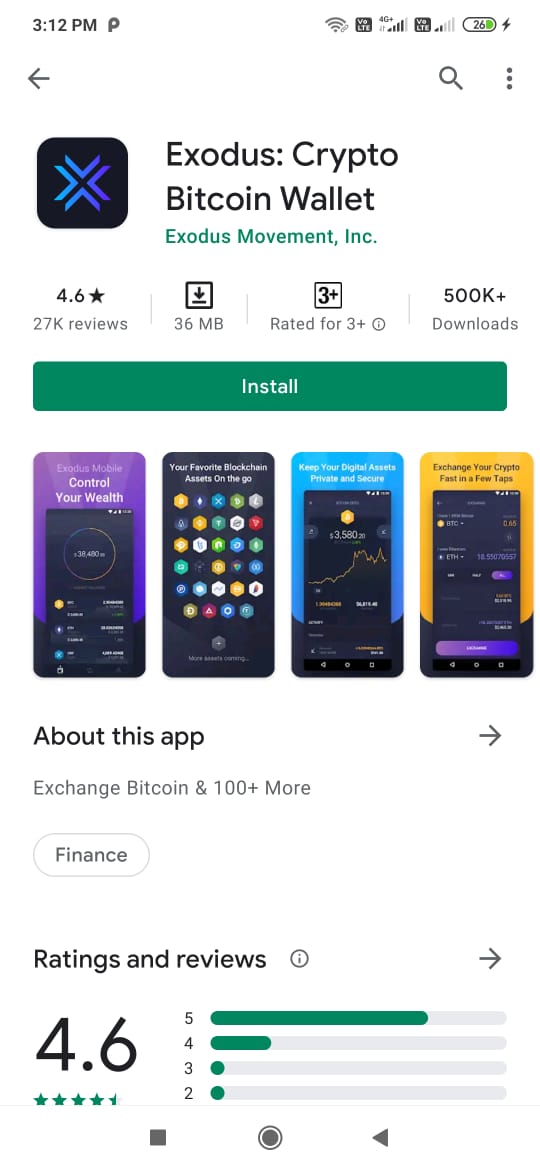
Important: While downloading any mobile wallet application from the Google Play Store, it is always recommended to check the application download count, reviews, and the rating status. This way, you can protect yourself from various phishing applications found on the internet.
After installation, a pop-up window will appear that will allow you to do two different activities related to the wallet installation.
- Get started (create a wallet)
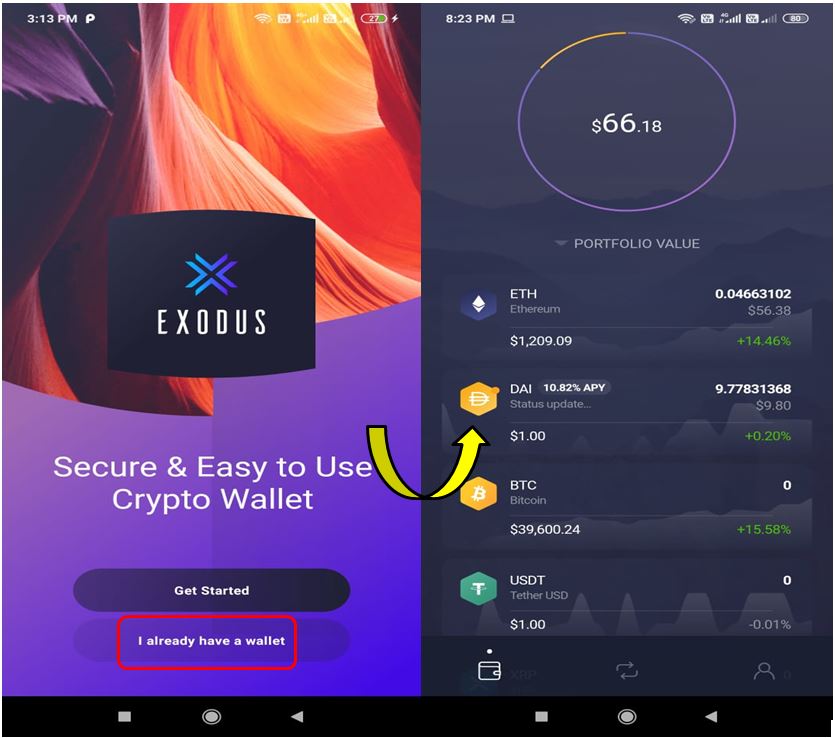
- Restore wallet
Get Started (Create a Wallet)
Choose Get Started if you are a new user and wish to create a new wallet.
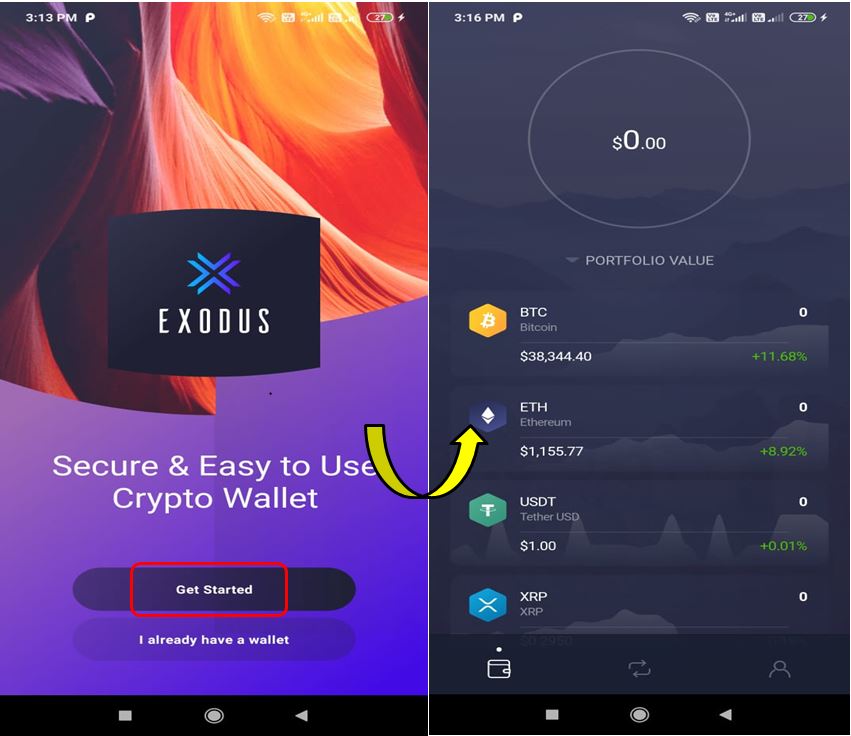
Make your first deposit and start using the application.
Restore Wallet
You can also restore an existing wallet. The Restore Wallet option allows you to import different types of wallets either by scanning the QR code or by providing the 12-word backup phrase. Once you have provided the correct backup phrase and verified it, the application will ask you to set up a wallet password. Finish the process and you are in.
The wallet landing page will look like this. You can see your existing tokens now.
Wallet
By default, you are on the wallet page where you can see your token details. The page also provides the flexibility to see the assets based on the following criteria:
- Portfolio value (shows your asset details)
- Name
- 24-hour volume
- Market cap
- 24-hour change
Add Token
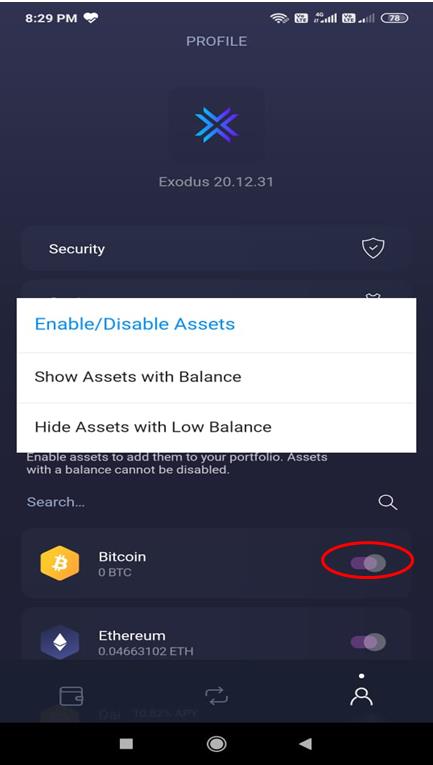
You can go to the Setting tab and add tokens by enabling the toggle button against the desired token.
Using the Setting tab, you can also set the following options for token display.
- Enable/disable assets
- Show assets with balance
- Hide assets with low balance
Send
The Send option allows you to send tokens to another account. Enter the recipient’s address and the token value.
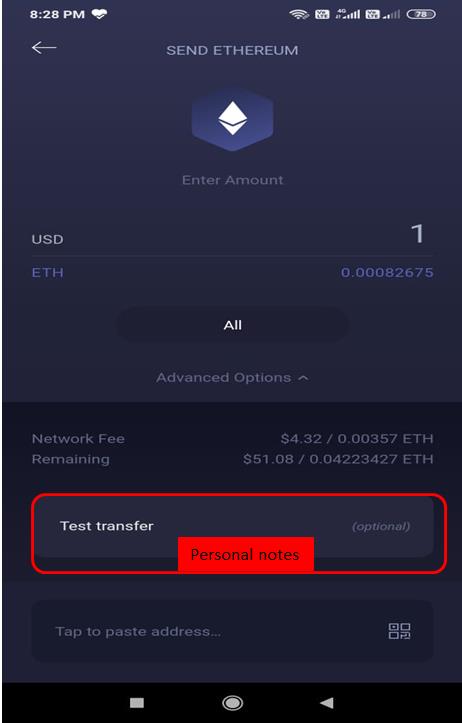
Exodus wallet allows you to write some note/message with the transaction.
Receive
Through this option, you can share your public address and QR code to receive tokens.
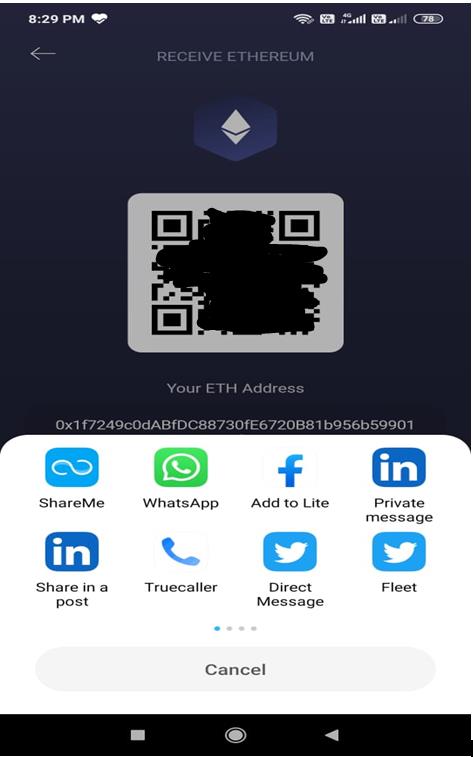
Exodus allows you to share your address through many social platforms like Twitter, Telegram, WhatsApp, etc.
Exchange
You can use the exchange either by going to the middle icon/tab (exchange tab) or by selecting the token first and then choosing the exchange option.
This feature allows you to swap one token into another. Users need to fill in the token pair and input the token value. The amount you will receive and the transaction details will be automatically calculated and displayed to you.
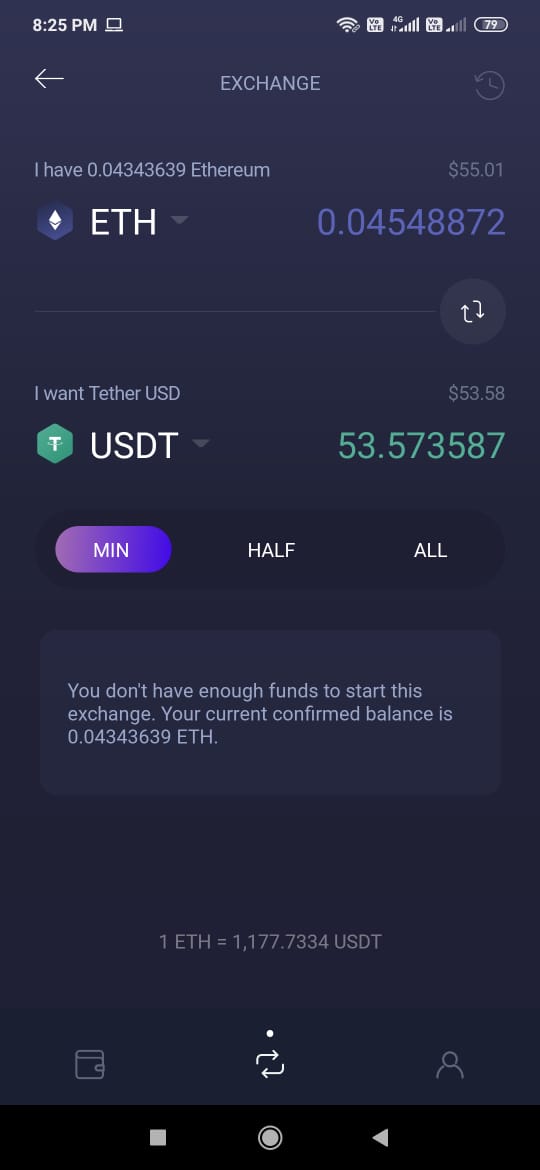
You will also find some interesting features that the wallet supports.
Token Price and Balance
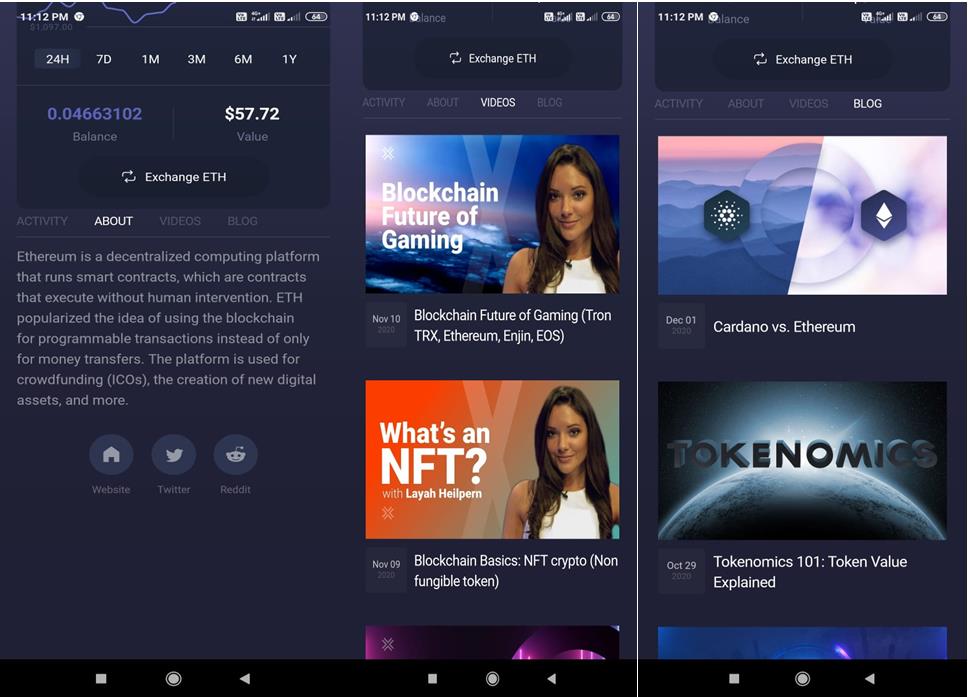
You can see the token’s market trend from the Price tab. You can select the time frame and see the token’s value fluctuations.
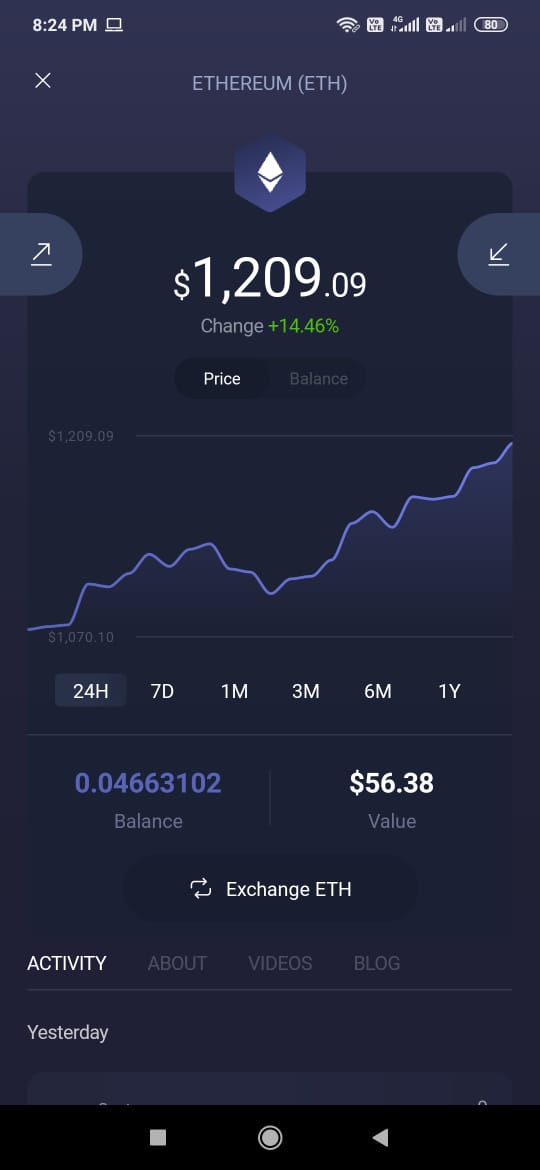
Some other attractive things which we have noticed is that, if you select a particular token and scroll down, you will find a small description about the token and a link to the token’s official website.
There are two more tabs named Videos and Blog where you will find educational videos and blogs by the Exodus team.
Add Bitcoin
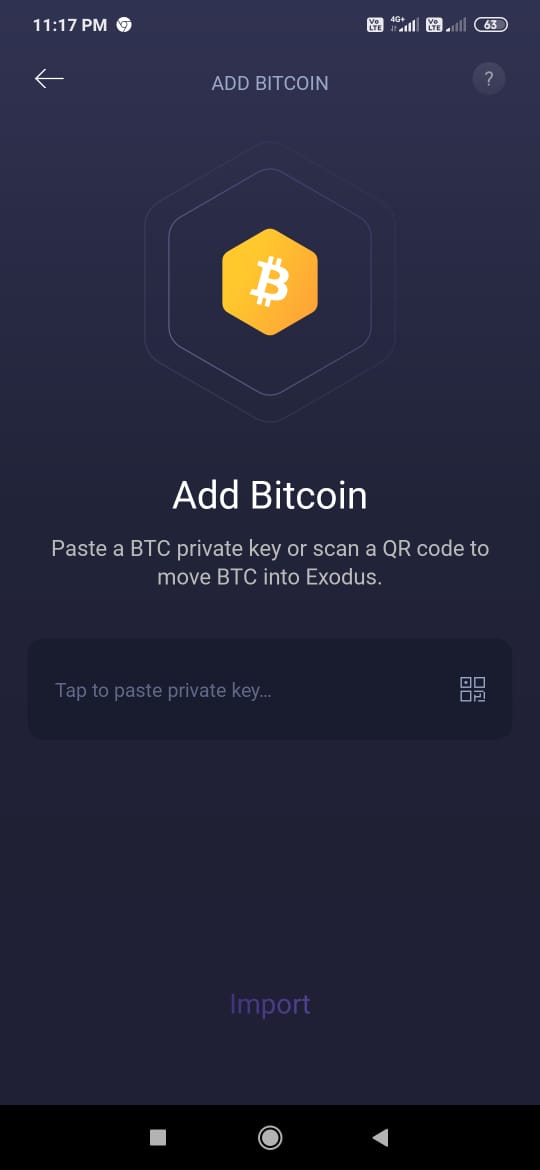
You can add Bitcoin to your Exodus wallet by giving the BTC private key, or you can move your funds by scanning the QR code of the source wallet.
In the next part of this article, we will explore the rest of the features supported by the wallet.
Resources: Exodus Wallet
Next up

Bitcoin ETFs Draw $1.07B in Three Days, Short of Rally-Era Pace
US spot bitcoin ETFs took in about $1.07 billion from Oct. 19 to 21, led by IBIT. Past steep rallies ran on months of $200 million-plus daily inflows.
 BTC
BTCRelated
More in Crypto NewsRelated
Bitcoin Drops Below $80K as Crypto Liquidations Top $834M
BTC ETH
ETH
Sui's Hashi Adds Anchorage Digital as $500M Bitcoin Launch Nears
BTC SUI
SUI
Bitcoin Core Speeds Up Fixes for AI found Bugs Drops
BTC
Bitcoin ETFs Lose $635M in a Day as DWF Study Says Flows Chase Price
BTC