How To Transfer $FTM Tokens From Ethereum To Fantom Network Using Multichain Bridge
This guide contains detailed steps on how you can transfer your ERC-20 $FTM tokens from the Ethereum to the Fantom network.
By Victor

The $FTM token is the native token of the Fantom network that has multiple utilities. It can be used for staking to secure the network, governance activities, send/ receive tokens, and as a currency for payments.
Users who wish to stake their $FTM token or want to enjoy the facilities offered by the Fantom network need to hold their tokens in the Fantom mainnet.
Currently, there are three different types of $FTM tokens are in circulation:
- Opera FTM: exists on Fantom’s mainnet Opera Chain
- ERC20: For the Ethereum network
- BEP2: For the Binance Chain network
To stake or start using the Fantom platform, $FTM holders from other networks can use a bridge service to transfer/swap tokens into native Opera tokens.
This article will explain how you can transfer your $FTM tokens from the Ethereum to the Fantom network by using the Multichain bridge.
Usage Guide
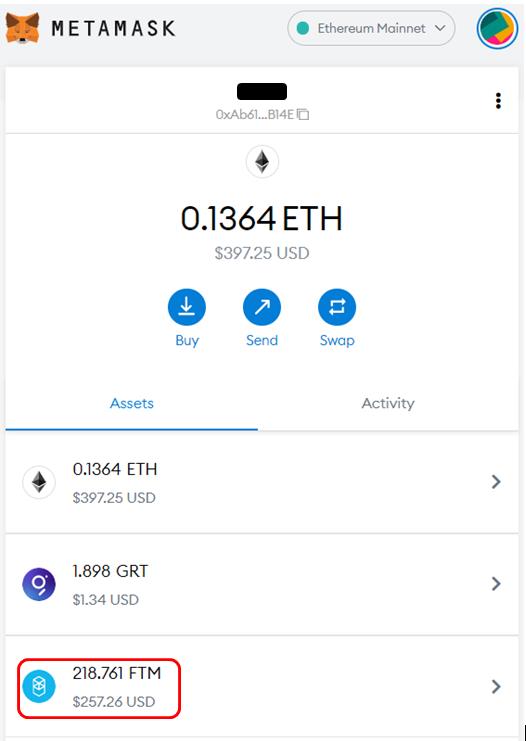
As you can see from the screenshot below, you need to have some $FTM tokens in our Metamask wallet (Ethereum network).
Multichain is a cross-chain bridge that allows the users to perform bi-directional token transfers among various networks, including Ethereum, Binance Smart Chain, Fantom, Fusion, Heco, Polygon, and xDAI blockchains.
Step 1: Connect with Multichain Platform
Firstly, you need to connect your Metamask wallet from the Multichain bridge. Then, select the source network as Ethereum and the destination network as Fantom. Enter the amount of $FTM tokens that you wish to transfer to the Fantom network, and confirm the transaction by clicking on the Transfer button. You will end up having the following picture:
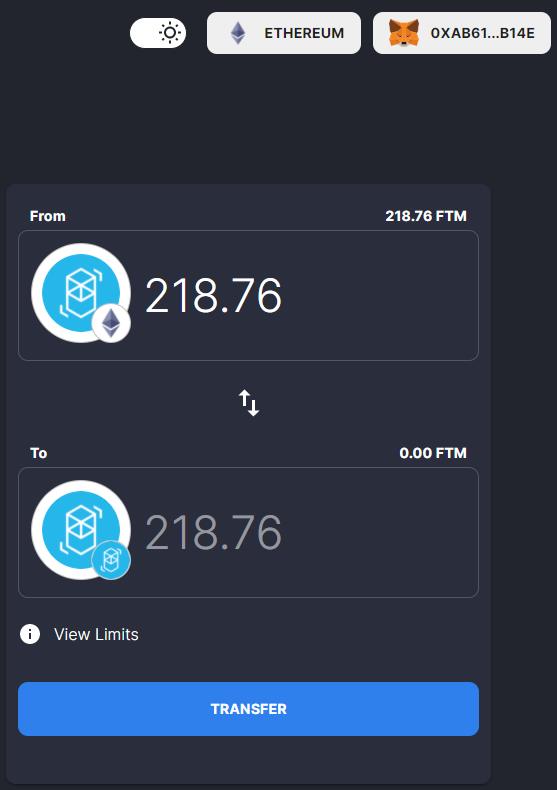
Note that since you are moving your tokens from the Ethereum network, you must pay the gas charges. Users are recommended to have enough ETH in their Metamask wallet to cover the gas fee.
The process will take some time. Once the transaction is successful, you will find that your FTM tokens balance will become zero in the Ethereum network.
Step 2: Add Fantom Opera Network In Metamask
To see the token balance in the Fantom network, add the Fantom network details in your Metamask wallet.
To add the details, go to Setting-> Network-> Add Network, and add the below details:
- Network Name: Fantom Opera
- New RPC Url: https://rpcapi.fantom.network
- ChainID: 250
- Symbol: FTM
- Block Explorer URL: https://ftmscan.com/
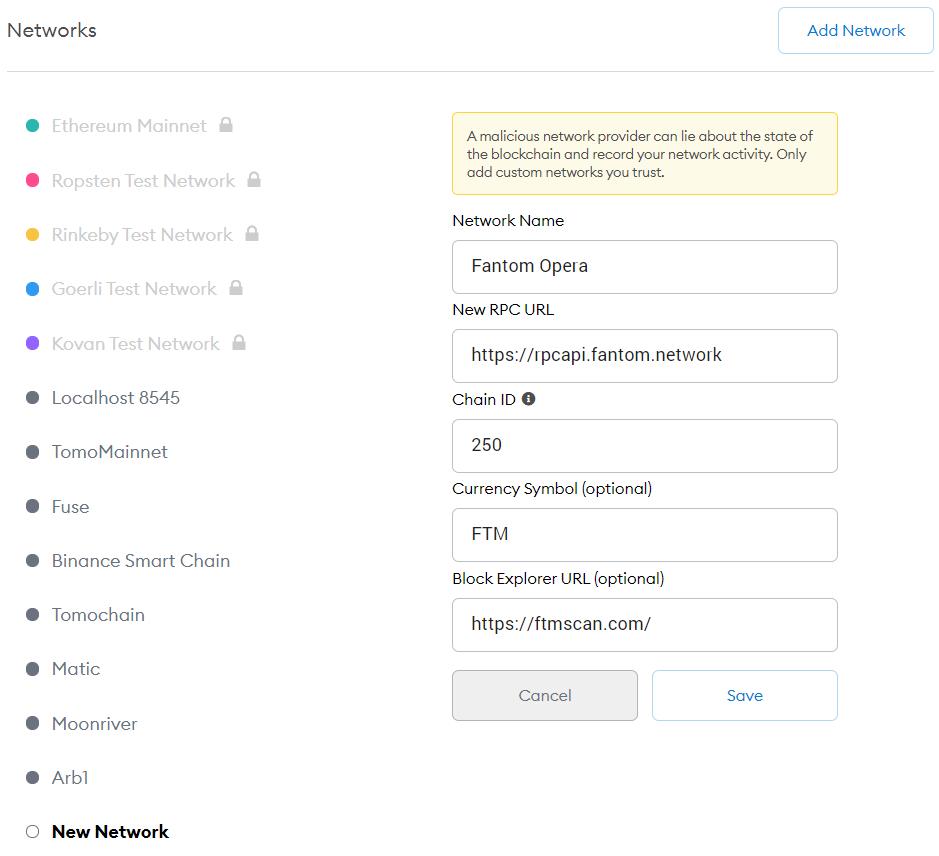
Save the details. Now, you can see the $FTM token balance in your Metamask wallet.
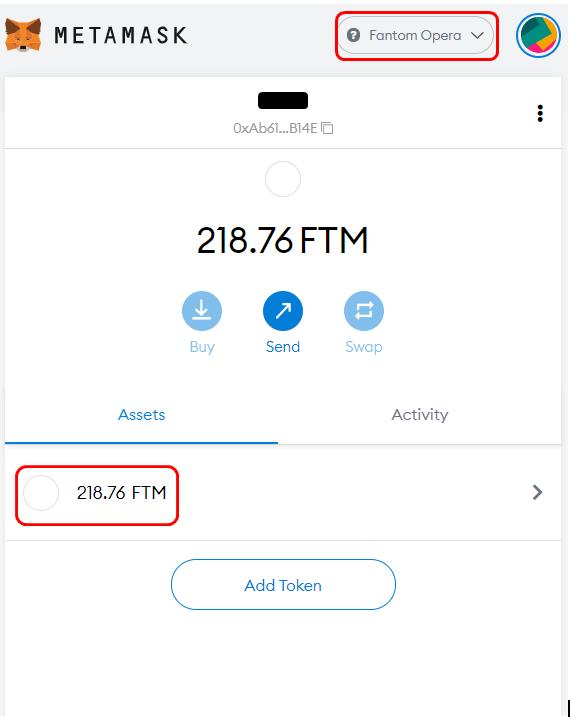
Step 3: Connect Fantom Wallet with Metamask
You can now go to your Fantom PWA wallet and set up a connection using your Metamask wallet.
Click on the Connect Wallet button. It will allow you to connect with any of the below wallets: Metamask, Ledger, or Coinbase wallet.
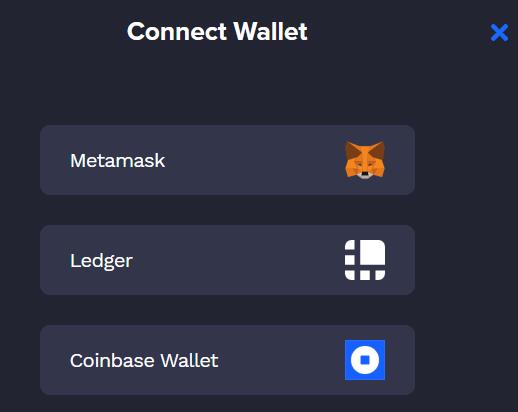
Click on Metamask; you will receive a pop-up message regarding your permission to add the Metamask account to your Fantom wallet. Provide your approval to add your account.
You can now see two wallets on your homepage. One is linked with a Keystore file and the other with Metamask with desired $FTM token balance.
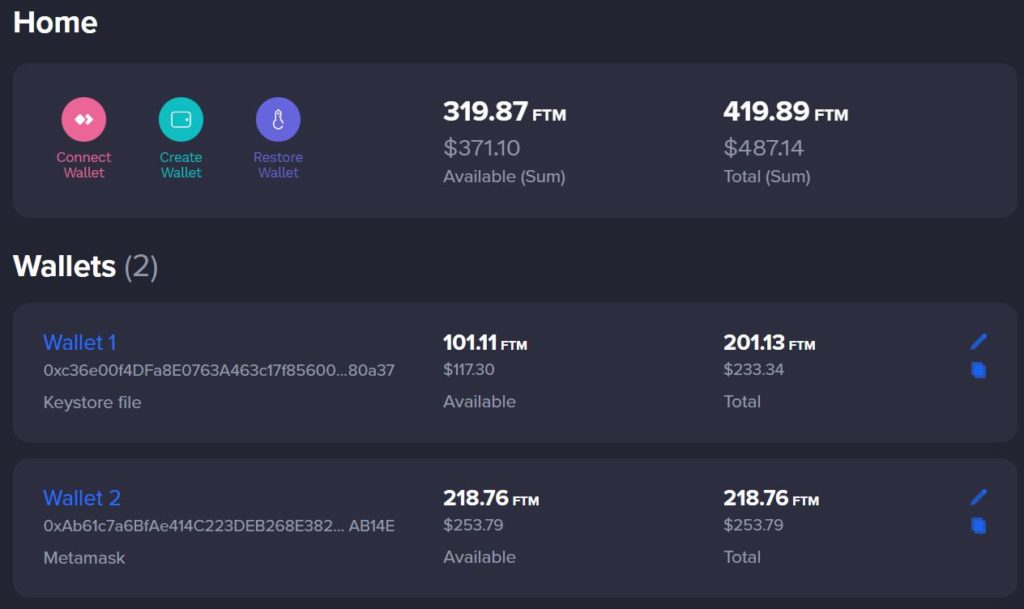
You can now use this token balance to enjoy the facilities offered by the Fantom network.
Finally, you can read the ultimate $FTM token guide.
Join us on Telegram to receive free trading signals.
For more cryptocurrency news, check out the Altcoin Buzz YouTube channel.
Next up

Super League Holders Approve Metaplanet's 2,100 BTC Investment
Super League stockholders approved the Metaplanet deal that hands the company 2,100 Bitcoin and control. The transaction is expected to close in Q4 2026.
 BTC
BTCRelated
More in Crypto NewsRelated
Bitcoin ETFs Draw $1.07B in Three Days, Short of Rally-Era Pace
BTC
Swiss Regulator Approves First Retail Bitcoin ETF, Bends Fund Rules
BTC
JPMorgan Gives Bitcoin a 10% Annual Return in Long-Term Outlook
BTC
Tron and Starknet Ship Quantum Defenses as Bitcoin Debates
 TRX
TRX STRK
STRK