How to Use Bungee
This guide contains detailed steps on how you can use the Bungee platform.
By Victor

Bungee is a bridge aggregator that integrates multiple DEXes and thus provides the users with easy, fast, and efficient routes for cross-chain transfers. Being a bridge aggregator, the application shows the various routes when users opt for a cross-chain transfer. Users can re-arrange the routes based on speed, low gas fee, and high return.
So, in this article, we will explain how you can use the Bungee platform.
Table of Contents
- Access the Bridge
- Connect Wallet
- Supporting Network
- How to Use the Bridge
- Refuel
- Transfer Assets
- Conclusion
Access the Bridge
To use the bridge, visit this link. The landing page looks like this.
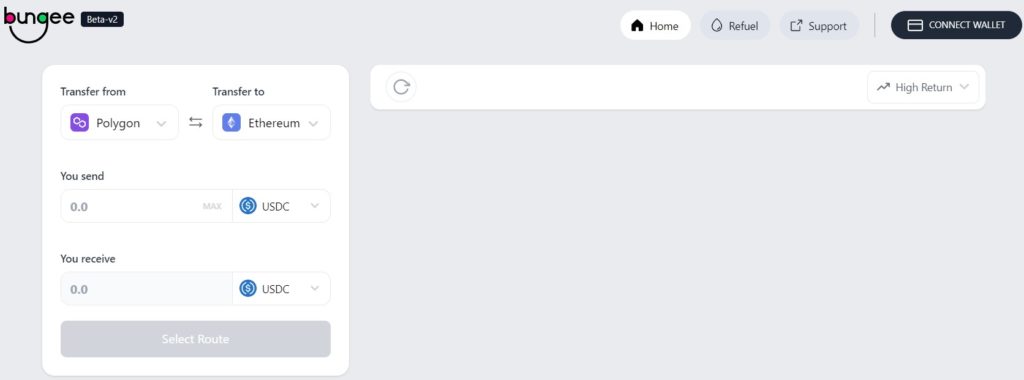
Important: The bridge is currently in beta version, so use it with utmost care.
Connect Wallet
To work with the platform, users need to first connect their wallets. The bridge allows the users to connect with any of the below two supporting wallets:
- MetaMask
- WalletConnect
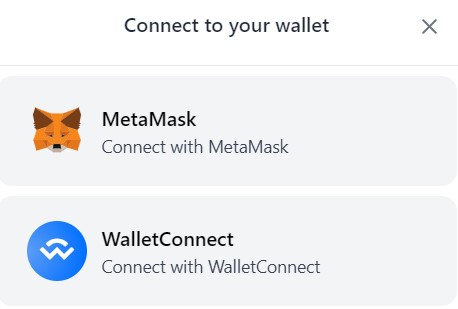
We will connect the bridge using our MetaMask wallet.
Supporting Network
The Bungee bridge currently provides support to the following networks:
- Arbitrum
- Avalanche
- Aurora
- BSC
- Ethereum
- Optimism
- Fantom
- Gnosis
- Polygon
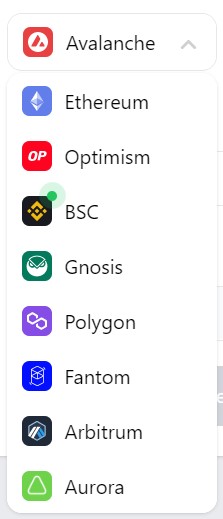
The project is planning to include support to other networks in the future.
How to Use the Bridge
The bridge is in the early stage. It is quite possible that the bridge may not support the transfer (combination of source and destination network, as well as desired token) that you are willing to do currently. And, you may find the below message repeatedly.
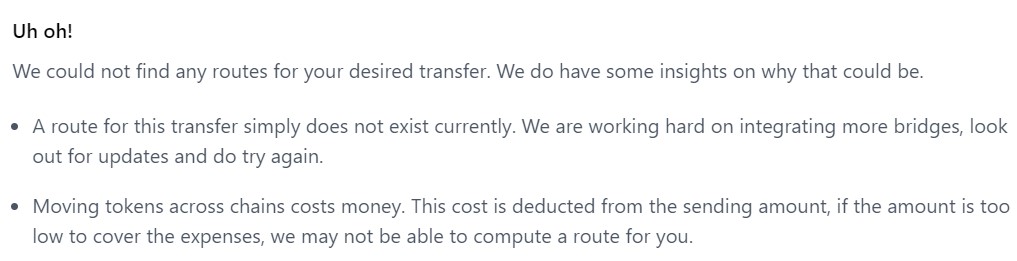
We have searched a lot for the network and coin combinations that we can use for this transfer process. We will transfer USDT from the Ethereum network to the Polygon Network.
For initiating a transfer, users need to fill in the following details:
- Transfer from (source network)
- Transfer to (destination network)
- Source token (token you wish to send)
- Destination token (token you wish to receive)
Also, enter the amount of the source token that you wish to transfer. Once we have filled in the above details, we got a disclaimer stating a low gas fee on Polygon (destination network in this case). See the below screenshot.
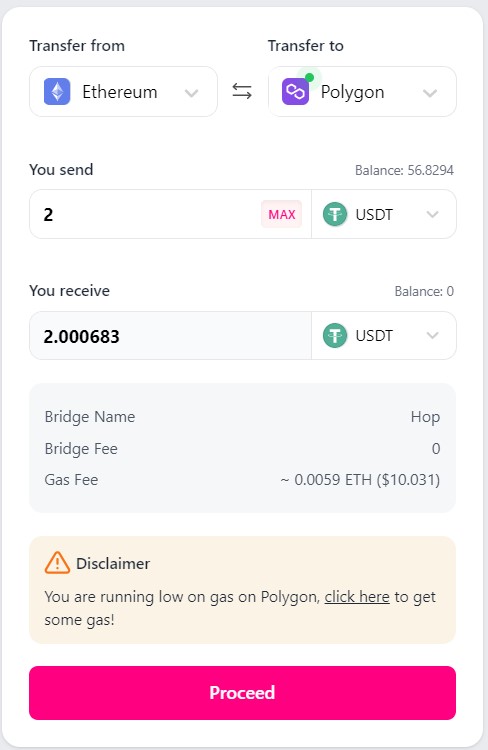
It is due to the reason that we have no MATIC coins in our connected wallet to pay for the gas fee.
To resolve this kind of issue that users generally suffer, the Bungee team has introduced a new feature named Refuel.
Refuel
The application automatically detects and throws a warning message if the user’s connected wallet has no/insufficient gas fee to cover the transaction on the destination network.
Refuel will allow you to convert the native token of the source network into a native token of the destination network to pay the network fee.
To remove this warning message, you can either click on the link given on the disclaimer or directly go to the Refuel tab.
We have selected the desired network details. As you can see from the above screenshot, users can transfer a minimum amount of 0.001 to a maximum amount of 0.005. Note that the figures are in the source network’s native token, i.e., in ETH for our case.
Fill any amount of the source network’s native token between that mentioned range that you wish to convert into MATIC (the destination network’s native token in this case). You can see how many MATIC coins you will get in return.
Note that the minimum and the maximum amount of native tokens may vary from network to network.
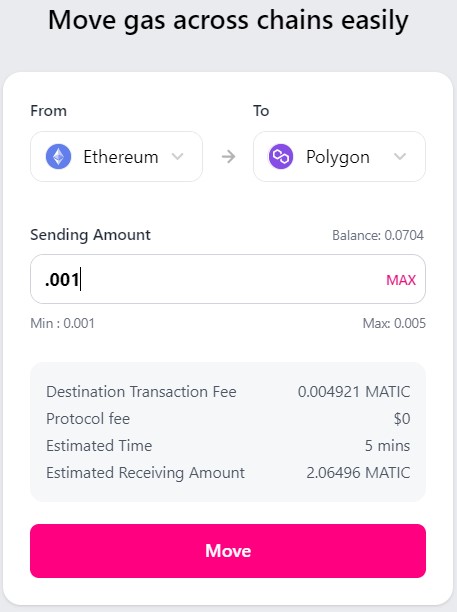
Confirm the process by clicking on the Move button. This will trigger a MetaMask transaction that you need to confirm. You will find that the warning message is gone once the transaction is successful.
Transfer Assets
Once the warning is gone, the application will show the different routes to you to choose from.
As you can see from the below screenshot, for this particular transaction, the application is showing us two different bridge solutions that we can take. It is also showing the estimated gas fee, completion time required, and the amount of tokens we will receive in the destination network.
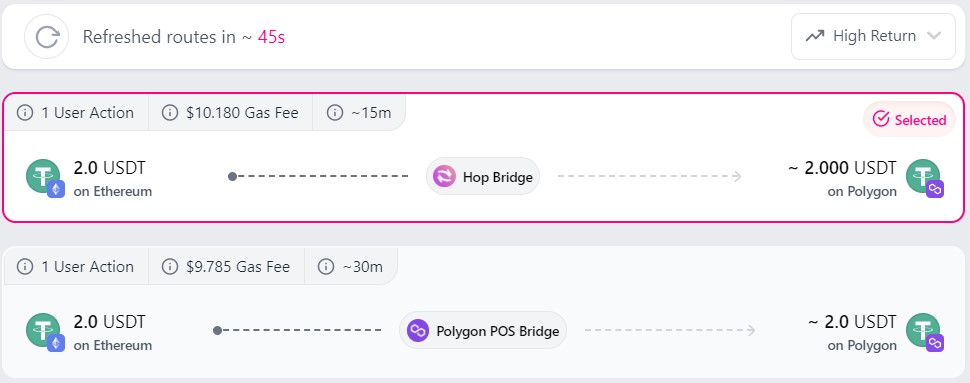
You can re-arrange the routes based on three parameters (fastest, low gas fee, and high returns).
We have selected the first option to do this activity by using the Hop bridge.
To initiate the transfer process, click on the Proceed button.
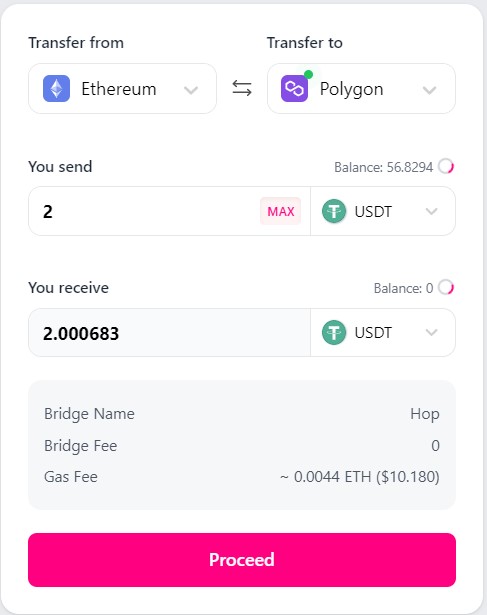
Users need to first Approve the process before actually submitting it for bridge transfer.
Click on the Approve button. A MetaMask transaction is triggered and confirms that transaction. Once it is done, you can see Bridge button. Hit it and finally submit the process.
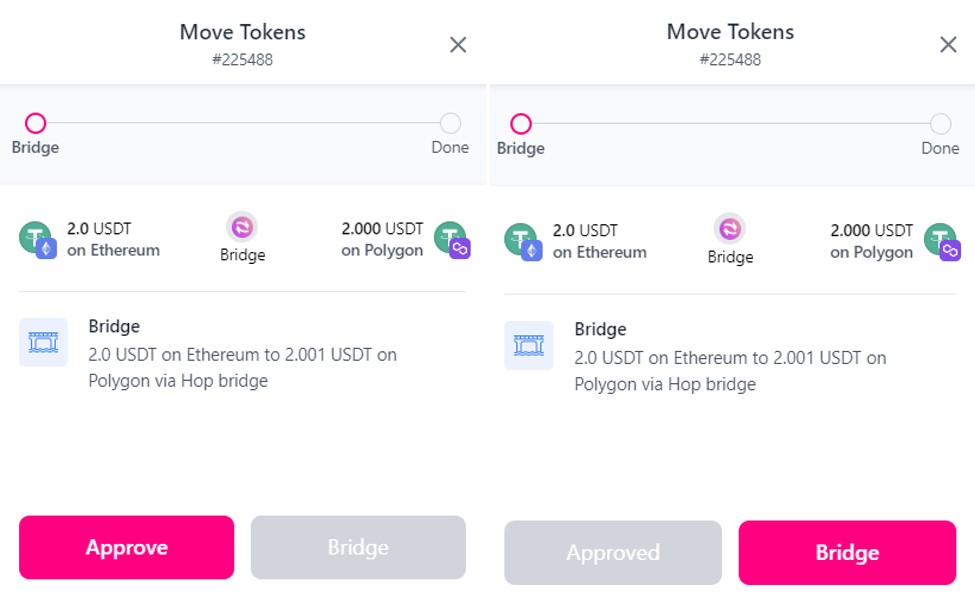
The transaction took way more time than mentioned in the details. You may find that you have received the desired tokens in your wallet (destination network) while the transactions were still showing In Progress status on the screen.
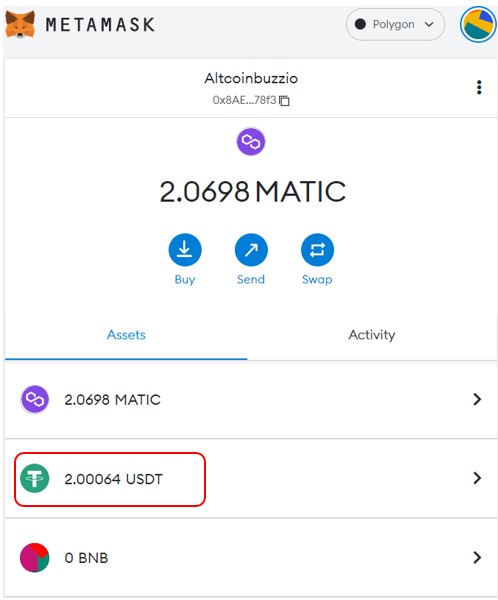
Important: If you are using the output token for the first time, then you have to add the token contract address to see the desired balance in your MetaMask wallet.
Conclusion
The application is in a nascent phase and still requires a lot of improvement. Currently, it does not support many tokens. Hence, users may find that the application doesn’t provide support for the transaction that they wish to do. However, we feel that as the development progresses, these issues will be resolved in the future.
⬆️Moreover, win $6,699 worth of bonuses in the exclusive MEXC & Altcoin Buzz Giveaway! Find out more here.
⬆️Also, for more cryptocurrency news, check out the Altcoin Buzz YouTube channel.
⬆️Above all, find the most undervalued gems, up-to-date research, and NFT buys with Altcoin Buzz Access. Join us for $99 per month now.
Next up

BBIT Spot Bitcoin ETF Heads to SIX in November, Swiss Investors Only
BIT Asset Management's BBIT, Switzerland's first retail spot Bitcoin ETF, should start trading on SIX in November. It is offered in Switzerland only.
 BTC
BTCRelated
More in Crypto NewsRelated
Sui's Hashi Adds Anchorage Digital as $500M Bitcoin Launch Nears
BTC SUI
SUI
Bitcoin Core Speeds Up Fixes for AI found Bugs Drops
BTC
Bitcoin ETFs Lose $635M in a Day as DWF Study Says Flows Chase Price
BTC
Bitcoin ETFs Draw $1.07B in Three Days, Short of Rally-Era Pace
BTC