Everything You Need To Know About Plasma Finance
Plasma Finance is a cross-chain DeFi aggregator that helps the users to manage their portfolios using a single interface.
By Victor
PlasmaPay introduces Plasma Finance, which is a DeFi dashboard that provides a common platform for all the popular DeFi protocols from multiple blockchains. It helps the user to manage their portfolio using a single interface. The platform aims to democratize the DeFi landscape and work towards reducing the complexity so that it can be within the reach of all user groups.
The Plasma Finance platform acts as a bridge between DeFi markets and users and provides them a facility to use fiat on- and off-ramp services across the world. Users can send, exchange, request payments, deposit, and withdraw digital assets using their bank accounts or credit cards.
Table of Contents
- Protocol Supported by Plasma Finance
- Plasma Finance Features
- PPAY Token
- Usage Guide
- Connect Wallet
- Market
- Credit Card
- Ethereum Wallet
- Swap
- Liquidity Pool
- Remove Liquidity
- Saving
Protocol Supported by Plasma Finance
Plasma Finance currently supports these below protocols:
Plasma Finance Features
Below are the various features supported by the Plasma Finance platform:
- Swap
- Cross-chain swap
- Saving account
- Liquidity pools
- Market overview
- Governance
- Portfolio management
- Onboarding
- Borrow
- Claim PPAY token
PPAY Token
PlasmaPay (PPAY) is the native token of the Plasma Finance ecosystem. PPAY token holders can participate in the governance voting system, stake their tokens and earn rewards, and much more.
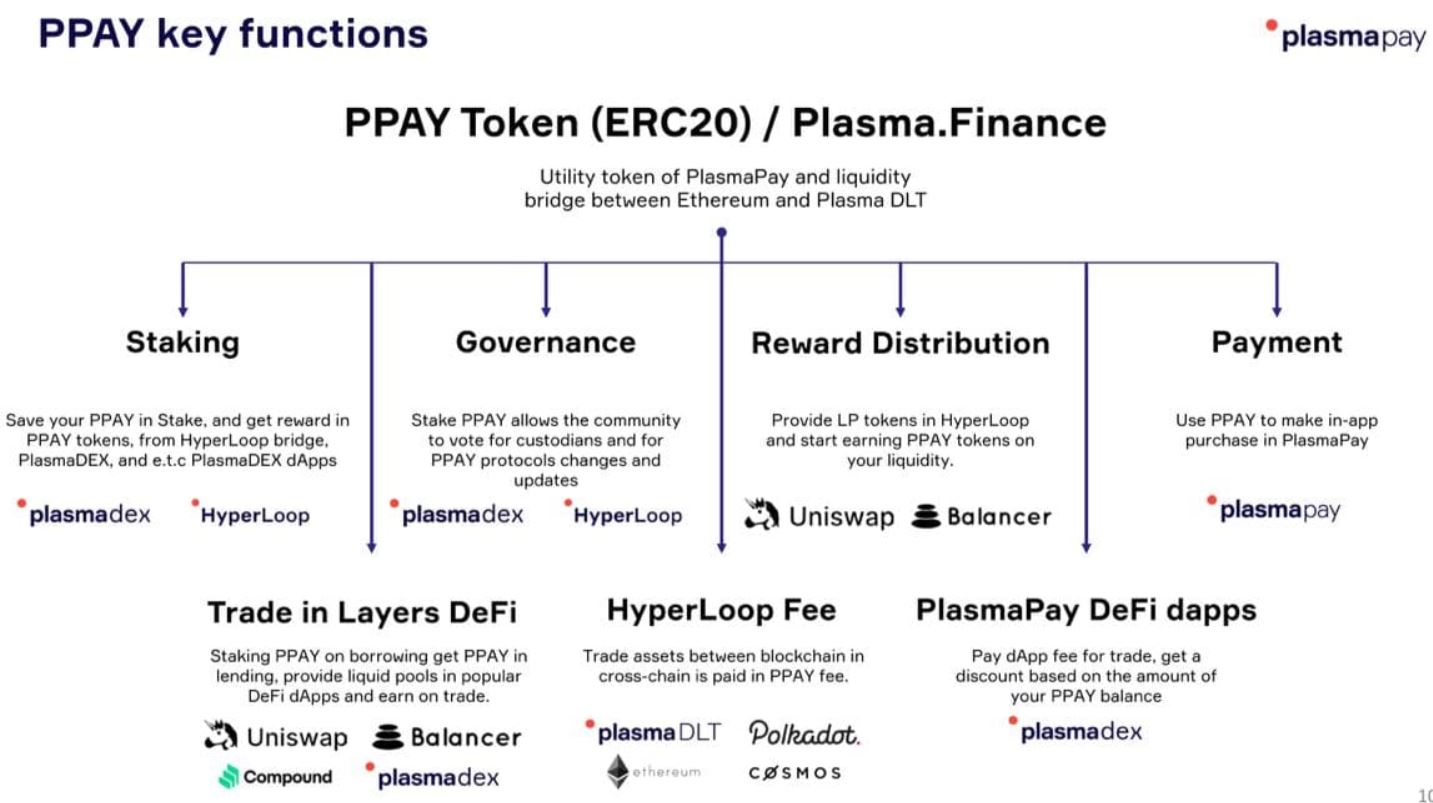
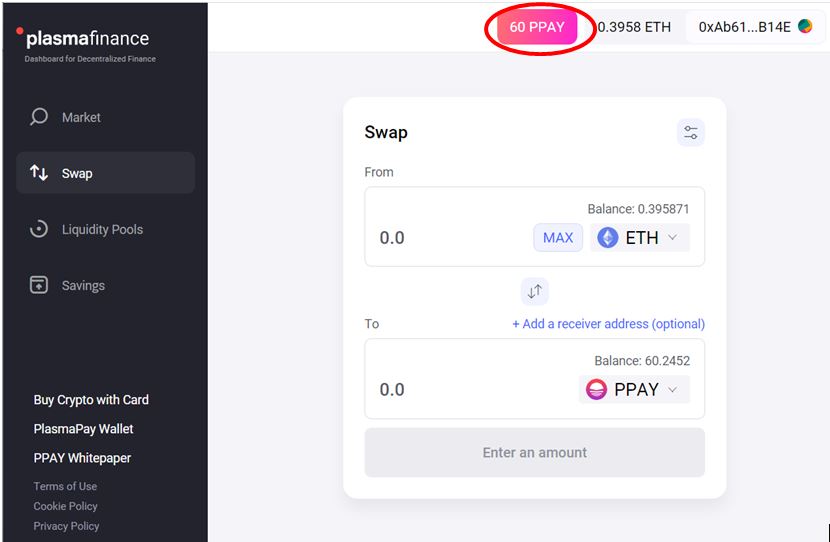
You can get the PPAY token from Uniswap or the Plasma Finance platform using the Swap activity.
Usage Guide
To use the Plasma Finance dashboard, go to the page.
The landing page looks like this.
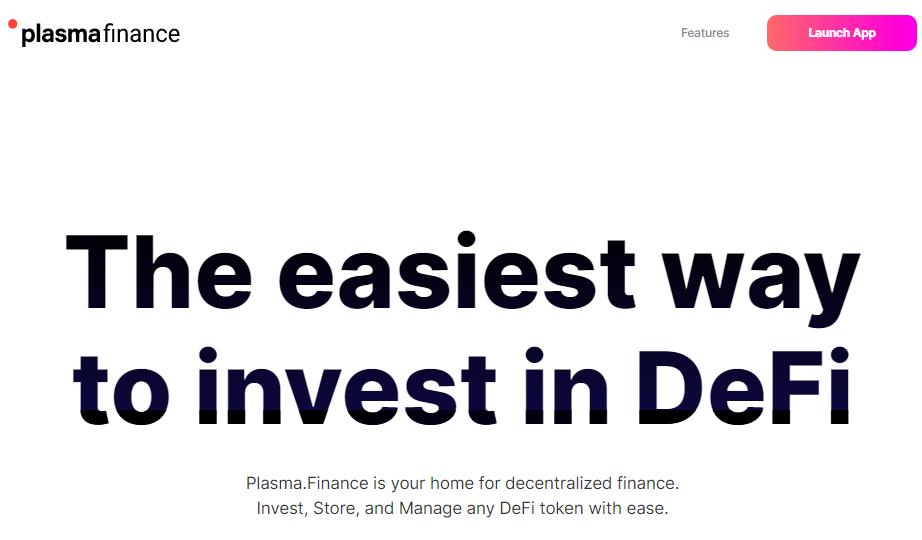
Click on Launch App to access the application.
Connect Wallet
Plasma Finance allows the users to connect with the platform using three popular wallets.
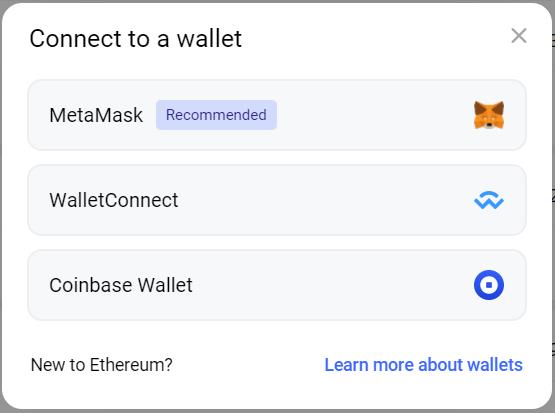
Connect with your desired wallet.
Market
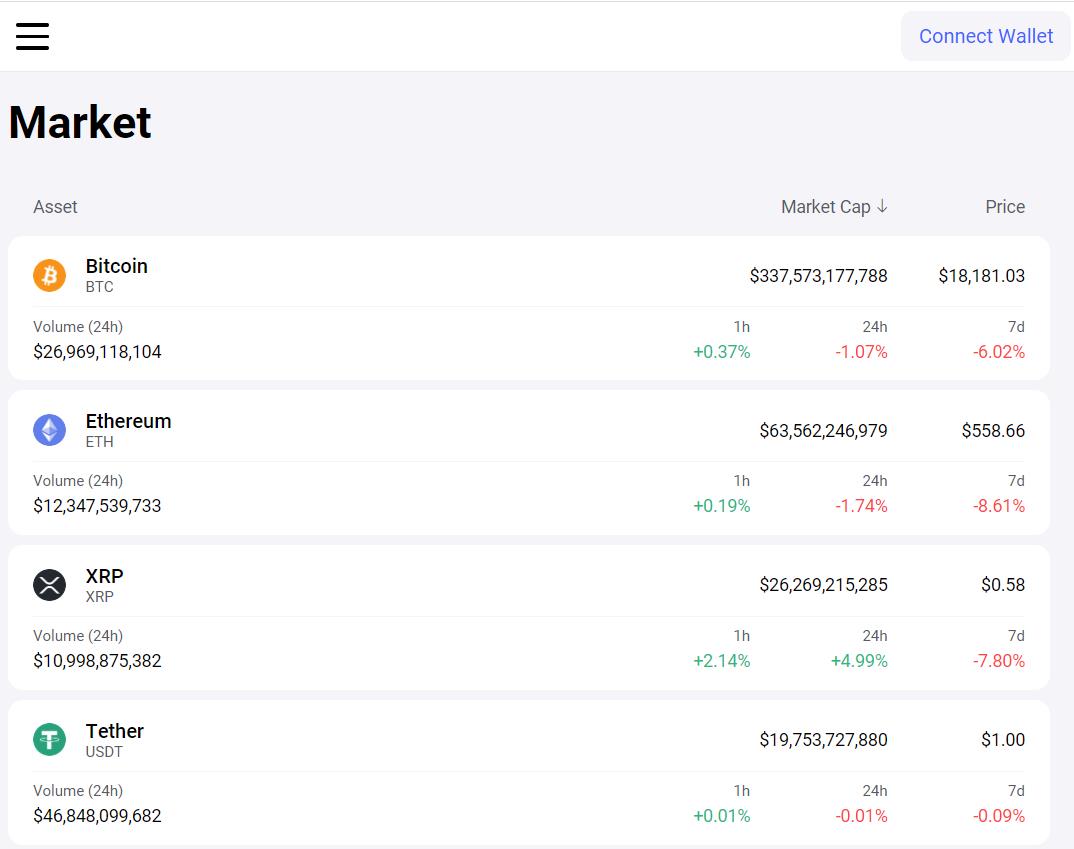
By default, after wallet connection, the user is landed on the Market page.
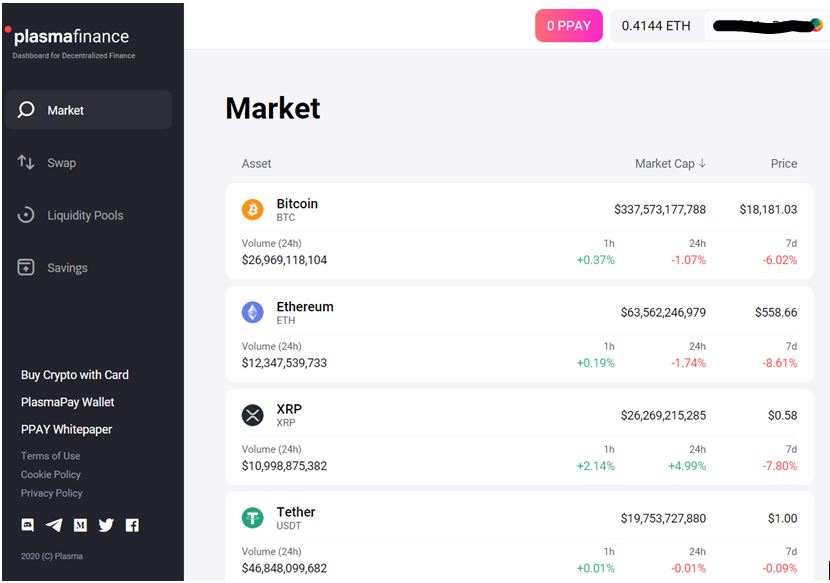
The page lists the tokens supported by Plasma Finance that users can buy.
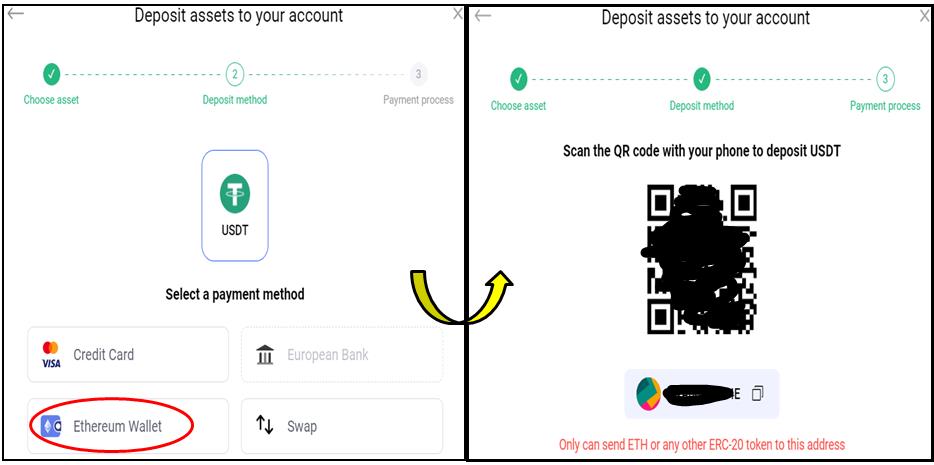
To buy any token, just click on it. The platform offers four methods which you can use to buy a token.
- Credit card
- European bank
- Ethereum wallet
- Swap
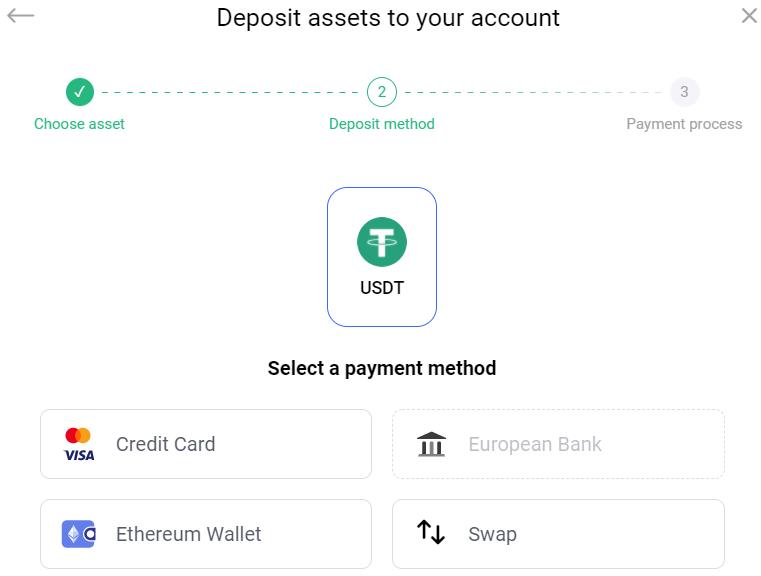
Credit Card
Click on this option if you want to buy a token using your credit card.
Enter the amount you want to spend on buying. The application will automatically fill in your wallet address. It will also calculate the approximate token amount that you will receive depending upon the best available rate.
The user is now required to fill in their details (email, phone number).
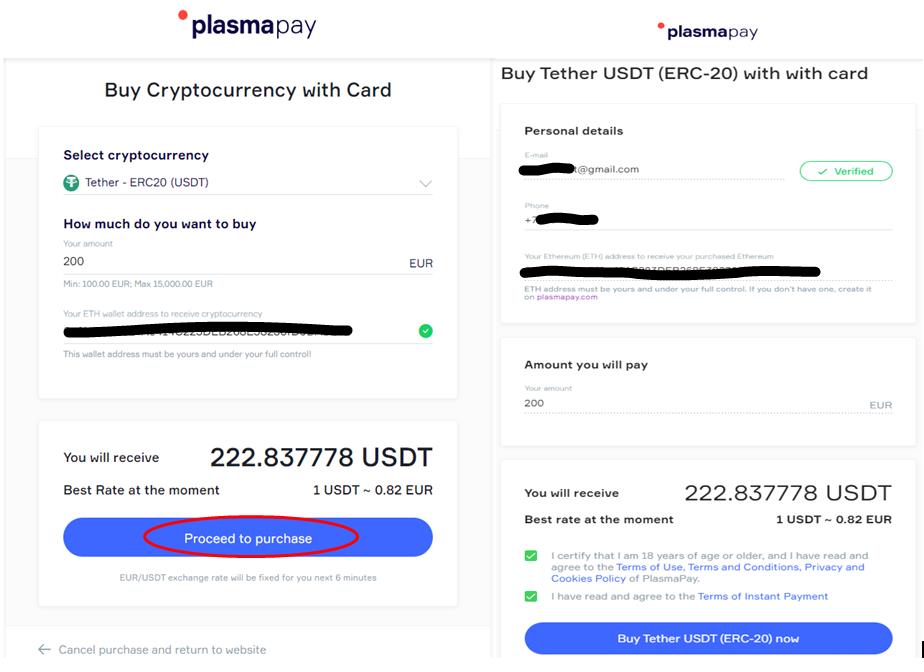
Kindly note that you can also create an Ethereum wallet using PlasmaPay wallet if you do not have a Ethereum wallet.
Confirm the process by providing your card details. We have noticed that the application is taking too much time to process the request.
Ethereum Wallet
You can share your public address with other users to receive any ERC-20 tokens.
Swap
Using this feature, you can swap one token into another.
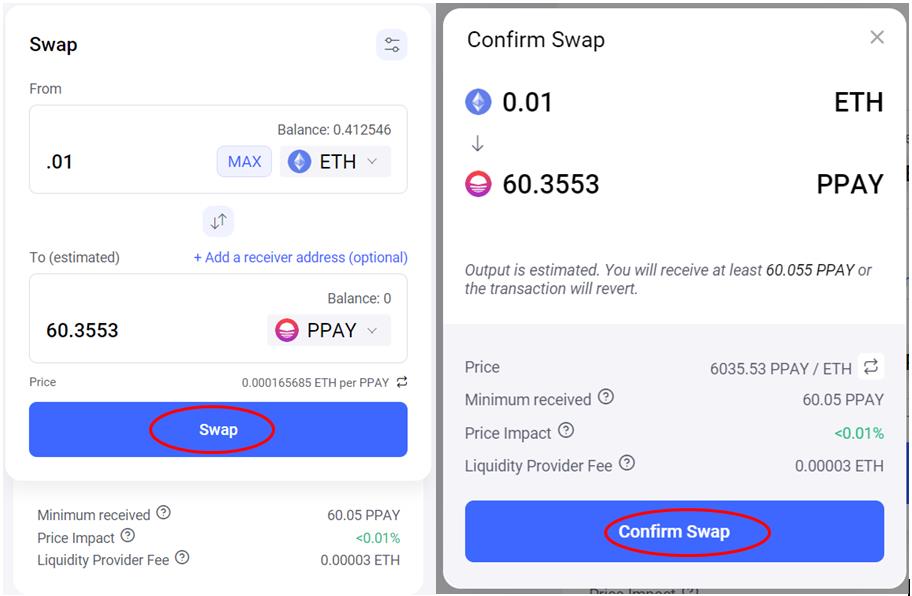
Confirm the Swap activity. It will trigger a MetaMask transaction, and once the transaction is successful, you can see the tokens in your wallet.
Liquidity Pool
Users can add liquidity to an existing pool in Plasma Finance.
To add liquidity, you just need to select the token pair. Enter the amount of one token and the application will automatically calculate the amount of the other token.
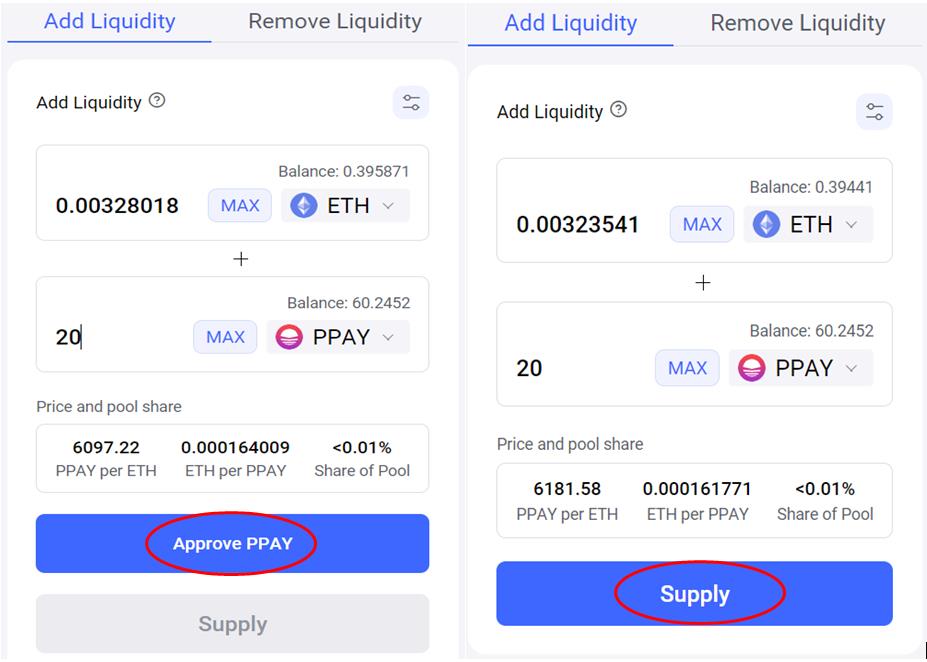
If the user is using the token pair for the first time, they need to approve the pair before supplying it to the pool.
Click on Supply, and the page will show you the pool token you will receive after confirmation.
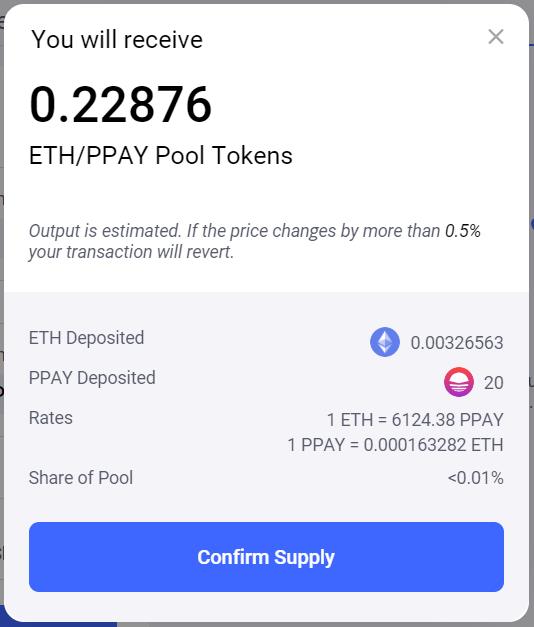
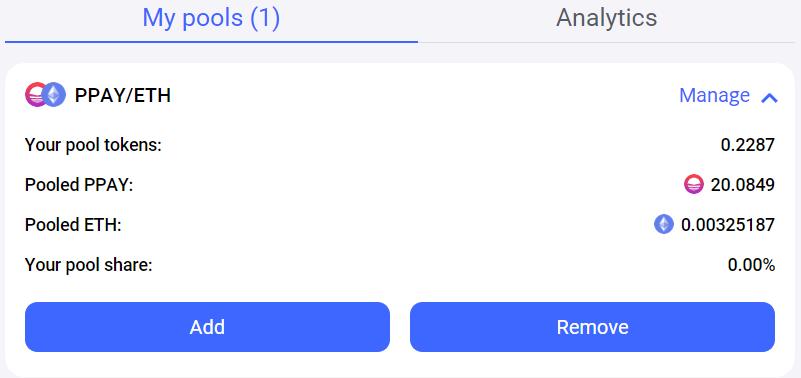
Confirm the MetaMask transaction. You can now see the details of the liquidity pools in which you have added liquidity through the My Pools section.
Remove Liquidity
Users can remove the liquidity from a pool and free their tokens whenever they want.
Enter the amount/percentage of liquidity you want to remove, and the application will show you the amount of tokens you will get after removal from a pool.
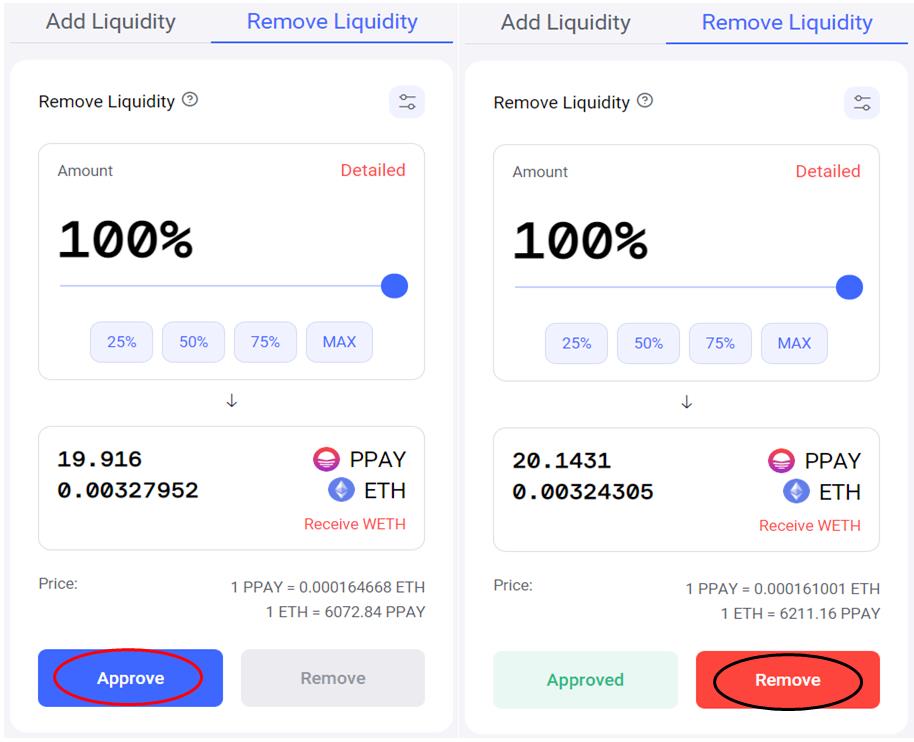
Confirm the MetaMask transaction. The tokens will be released and added to your wallet.
Saving
The Saving feature allows you to deposit DAI/USDT/USDC and earn interest on the deposit.
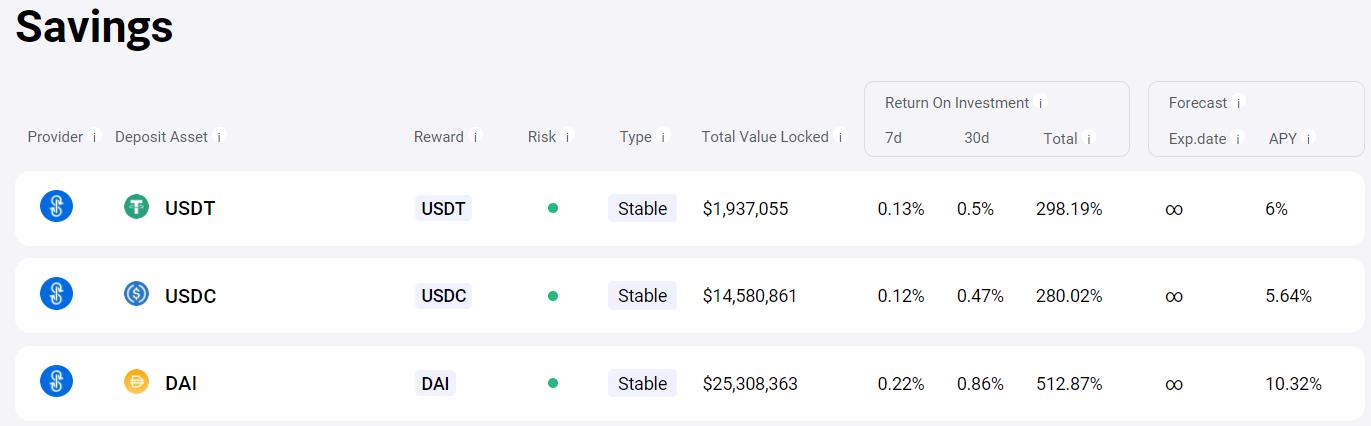
To make a deposit, click on your desired token.
Enter the amount of token you wish to deposit.
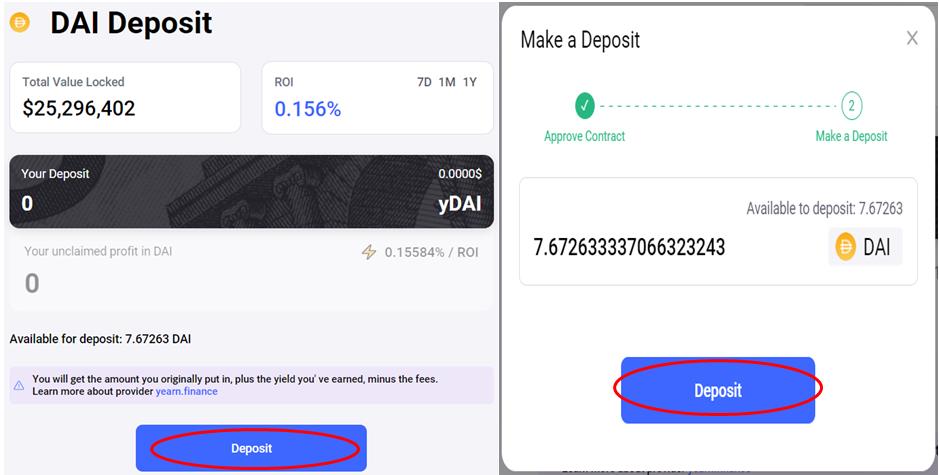
Click on Deposit and confirm the MetaMask transaction.
Conclusion
Plasma Finance is a very innovative and powerful project. The platform is supported by many top protocols. It offers many attractive features to all user groups, ranging from a simple and easy-to-use dashboard for the new users to the advanced financial tools to control complex crypto portfolios for the experienced investor. The PlasmaPay wallet is integrated with various exchanges and an external service provider that allows the users to buy/sell crypto using their bank accounts, credit card, and much more.
We will discuss the PlasmaPay Wallet in more detail in our next article.
Resources: Plasma Finance website
Read More: Switcheo Network – Understand How To Stake SWTH Token
Next up

Bitcoin ETFs Draw $1.07B in Three Days, Short of Rally-Era Pace
US spot bitcoin ETFs took in about $1.07 billion from Oct. 19 to 21, led by IBIT. Past steep rallies ran on months of $200 million-plus daily inflows.
 BTC
BTCRelated
More in Crypto NewsRelated
Bitcoin Drops Below $80K as Crypto Liquidations Top $834M
BTC ETH
ETH
Sui's Hashi Adds Anchorage Digital as $500M Bitcoin Launch Nears
BTC SUI
SUI
Bitcoin Core Speeds Up Fixes for AI found Bugs Drops
BTC
Bitcoin ETFs Lose $635M in a Day as DWF Study Says Flows Chase Price
BTC