Everything You Need To Know About the Coinbase Wallet
Coinbase Wallet is a multi-currency wallet that allows you to store any Ethereum-based tokens.
By Victor
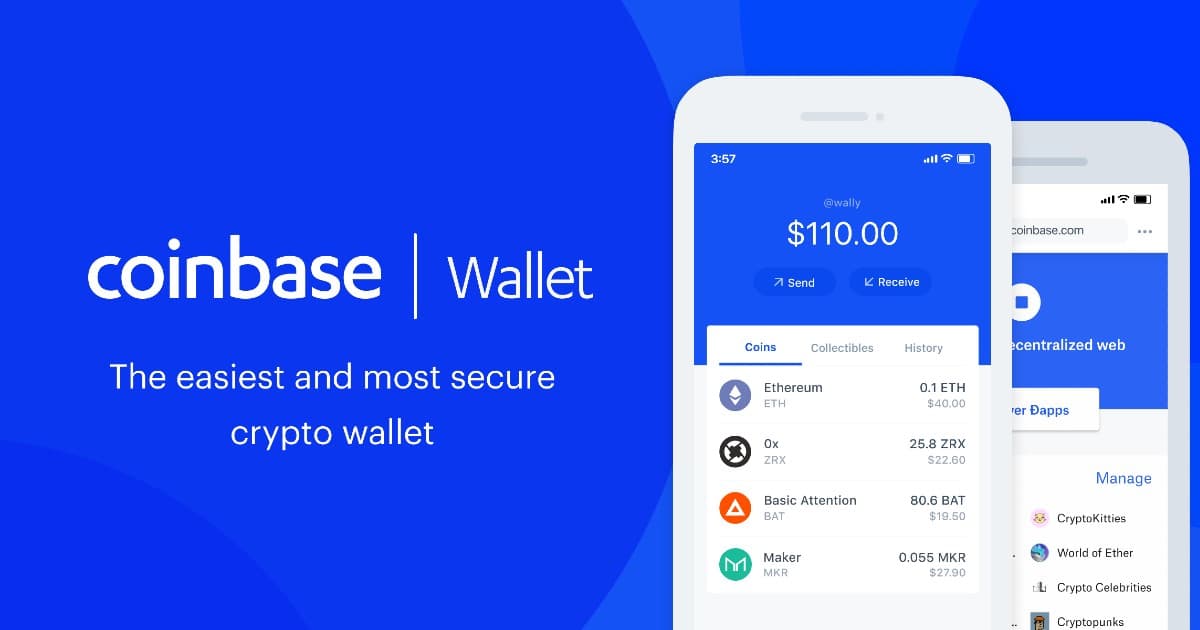
The Coinbase Wallet is a simple, non-custodial multicurrency wallet that allows the users to store their crypto assets, including tokens and digital collectibles. The wallet also allows you to explore decentralized apps (dApps) using the mobile application.
Kindly note that the Coinbase Wallet and the Coinbase platform are different products. However, you can transfer funds between these two products at any time. For that, you need to link your Coinbase account to your Coinbase mobile wallet by going to the Settings page in your Coinbase mobile application.
The Coinbase Wallet is a mobile application that is available for Android and iOS users. You do not need a Coinbase account to use the Coinbase Wallet app. Simply download the application from the Google Play Store and create/ import your wallet and use it.
Table of Contents
ToggleInstallation Guide (Android)
Users can download the Coinbase Wallet mobile application from the Google Play Store (Android).
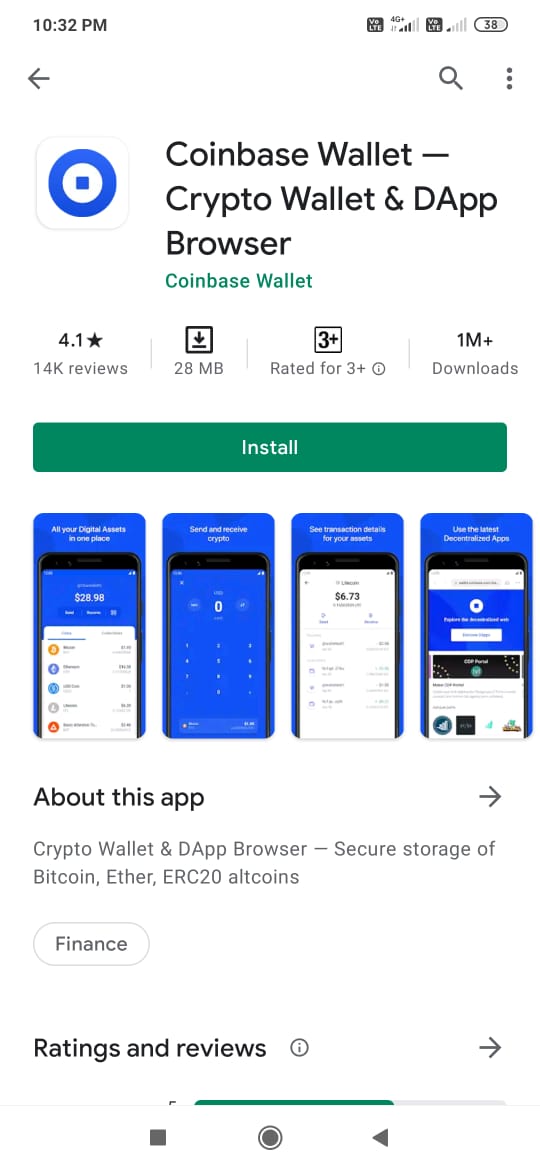
Important: While downloading any mobile wallet application from the Google Play Store, it is always recommended to check the application download count, reviews, and the rating status. This way you can protect yourself from various phishing applications found on the internet.
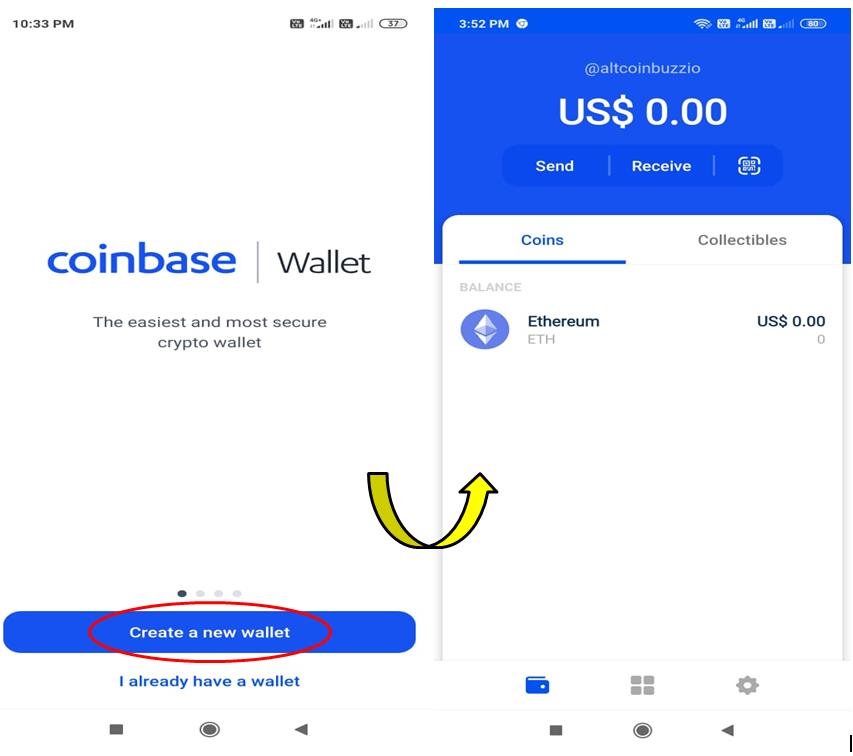
Once the application is installed, a pop-up window will appear that will allow you to do two different activities related to the wallet installation.
- Create a wallet
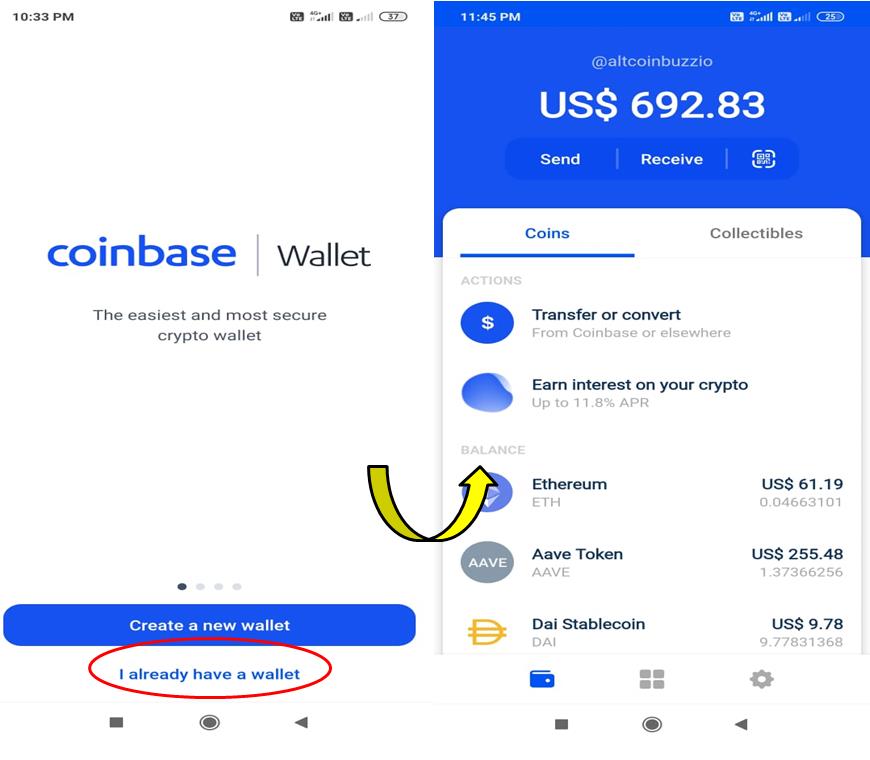
- I already have a wallet (restore wallet)
Create a Wallet
Choose the option Create a Wallet If you are a new user.
The application will ask you to provide a username and privacy setting. It will also display the 12-word backup phrase that you need to store safely for future use.
Restore Wallet
You can also import an existing wallet. The Restore Wallet option allows you to import different types of Ethereum wallets by providing the 12-word backup phrase. Once you have provided the correct backup phrase and verified it, the application will ask you to set up a wallet password. Finish the process, and you are in.
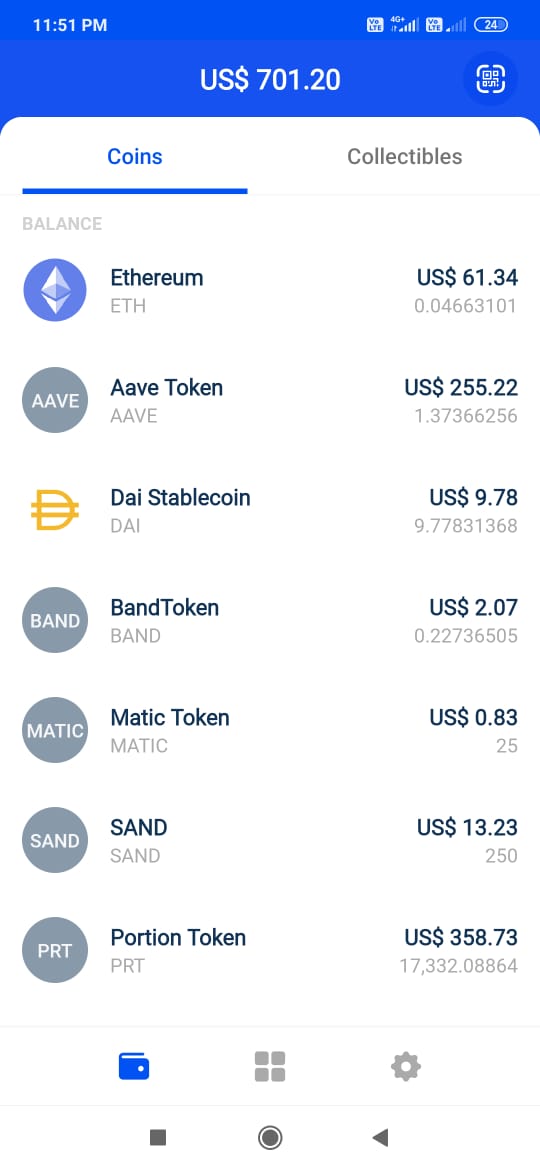
The wallet landing page will look like this. You can see your existing tokens now.
Wallet
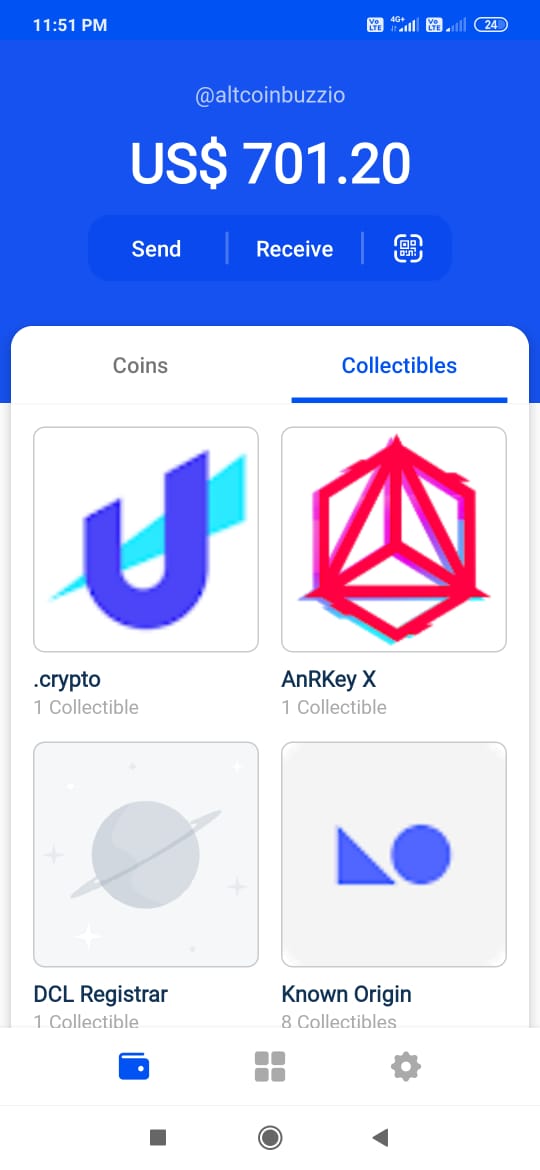
By default, you are on the wallet page. The wallet page consists of two tabs:
Coins
See your token details here.
Collectibles
You can see your collectibles under this tab.
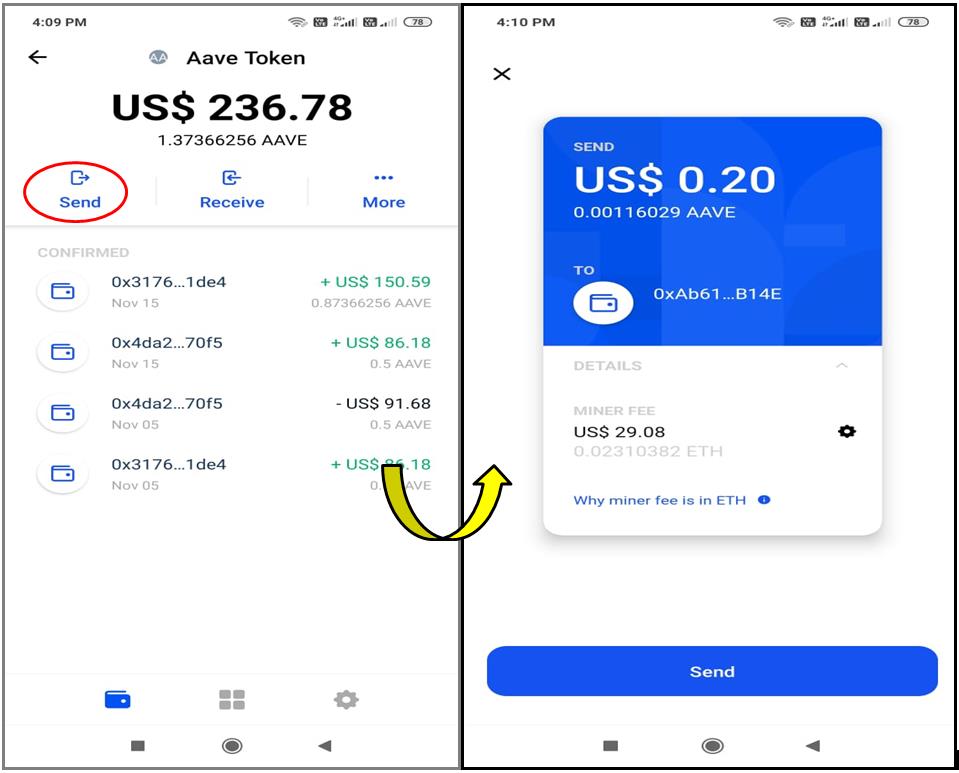
Send
The Send option allows you to send tokens to another account. The Coinbase wallet allows you to send tokens to the recipient by either providing the username or scanning the QR code. Enter the recipient’s address and the token value.
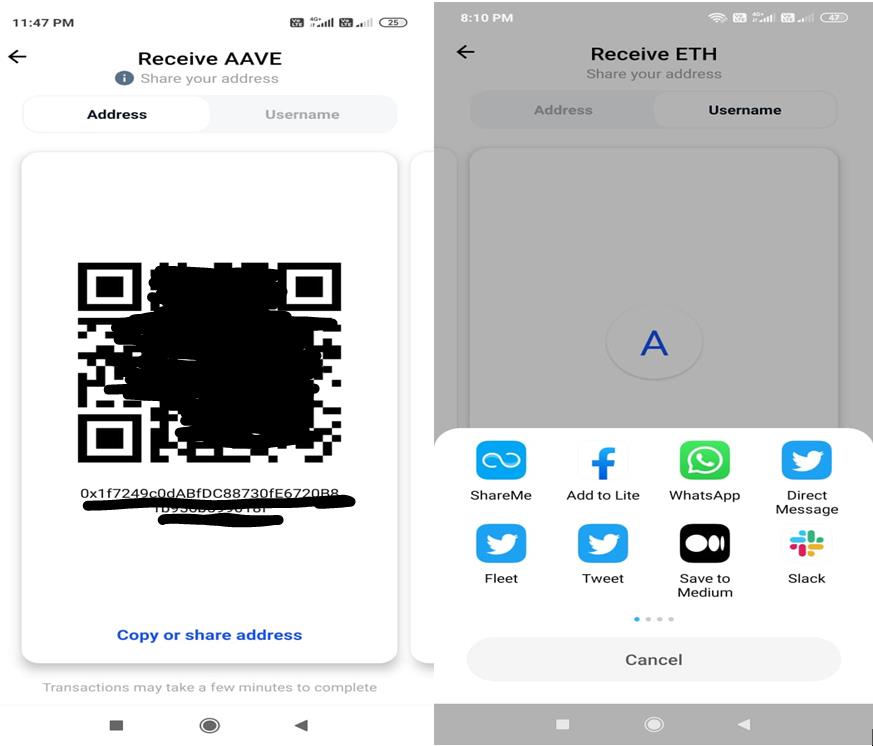
Receive
Through this option, you can share your public address or username with other users to receive tokens. You can share your address via Twitter, Telegram, WhatsApp, etc.
Actions
Under Actions, you can do the following activities:
Transfer or Convert
Swap one token into another by using this feature. Coinbase Wallet allows you to do the conversion by using two methods:
- Dollar (by currency value)
Select the input and the output token first. If you have selected the Dollar method, then whatever amount you will enter, that much value of input token will be swapped.
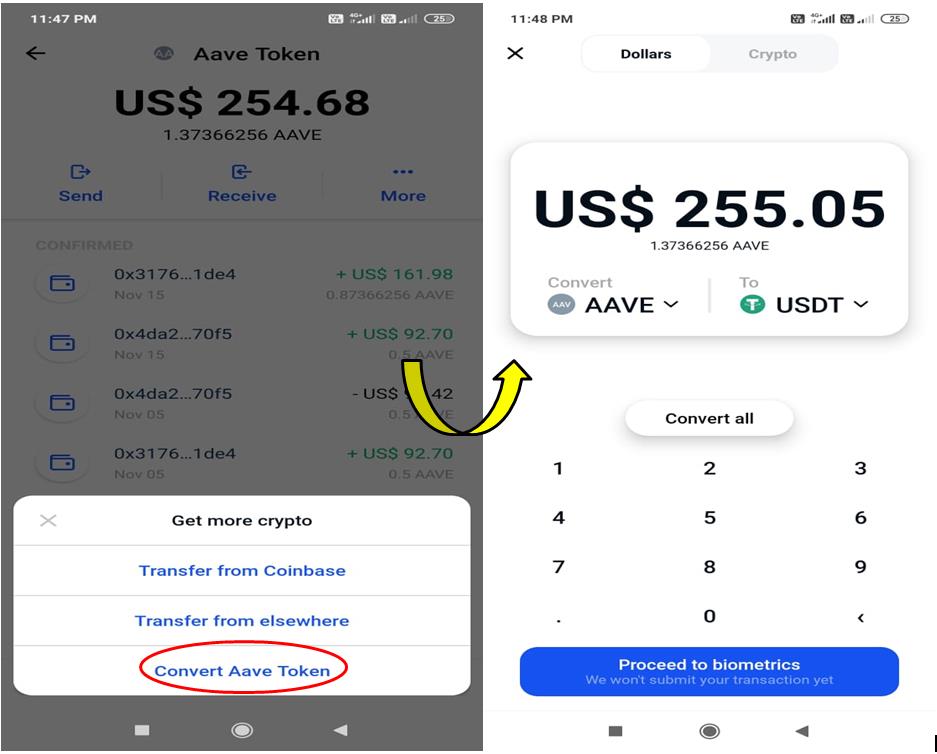
- Crypto
Select the input and the output token. If you have selected the Crypto method, then the value entered against the input token will be the amount of input token that needs to be swapped with the corresponding amount of output token.
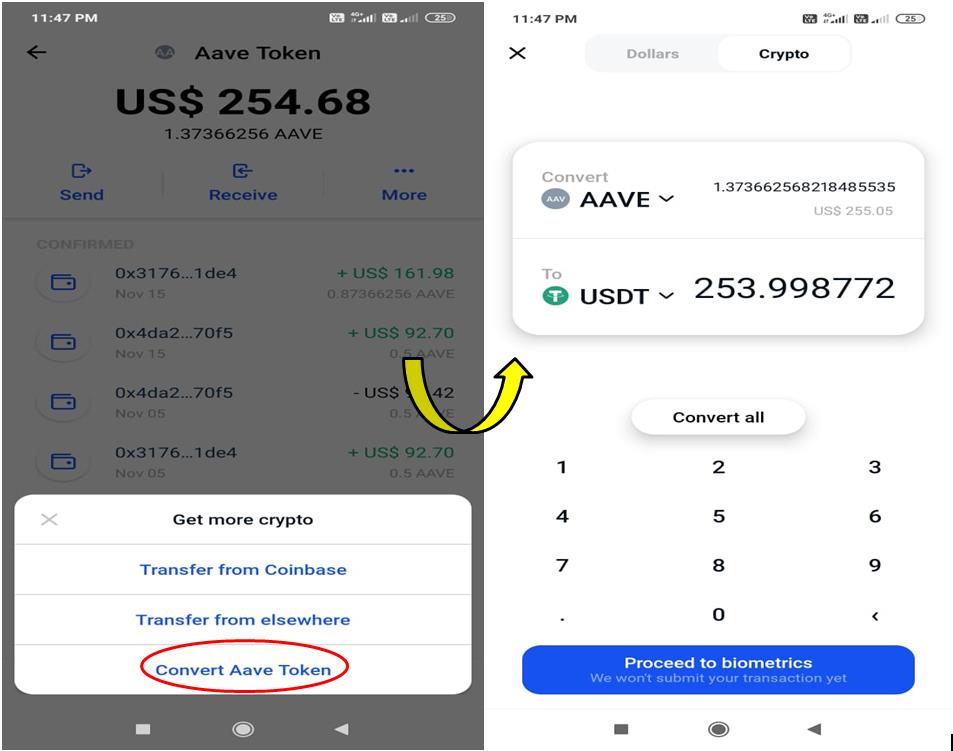
Earn Interest on Your Crypto
Users can earn interest on certain tokens once they deposit them using the Coinbase Wallet application. Currently, the platform supports the deposit of DAI, USDC, USDT, BAT, ETH, WBTC, UNI, REP, COMP, and ZRX into the platforms Compound and dYdX, with both offering different APY.
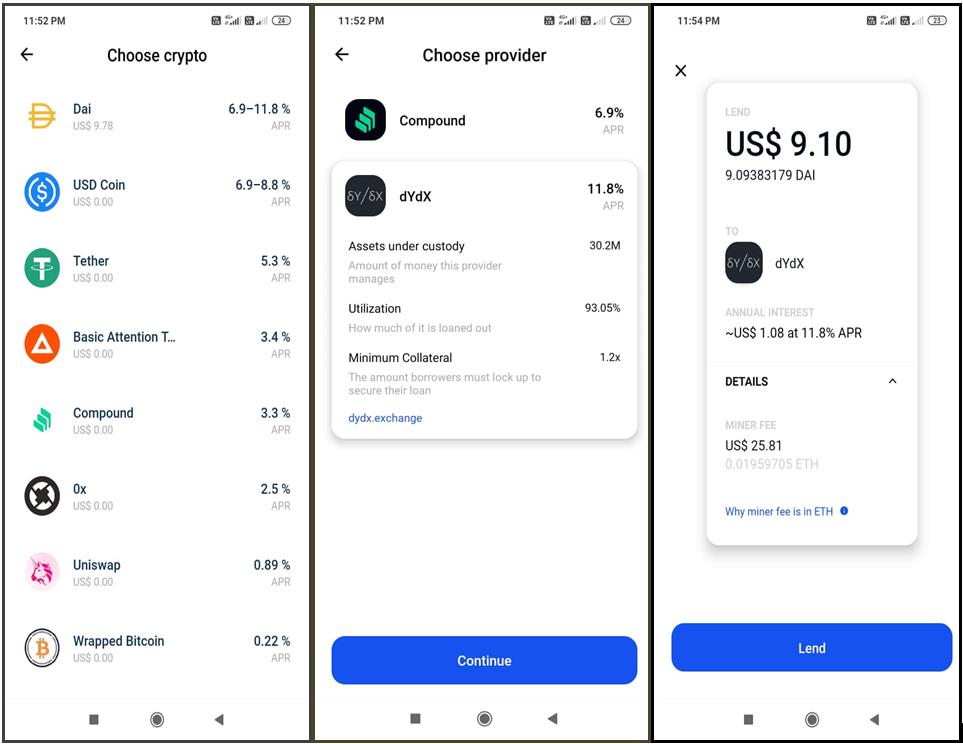
dApps
Coinbase Wallet allows you to access numerous dApps like OpenSea, Compound, Uniswap, etc. from the mobile application.
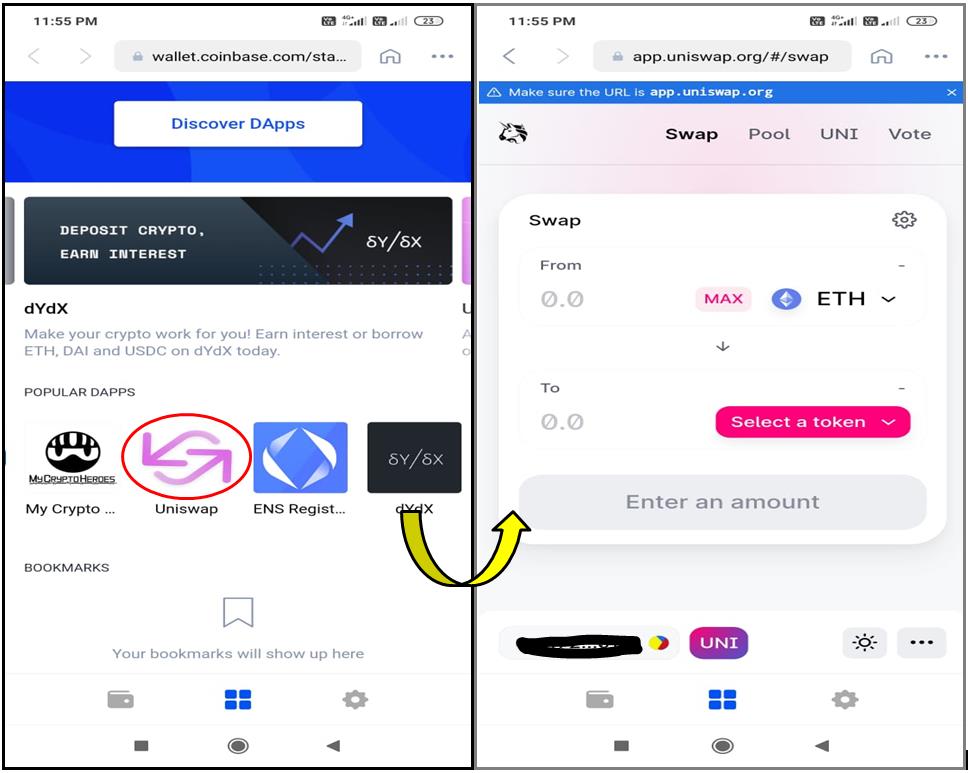
Setting
Users can do the following activities using the Setting tab:
Profile
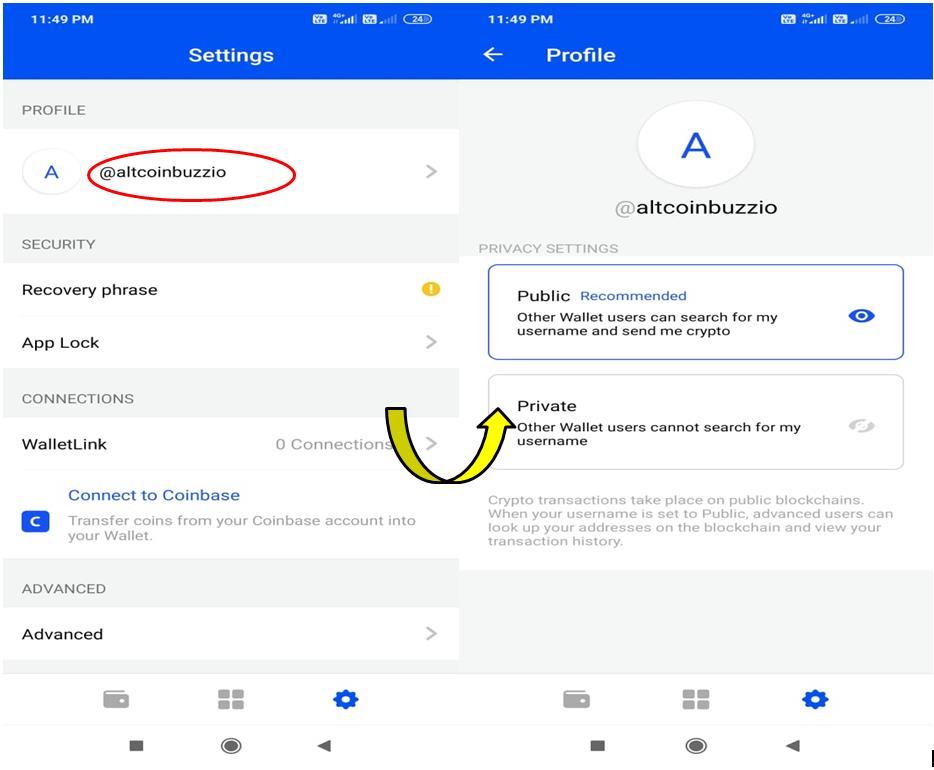
The Coinbase wallet offers two different profile types:
Public – User profile can be searched by username.
Private – User profile cannot be searched by username.
It is recommended to set the user profile as public so that other users can also search you via your username rather than typing/copying a long hexadecimal wallet address or scanning a QR code.
Security
- Recovery Phrase
Check and restore your backup phrase from here.
- App Lock
Set/change the wallet application’s lock method (PIN, biometric) from here.
Connections
- WalletLink
We tried to verify the WalletLink feature by scanning a QR code of the desktop application and account address, but it is not recognizing any QR code.
- Connect To Coinbase
Using this feature, you can connect your Coinbase account with the Coinbase mobile wallet application by verifying your email address and password. Once verified, you can transfer funds from your Coinbase account at any time.
Advanced
- Active Wallet
Check the list of wallets and switch from one wallet to another.
- Active Network
You can check the list of networks supported and currently selected by the few tokens. By default, the mainnet network is selected.
Note that these two features are mainly designed for advanced users and developers. It is out of the scope of a normal crypto user.
About Coinbase Wallet
Check the application version and legal policy here.
Other
- Local Currency
Coinbase supports a list of currencies. Choose your desired one.
- Sign out
Sign out from the application.
Social Presence
Conclusion
Coinbase Wallet is a mobile wallet with a very clean and sleek design. The UI is quite simple and easy to understand. The application allows you to do day-to-day crypto trading with less complexity. It supports the basic necessary features that a new user is required to learn and explore the crypto world. If you are a new user, then go for it. However, if you are an experienced user and need advanced features, then there are several other crypto wallets that offer more features and functionality.
Resources: CoinBase Wallet
Next up
BTC Tests Its $81,431 Floor: Does It Turn the Price Again?
BTC trades near $81,400, right on a floor that has turned the price 8 times since late February 2025. Here are the levels a daily close would settle.
 BTC
BTCRelated
More in Crypto NewsRelated
Bitcoin ETFs Draw $1.07B in Three Days, Short of Rally-Era Pace
BTC
BBIT Spot Bitcoin ETF Heads to SIX in November, Swiss Investors Only
BTC
JPMorgan Gives Bitcoin a 10% Annual Return in Long-Term Outlook
BTC
Tron and Starknet Ship Quantum Defenses as Bitcoin Debates
 TRX
TRX STRK
STRK