How to Stake ADA With Exodus Wallet
This guide contains detailed steps on how you can stake your ADA coins using your Exodus wallet.
By Victor
The Exodus wallet allows the user to earn rewards by staking their tokens/coins using the wallet interface. Currently, the wallet offers a staking facility for seven different cryptocurrencies, including Algorand (ALGO), Cardano (ADA), Cosmos (ATOM), Ontology (ONT), Solana (SOL), Tezos (XTZ), and VeChain (VET), each with a different APY.
So, in this article, we will explain how you can stake your ADA coins that are lying unused in your Exodus wallet to earn a passive income.
The staking process is pretty much the same for the other six cryptocurrencies. If you want to stake them, you can follow the same steps to stake the other supporting assets. Note that the terms and conditions like the minimum amount of tokens required for staking, locking period, cooldown period, etc. may vary for different assets. You can read this link here to know about the staking terms and conditions of different coins/tokens.
You can also read our latest guide on how to use the Exodus wallet application for mobile devices (Android).
Table of Contents
ToggleGet ADA in Your Exodus Account
Users need to hold ADA in their Exodus accounts. According to Exodus, users need to have at least 5.5 ADA in their account to stake, out of which two ADA is deposited to pay for the Cardano network fee.
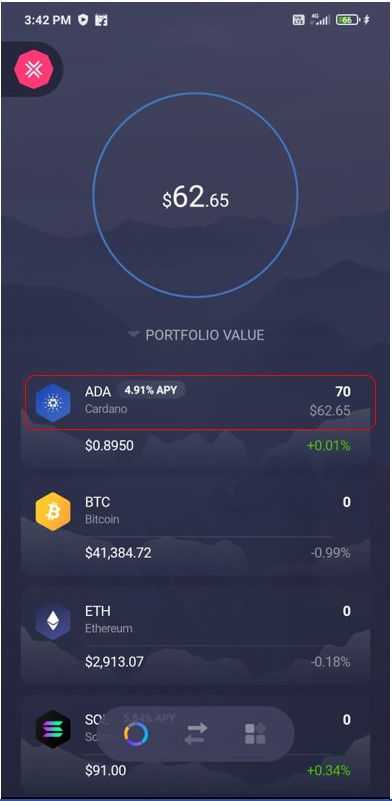
As you can see from the below screenshot, we have some ADA coins in our wallet that we will use for staking.
How to Stake ADA
To stake ADA, click on the ADA coins in your wallet landing page. You will find the below-highlighted icon in the detailed information.
Click on it, and you can see the Stake ADA button.
Click on the Stake ADA button, and the application will start the process of staking the coin.
Note that we have not found any options for partial staking. Users cannot decide how much ADA coin they wish to stake. In other words, all the ADA coins that you hold in your Exodus wallet account will automatically get staked.
Once your coins get staked, you will see a staking completion message on your screen.
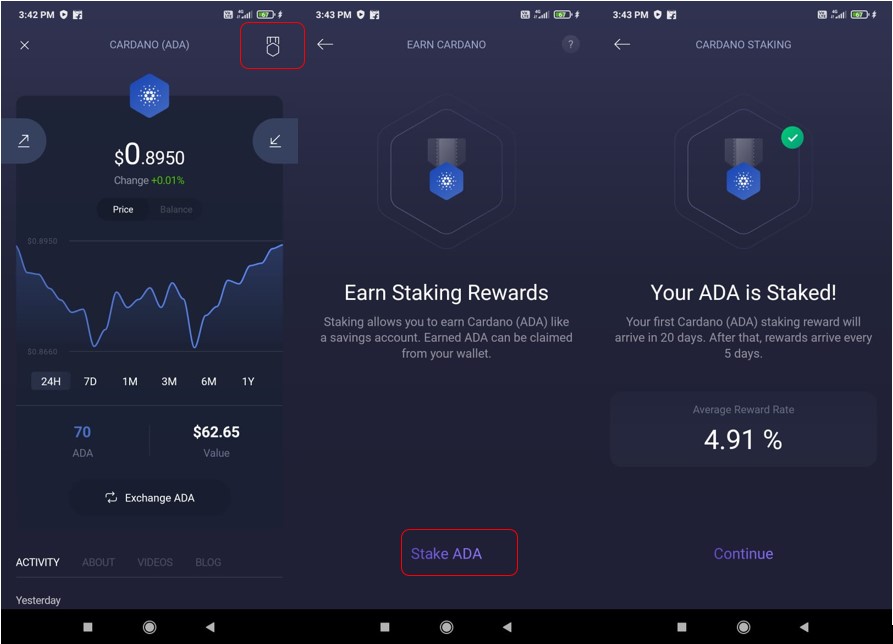
Currently, users will receive an average reward of 4.91%, and it is calculated based upon the user’s wallet balance at a given time. The rewards are paid in ADA coins, and they will be automatically compounded to your staked balance.
Users will receive their first rewards after 20 days of staking their coins. After that, it will be distributed in five days.
You can get more details about staking from the Activity tab.
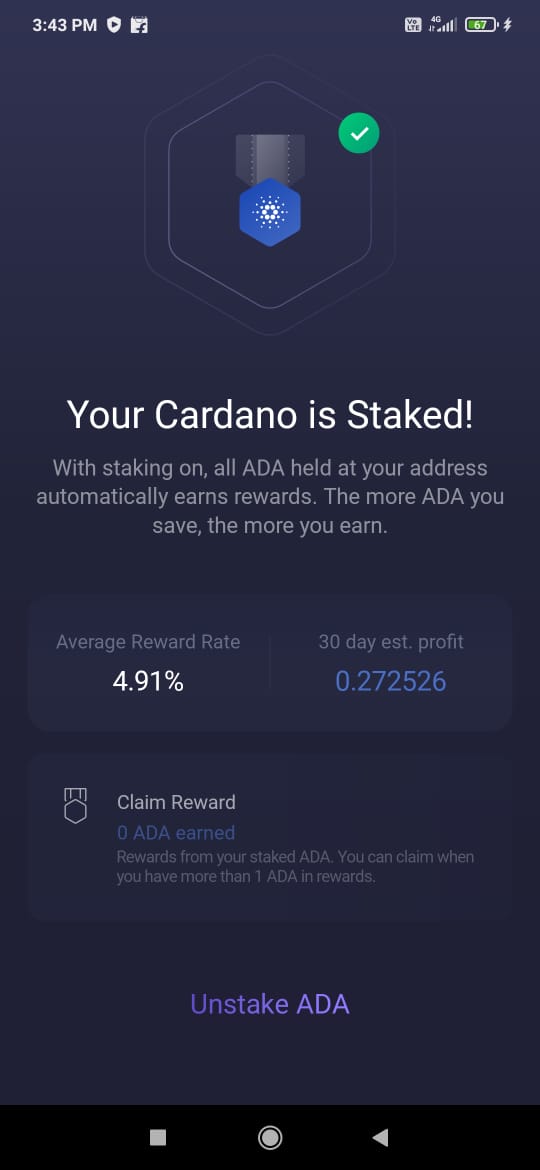
If the user adds more ADA coins to his wallet (staked address), then the network will again take 20 days to register your latest submission.
Claim Reward
The earned rewards will be accumulated in the Claim Reward section. Users can initiate a reward claiming process wherever he/she has earned more than one ADA. The network charges a fee of 0.2 ADA every time a user chooses to claim a reward.
Unstake ADA
Users can unstake their ADA coins whenever they wish. There is no locking period or withdrawal fee. Users also get back the two ADA coins that they have deposited to pay for the network fee.
To unstake, you simply need to click on the Unstake ADA button and confirm the unstaking process.
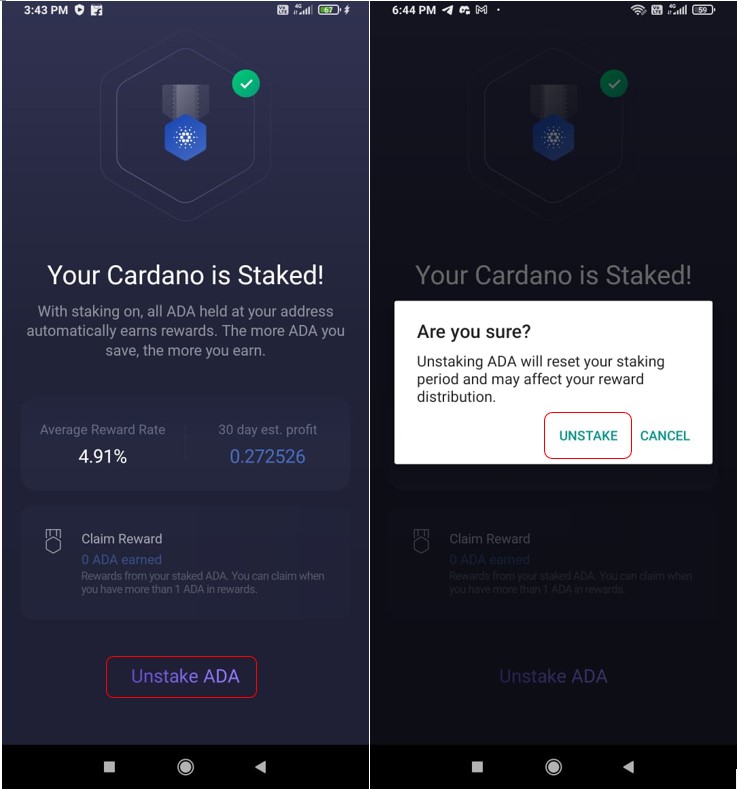
However, note that once you opt for unstaking your coins (staked address), you have to again go through a 20-day staking registration period if you wish to stake your ADA in the future.
Also, join us on Telegram to receive free trading signals.
Moreover, for more cryptocurrency news, check out the Altcoin Buzz YouTube channel.
Above all, find the most undervalued gems, up-to-date research, and NFT buys with Altcoin Buzz Access. Join now starting from $99 per month
Next up

Sui's Hashi Adds Anchorage Digital as $500M Bitcoin Launch Nears
Anchorage Digital joins Sui's Hashi before its phased October mainnet. How hBTC works, where Fluid fits, and why Fluid's IGP-141 vote is a separate story.
 BTC
BTC SUI
SUI