How to Do PancakeSwap Liquidity and Swapping
This guide contains detailed steps on how you can swap your BEP-20 tokens and earn rewards by adding liquidity into the PancakeSwap platform.
By Victor

Based on Binance Smart Chain, PancakeSwap is a leading decentralized exchange that allows users to swap, as well as add liquidity for, BEP-20 tokens. Being based on Binance Smart Chain, the platform charges very low transaction fees. The project code is audited by CertiK.
PancakeSwap is based on the automated market maker (AMM) model. That means it uses the concept of liquidity pools rather than the traditional order book system. Users deposit funds into the liquidity pools, and in return, they receive a reward in the form of the trading fee that is done against the pool. Apart from trading fees, they also receive liquidity pool tokens that represent their share in the pool.
They can further stake their LP tokens and earn rewards.This process is called farming. At any time, users can unstake their LP token from farming and free their LP token. If they want, they can further proceed to get their tokens back by removing liquidity. The entire process sounds familiar, like Uniswap. The only difference is that it allows you to work with BEP-20 tokens.
We will explain all the above-mentioned processes in detail in a two-part series. In this article, we will explore how you can swap your BEP-20 tokens, add/remove liquidity in the pools. and earn rewards.
Table of Contents
ToggleUsage Guide
To use the PancakeSwap application, go to the website.
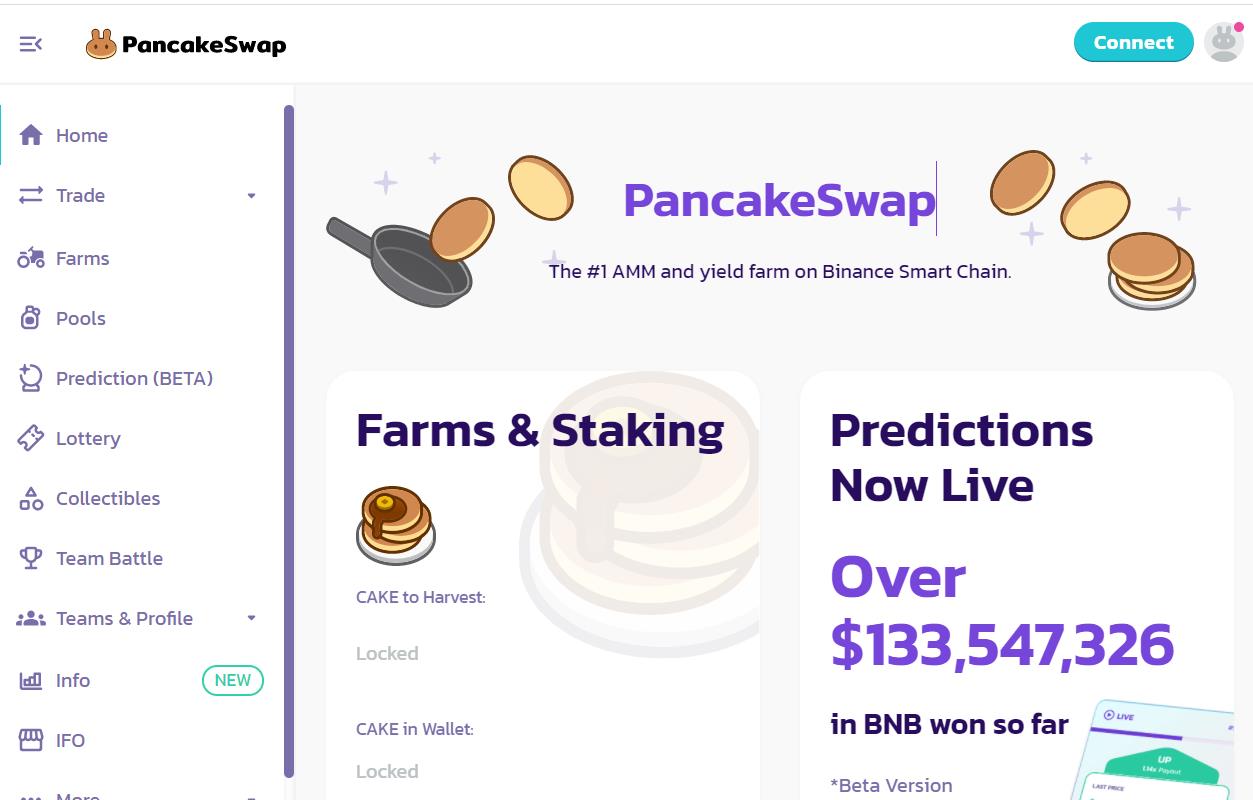
Before doing any activity, users are required to connect their wallets. Click on the Connect button appearing at the top of the page.
Connect Wallet
The platform allows the users to connect with any of the following wallets:
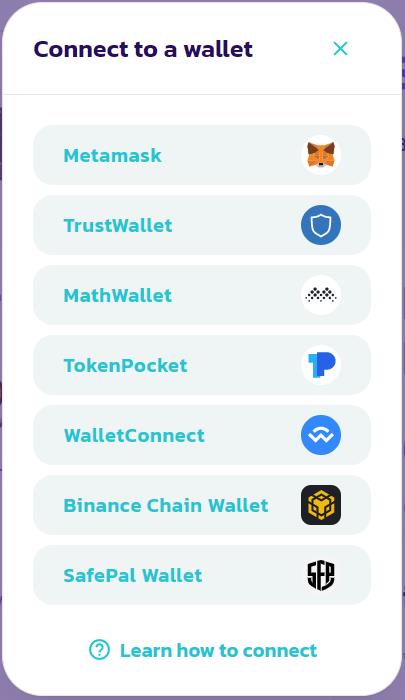
You can use any of the above wallets to connect with the platform. We are connecting with the MetaMask wallet.
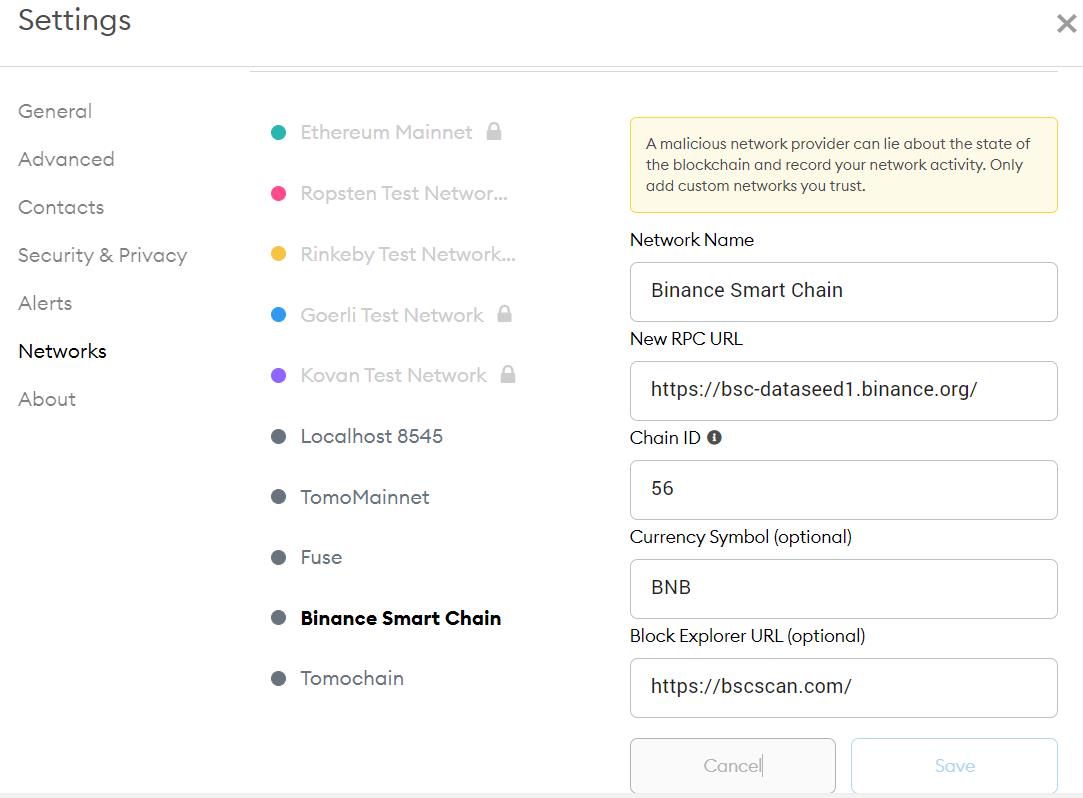
Note that the user is required to have a Binance Smart Chain network setup in the MetaMask wallet to connect with the PancakeSwap application.
In case you do not have the Binance Smart Chain network setup, then you can create and set up a network by going to the Setting-> Network and then clicking on Add Network and fill in the following details.
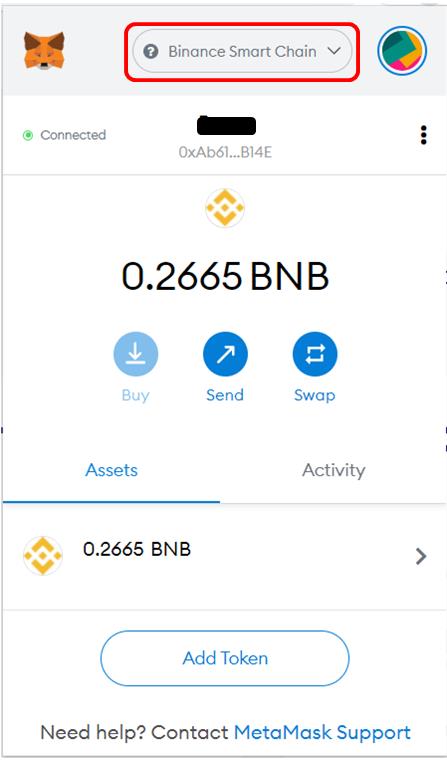
Our wallet is connected, and the network is selected as Binance Smart Chain.
Now you can see your wallet is connected to the PancakeSwap website.
Platform Features
PancakeSwap mainly supports three major features:
-
Swap
-
Pool
-
Farm
In this article, we will focus on the Swap and Pool features.
Trade
From the Trade tab, you can do the following activities:
- Exchange
- Liquidity
- LP Migration
Exchange
As the name implies, you can swap your BEP-20 tokens here. The swapping activity is supported by the liquidity pool.
To swap, just select the input and the output token and enter the amount of the input token. The resultant output token will be automatically calculated. You can use the Max button to swap your entire token value.
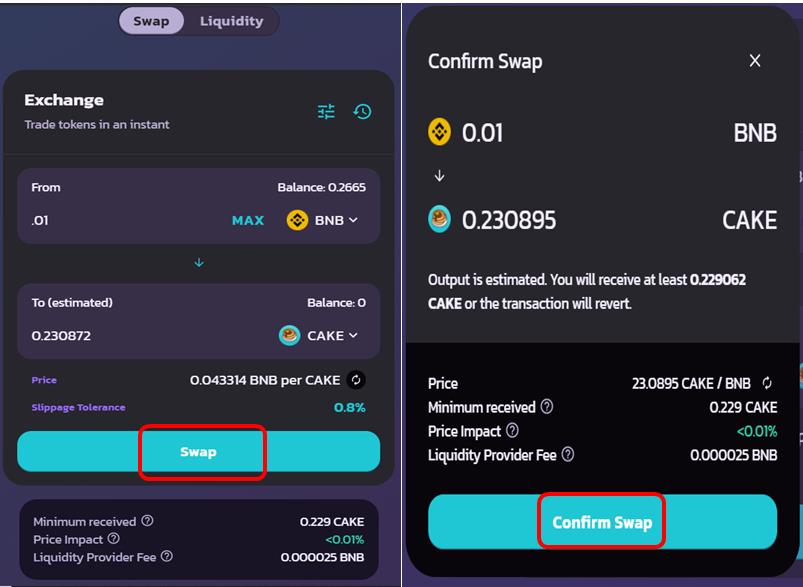
Confirm the process by clicking on the Confirm Swap button.
Users are required to pay a 0.25% trading fee whenever they choose to swap any token on the exchange. The fee is further divided into the following things:
0.17% – Returned to liquidity pools in the form of a fee reward for liquidity providers.
0.03% – Deposited into the PancakeSwap Treasury.
0.05% – Sent towards CAKE buyback and burn.
Add Token In MetaMask
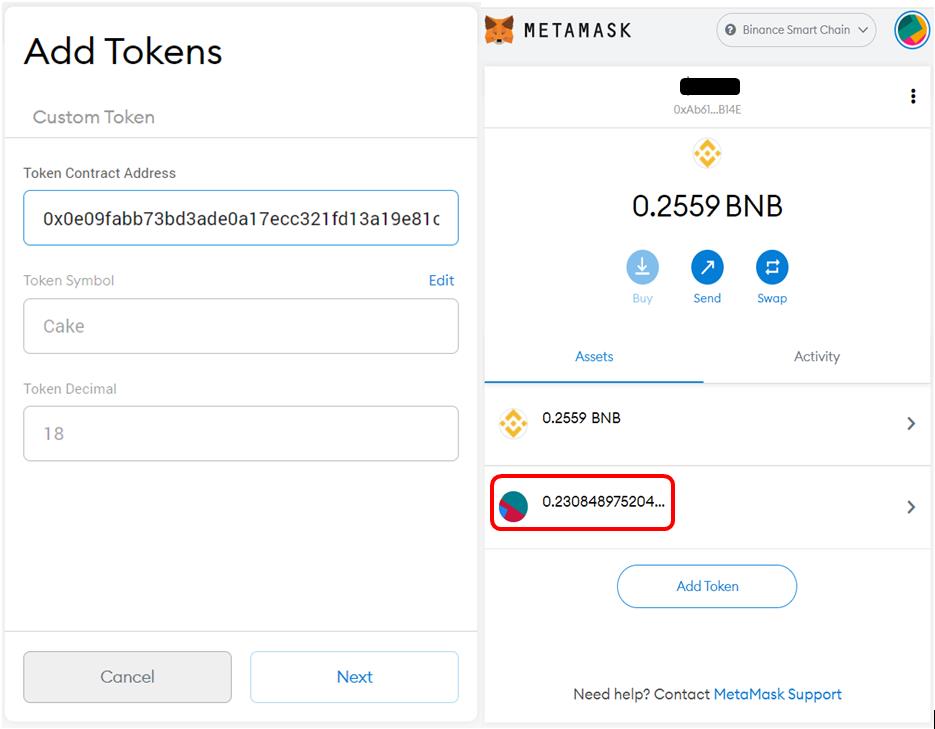
To see the newly swapped CAKE token in the MetaMask wallet, users are required to add the token by giving the contract address of the token in the Custom Token tab.
CAKE contract address – 0x0e09fabb73bd3ade0a17ecc321fd13a19e81ce82
See the below screenshot and add the token address. You can now see the CAKE token in your wallet.
Liquidity
A liquidity pool is a pool of tokens in PancakeSwap created by liquidity providers. Whenever a user trades a token, they do not need to wait for a buyer/seller to match the order. Instead, the token is sent immediately from the pool.
Users add liquidity into the liquidity pools, and in return, they receive the liquidity pool token (LP-token) that represents their share in the pool. They also receive an equivalent amount of trading fee as a reward that is done against their pool.
Adding PancakeSwap Liquidity
To add liquidity, go to the Liquidity tab. You are required to select the token pair. We have some BNB and CAKE in our wallet that we will use for adding liquidity.
Note that users are required to pay an equal amount of both the tokens that they wish to add to the pool.
Select your token pair. Enter the value against one token and the value of the other token will automatically get displayed.
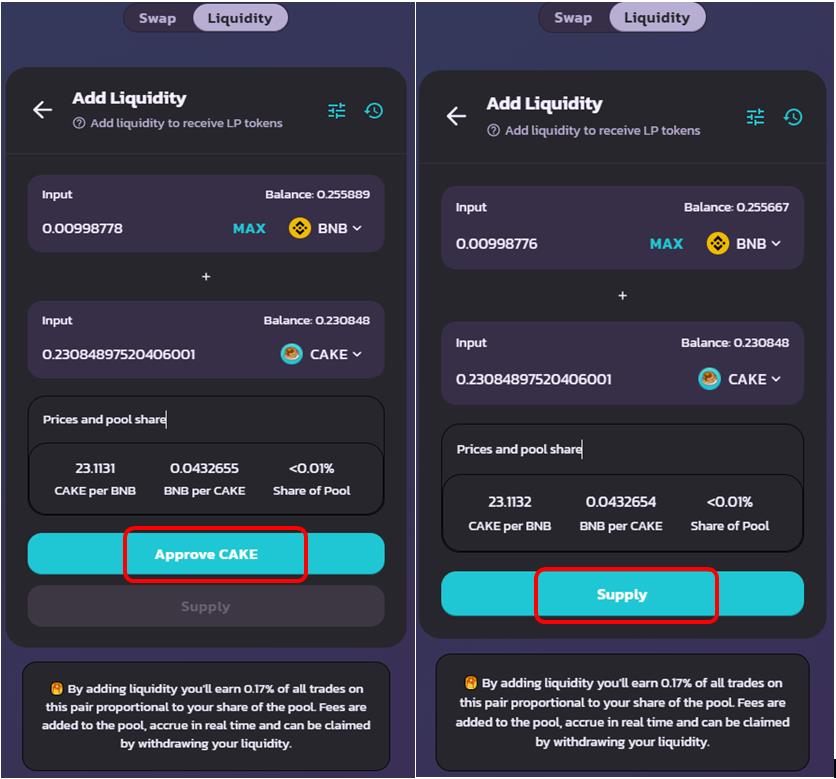
If you are using the token pair for the first time, you have to approve it first before adding it to the liquidity pool.
The application will also show you the percentage of your share in the pool. Confirm the Supply.
Once the transaction is successful, you will become a liquidity provider in the selected pool and will earn a liquidity fee for every transaction in that liquidity pool.
PancakeSwap charges a fee of 0.25% from traders. A portion (0.17%) of this is distributed to the liquidity providers.
You can check your liquidity details now.
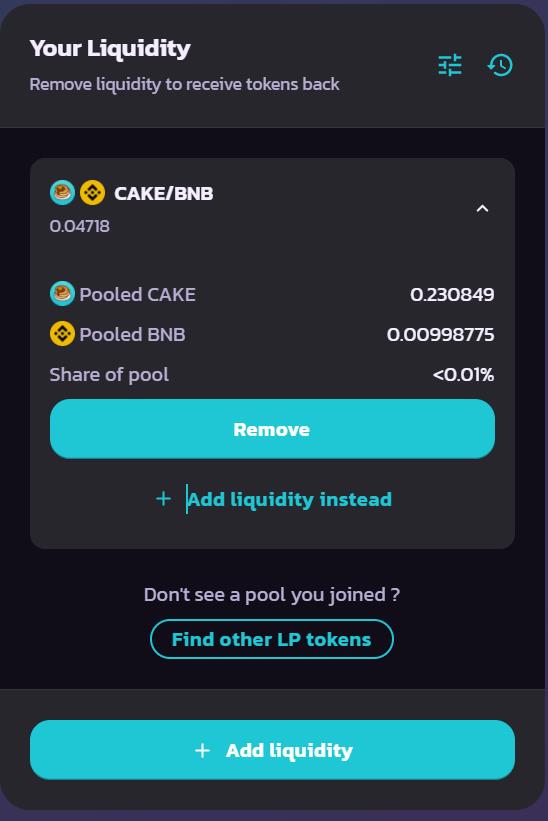
The BNB-CAKE LP token gets added to your MetaMask wallet.
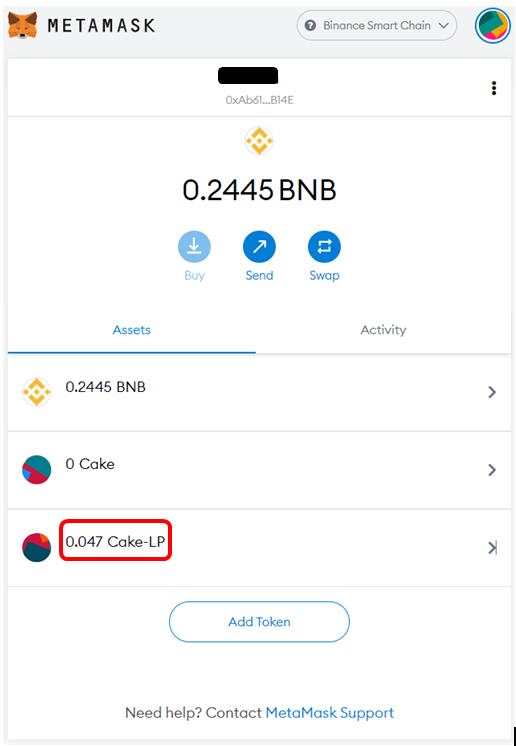
Removing PancakeSwap Liquidity
At any time, users can remove their liquidity (partially or completely) from a pool. Thus, freeing their tokens. They will receive their tokens along with the fee that they have earned for the period their tokens were there in the pool.
To remove your existing liquidity, click on the Remove button in the Liquidity section. Now, select the liquidity you want to remove. Enter the percentage of liquidity you wish to withdraw and confirm the process.
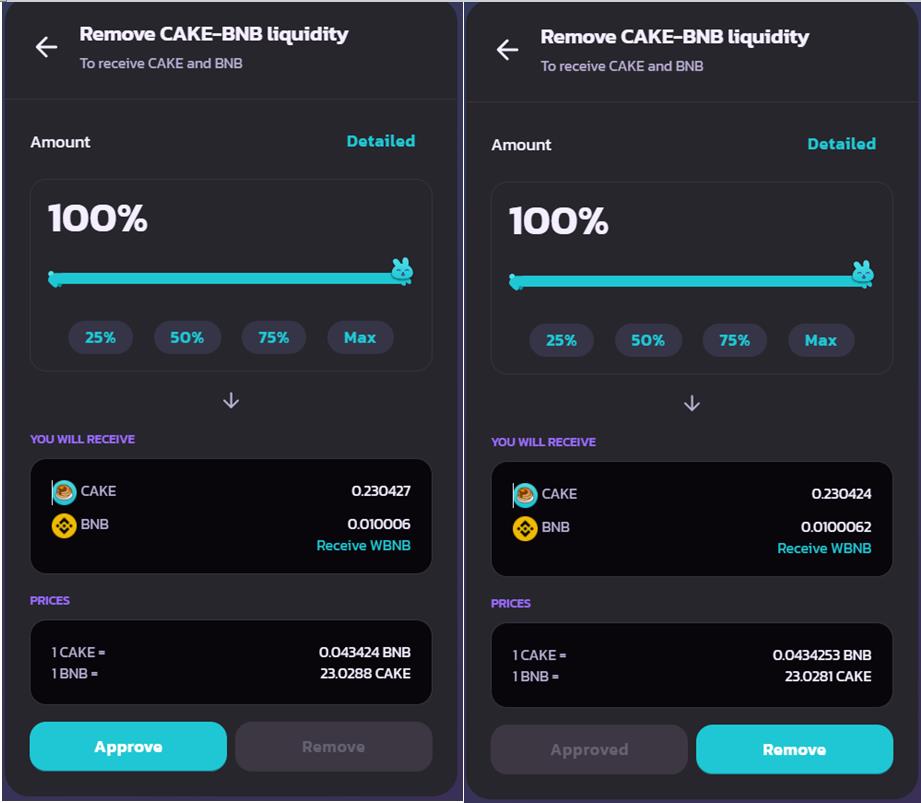
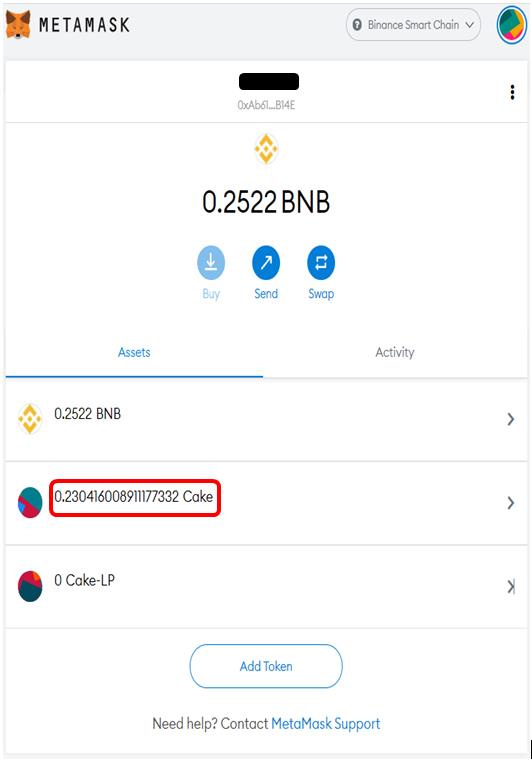
Once the transaction is successful, you can see your LP token balance will become zero, and the token pair will revert back to your MetaMask wallet.
In the next article of this series, we will describe how you can use your LP tokens to earn more rewards.
Resources: PancakeSwap
Read More: How to Stake NEAR ($NEAR)
Next up

BBIT Spot Bitcoin ETF Heads to SIX in November, Swiss Investors Only
BIT Asset Management's BBIT, Switzerland's first retail spot Bitcoin ETF, should start trading on SIX in November. It is offered in Switzerland only.
 BTC
BTCRelated
More in Crypto NewsRelated
Sui's Hashi Adds Anchorage Digital as $500M Bitcoin Launch Nears
BTC SUI
SUI
Bitcoin Core Speeds Up Fixes for AI found Bugs Drops
BTC
Bitcoin ETFs Lose $635M in a Day as DWF Study Says Flows Chase Price
BTC
Bitcoin ETFs Draw $1.07B in Three Days, Short of Rally-Era Pace
BTC