How To Stake NEAR ($NEAR)
This guide contains detailed steps on how you can stake your NEAR tokens and earn rewards.
By Victor
NEAR is a Layer 1, open-source, smart contract-based blockchain network that allows the developers to build highly scalable dApps at a low cost. The platform uses a dynamic sharding design technique called Nightshade that aims to resolve the network scalability issue. The platform has a native token named NEAR that fuels the network and its operation.
Been based on Proof-of-Stake (PoS), the network is run by a group of validators who validate the network transactions, and runs the servers. The validators earn NEAR tokens as a reward for producing new blocks with a constant inflation rate of 4.5% each year. Other NEAR token holders who wish to participate in network activities and earn rewards can delegate their tokens to these validators.
In this article, we will explain how you can delegate your NEAR tokens to the validators, and earn rewards.
You can also read our previous staking guides on Tezos (XTZ), Polkadot (DOT), Binance Coin (BNB), and Solana (SOL).
Table of Contents
ToggleSupporting Wallet
Users can use any of the below-mentioned wallets to stake their NEAR tokens:
- NEAR wallet
- Dokia Capital Staking application
- Moonlet’s Wallet
In this guide, we will cover how you can stake your NEAR tokens using the official NEAR wallet.
Setup NEAR Wallet
You can skip the wallet installation and setup part if you are already using the NEAR wallet.
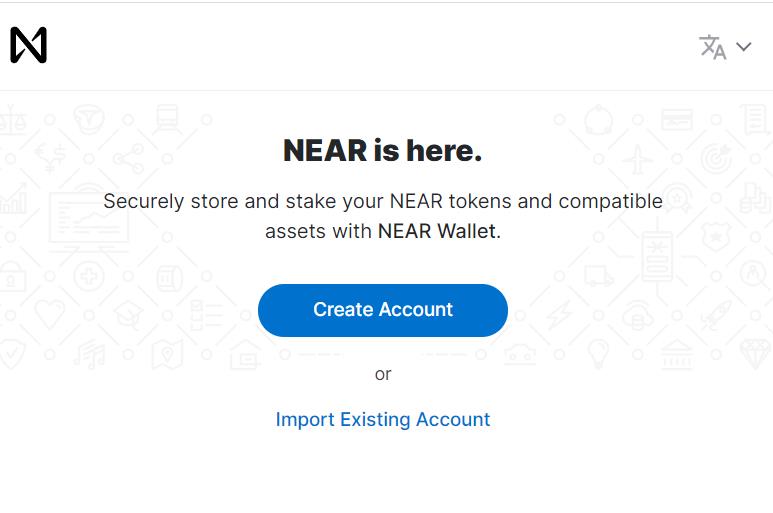
To create a NEAR wallet, go to the NEAR Wallet page. You will find two options for wallet setup:
- Create Account
- Import Existing Account
Choose option 1, if you are a new user. You can choose option 2 if you already have a NEAR wallet and wish to import it on a new device.
Create Wallet
To create a new NEAR account, click on Create Account. The application will ask you to enter a Reserve Account ID.
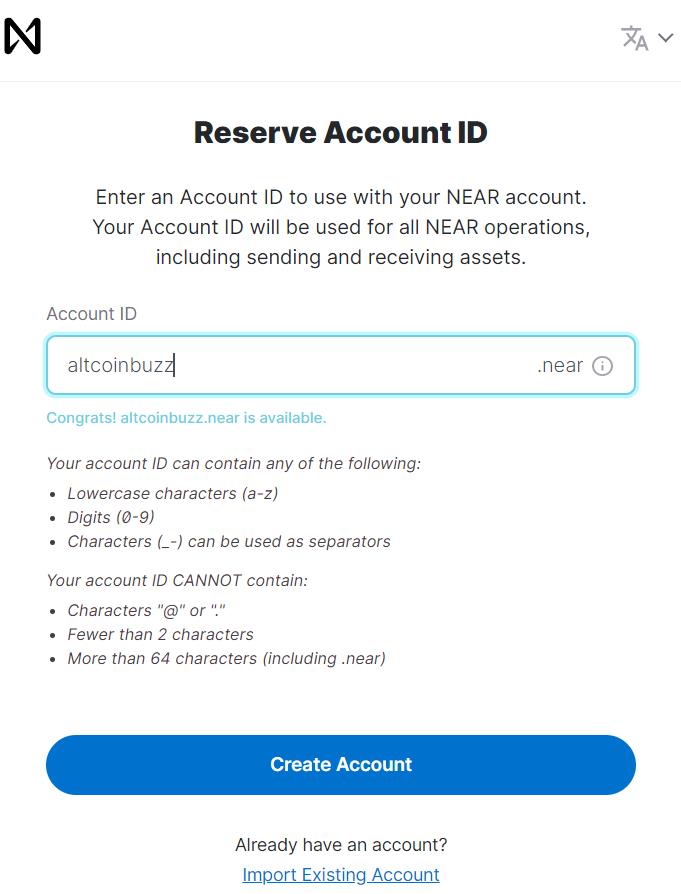
Next, the application will display a 12-word key phrase which you need to store safely. In the final step, the application will ask you to verify some of the key phrases, and once verified, your wallet will be created.
The wallet landing page will look like this.
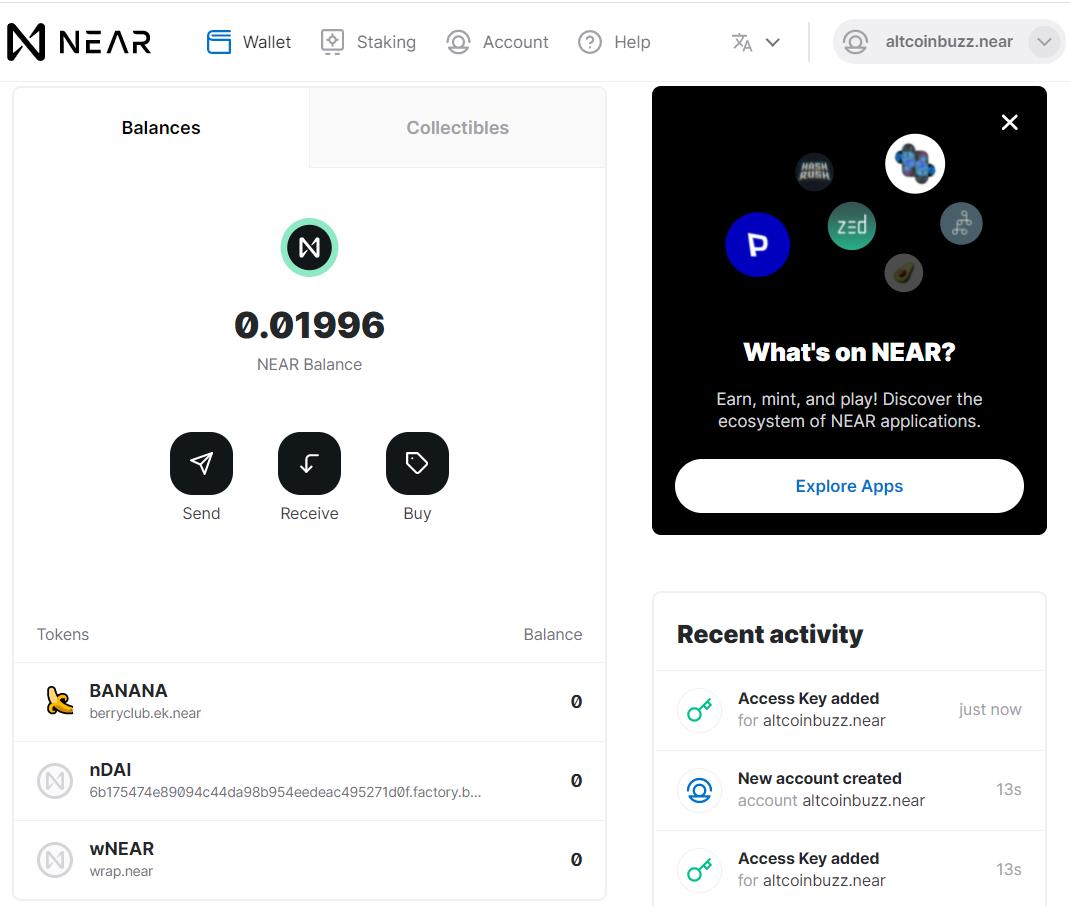
Note that the Reserve Account ID that you have entered during account creation is your public address. It can be used to receive NEAR tokens in your wallet.
Transfer NEAR
We have some NEAR tokens in our exchange account that we want to transfer to our NEAR wallet. Users can skip this step if they are already holding the NEAR tokens in their NEAR wallet.
To receive the NEAR token in your NEAR wallet, you need to obtain the public address (Reserve Account ID).
Now login to your exchange account and click on withdraw against the NEAR token.
Enter your receiving address in the Recipient address field and confirm the transaction.
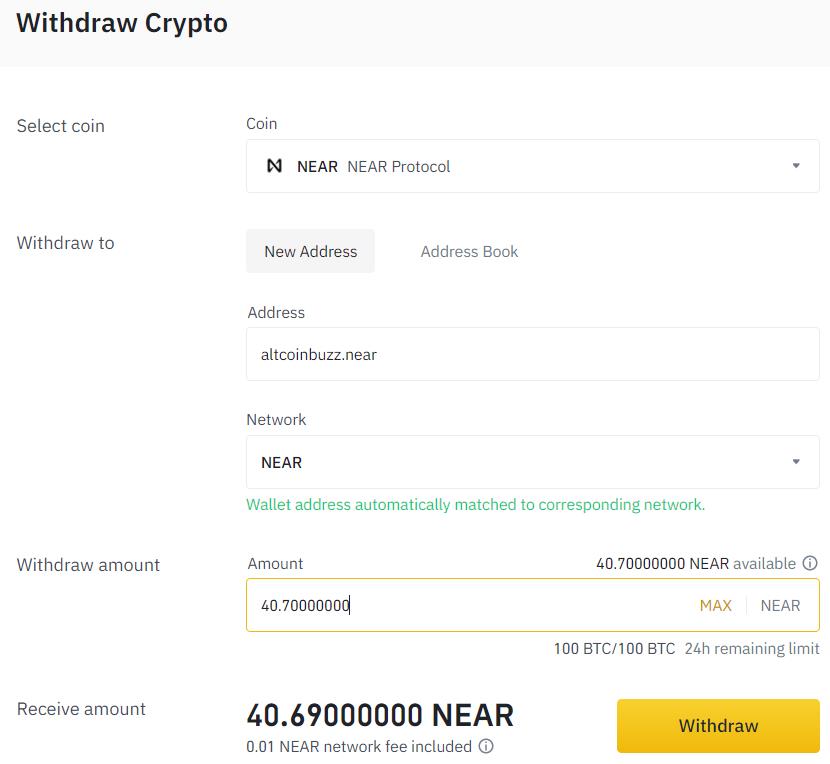
Once the transaction is successful you will see the NEAR token in your wallet.
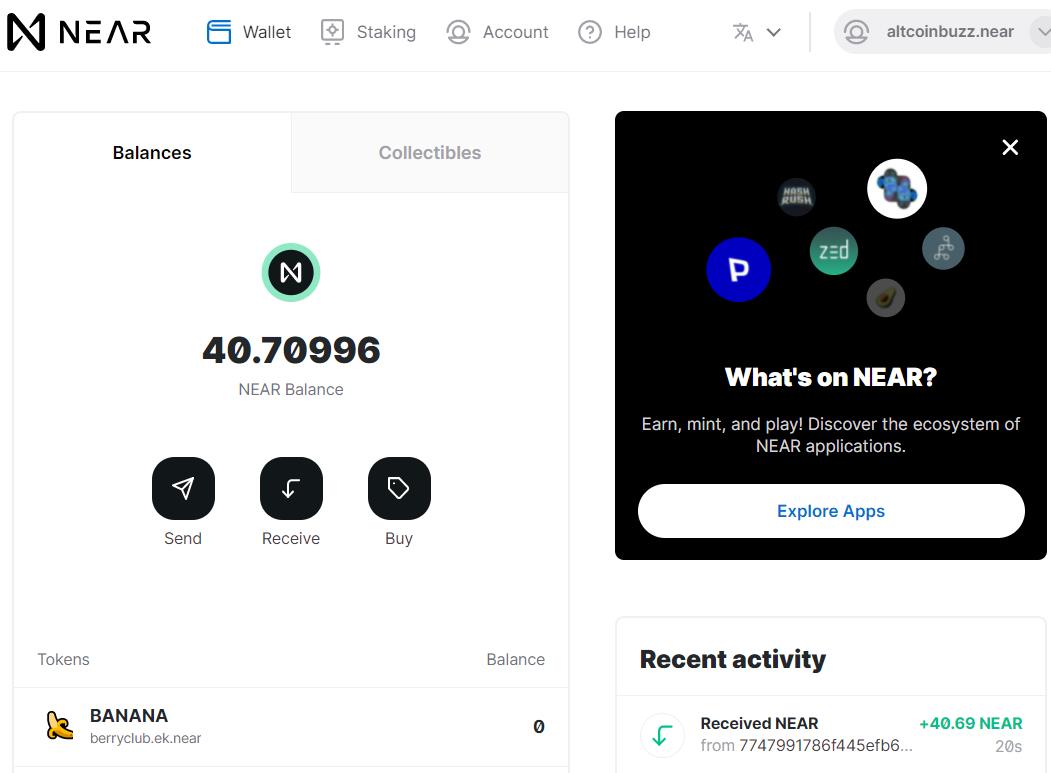
Stake
Staking your NEAR tokens is pretty simple and you can achieve it in few clicks. One of the most important things for staking is to choose the right validator. Once you click on the Stake My Tokens button for the first time, it will show you can see the list of validators to choose from.
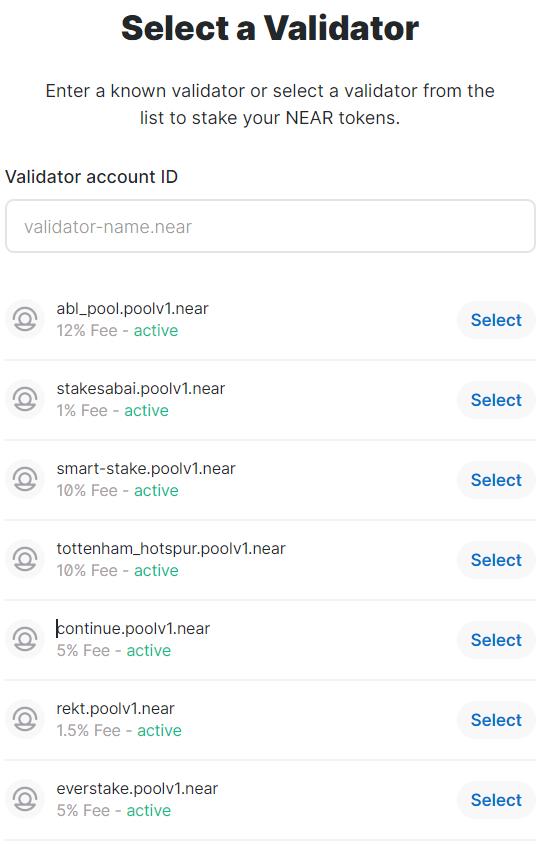
You can check the NEAR Explorer, DokiaCapital, and Stardust NEAR Pool websites to learn more about the validators, and their performance.
Click on the validator Account ID once you have finalized your validator.
Next, users need to enter the number of NEAR tokens that they wish to stake.
Do not stake all your NEAR tokens, as you need some tokens in the wallet to pay for the transaction fee.
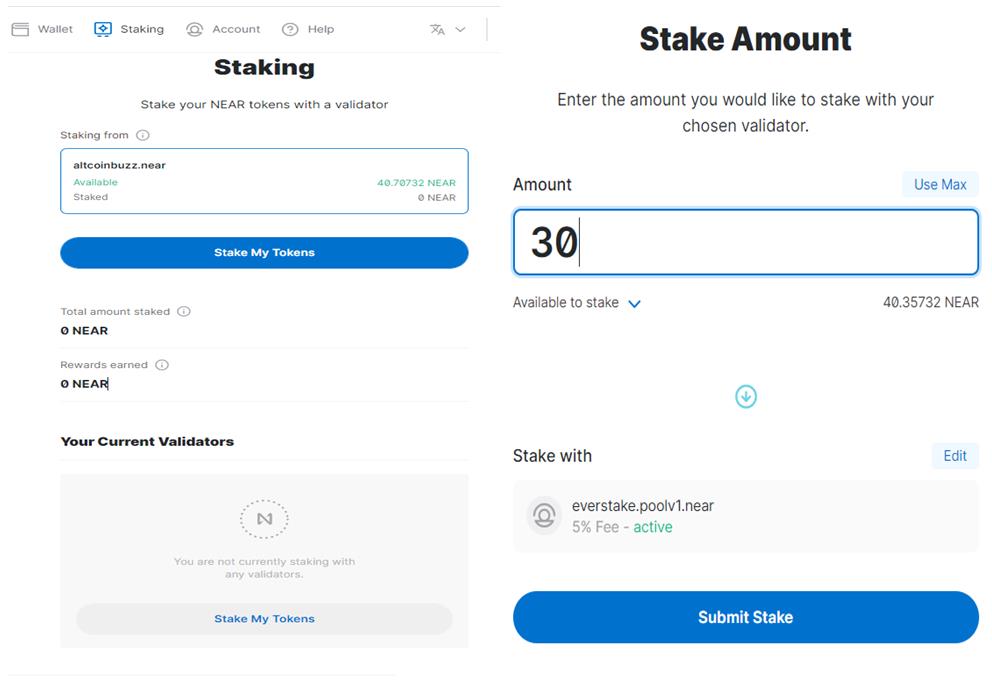
Confirm the process.
Once the process is successful you will see your staked details from the Staking tab.
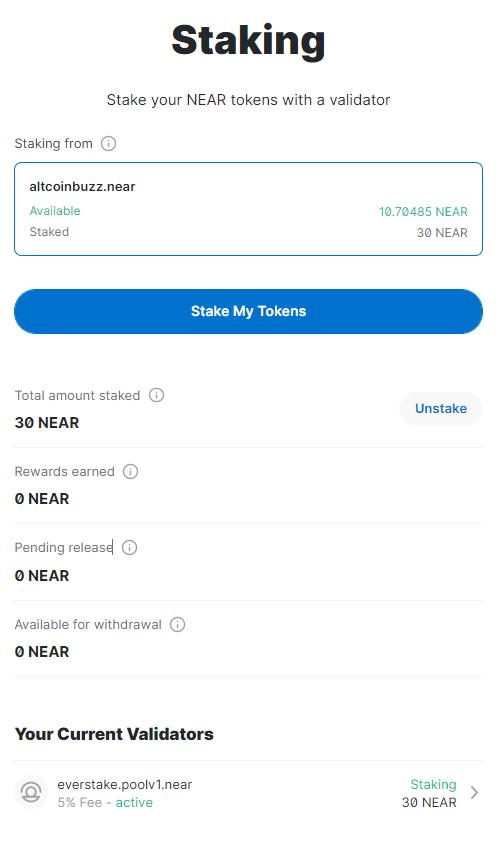
You can also obtain the following information from the Staking tab:
- Total Amount Staked: Total amount of NEAR tokens staked by the users.
- Rewards Earned: Amount of token earned by the user as a reward. All unclaimed earned rewards are automatically added to the original staked amount which means your Total amount staked will increase with time.
- Pending Release: Users are not able to withdraw the token immediately after unstake. They need to wait for 36 to 48 hours after unstaking. The Pending Release shows the number of tokens that have been unstaked but not eligible for withdrawal yet.
- Available for Withdrawal: Shows the number of tokens that a user can withdraw immediately (already unstaked and 36-48 hrs passed)
Unstake
Users can remove their delegated tokens (partial/ complete) from a validator at any time from the Staking tab.
To unstake, click on the Unstake button. Next, the application will ask you to choose the validator (in case of users have delegated to multiple validators) from whom they wish to remove their token. Now, enter the amount of token that you want to withdraw, and confirm the process.
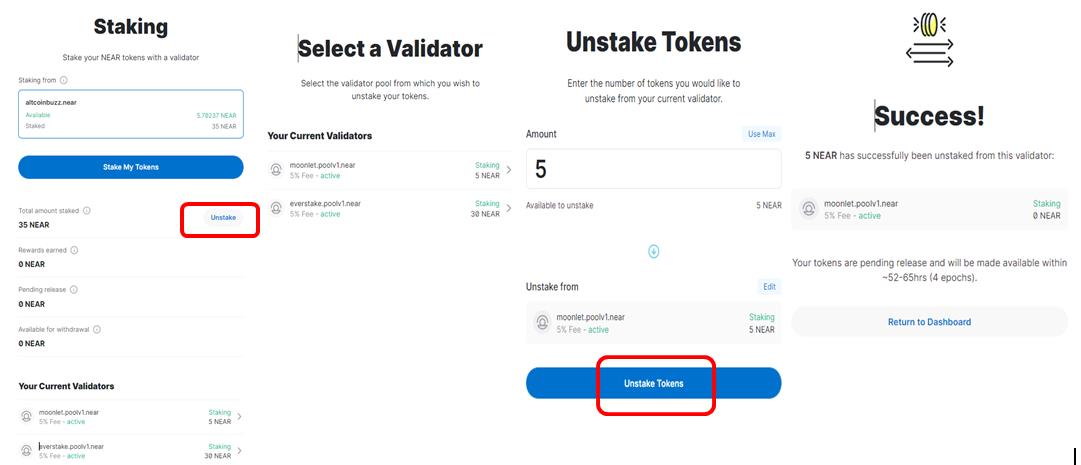
The tokens will be moved to the Pending Release field and will be available for withdrawal after 52-65 hrs (4 epoch).
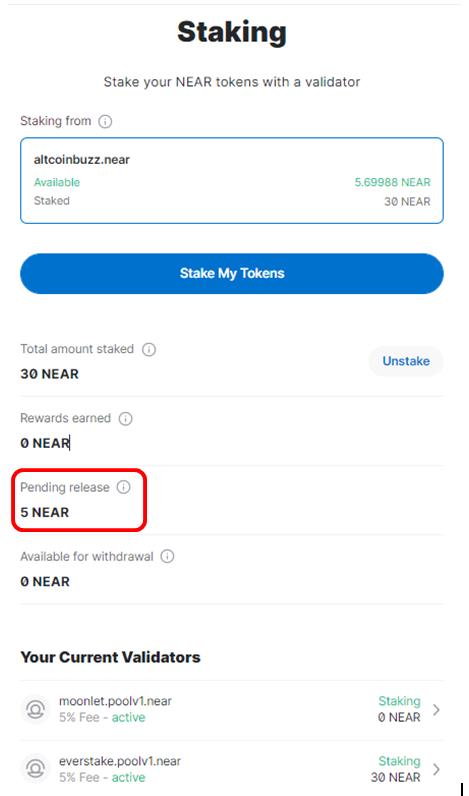
Note: In project documentation, the cooldown period is mentioned as 36-48 hrs, however during the actual process we find the duration as 52-65 hrs (4 epoch).
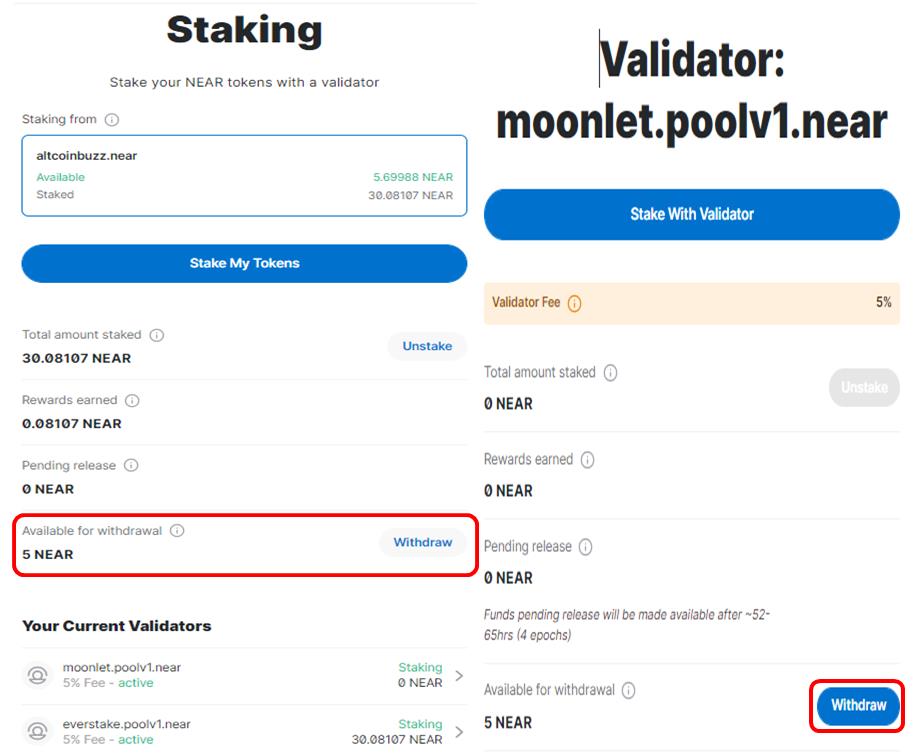
So, after 4 epochs, you will find that the token is now available for withdrawal. You can go ahead and withdraw your staked funds.
Conclusion
Staking is an innovative way to support the project and its network operation along with earning a reward. If you are holding any token, you can stake it, and make additional income rather than just keeping it in a wallet. The staking feature has recently been introduced in the NEAR wallet and can be considered in the beta phase. We recommended our users to take utmost care while staking with NEAR wallet until any official news from the project. You can reach out to their Discord channel in case of any issues.
Resources: NEAR Protocol
Next up
Sui's Hashi Adds Anchorage Digital as $500M Bitcoin Launch Nears
Anchorage Digital joins Sui's Hashi before its phased October mainnet. How hBTC works, where Fluid fits, and why Fluid's IGP-141 vote is a separate story.
 BTC
BTC SUI
SUI