How To Use the MUUN Wallet: A Powerful Wallet for Bitcoin and Lightning
Muun is a simple, fast, and secure wallet for Bitcoin and Lightning.
By Victor
Muun is a very powerful, self-custodial wallet for Bitcoin and Lightning. The wallet is simple, fast, and secure. Just scan and make all the payments from a single balance.
The Muun wallet is available for both Andriod and iOS users.
Table of Contents
Key Features
- Self-custodial – Users have full control over their Bitcoin.
- Lightning-fast payments – Send and receive instant payments using the Lightning Network.
- Mempool-based estimator – Muun is mempool-based, which means the estimator looks at the current state of the mempool to suggest a next-block fee rate. It helps in confirming your transaction fast without overpaying. Muun’s fee estimator is 23.75% cheaper, on average, for the same precision.
Whereas Bitcoind and most of the other fee estimators suggest fee rates based on past blocks, transactions, and fee rates.
- Emergency kit – Export an emergency kit with your private keys and output descriptors. Designed to fit complex scripts, such as multisig, Lightning, and taproot.
- Easy wallet recovery – You can access your wallet from a different phone using a code written on paper or your email and password.
- Multi-signature – Muun is a 2-of-2 multi-signature wallet. Your emergency kit has both keys, but your phone just one. So, in case you lost your phone or it gets hacked, no one can spend your money because two keys are needed to spend it, and only one is present in your phone.
- Highly secure – No reuse of address; public address changes frequently.
Usage Guide
If you are holding BTC, then you can directly install the MUUN application and transfer BTC into your wallet address and proceed.
In case you are not holding, then you can buy Bitcoin from Binance.
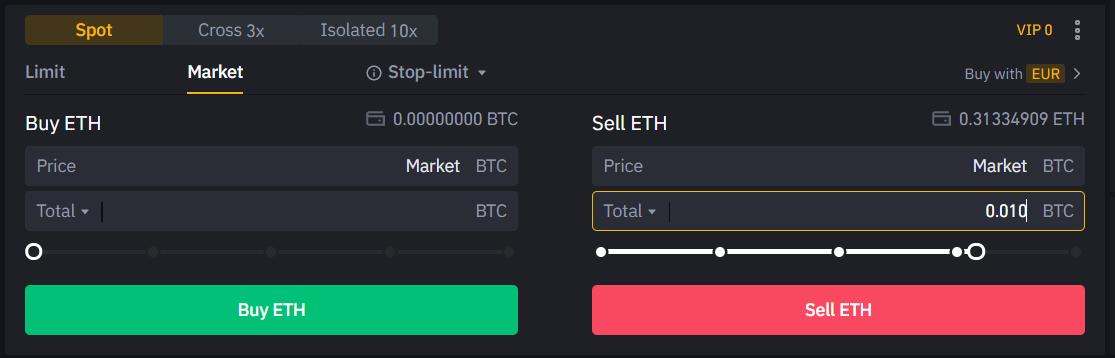
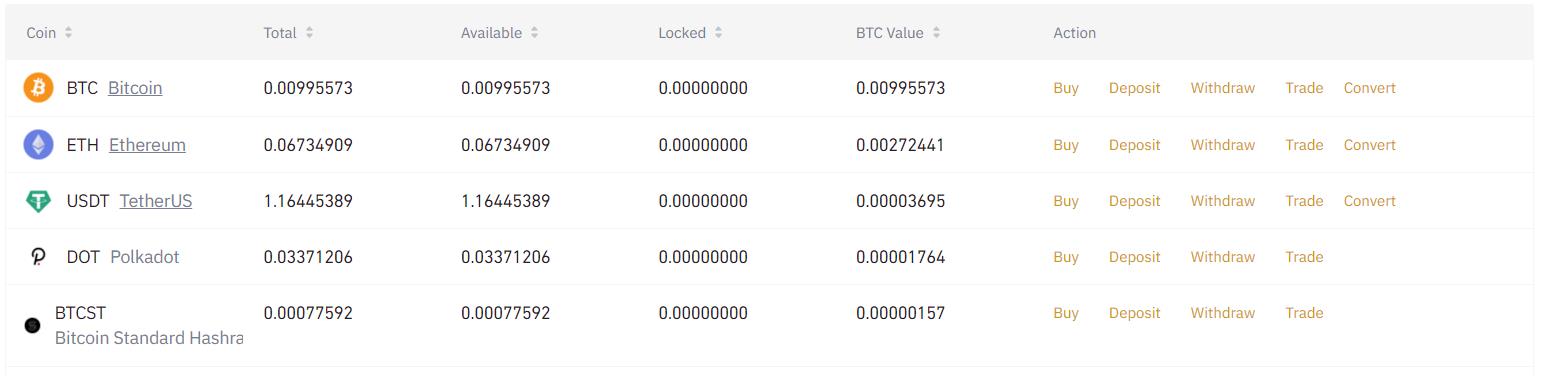
So, we have some BTC in our Binance account, which we will use for this activity.
Install the Application (Android)
Users can download the Muun wallet mobile application from the Google Play Store (Android).
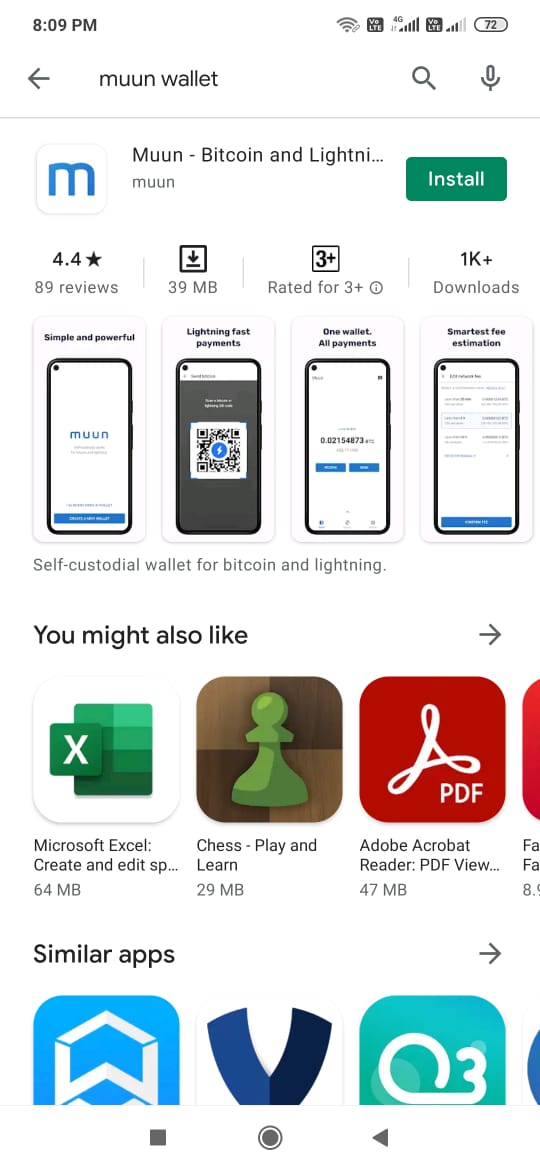
Important: While downloading any mobile wallet application from the Google Play Store, it is always recommended to check the application download count, reviews, and the rating status. This way you can protect yourself from various phishing applications found on the internet.
Once the application is installed, a pop-up window will come up that will allow you to do two different activities related to the wallet installation.
- Create a new wallet
- I already have a wallet (restore wallet)
Create a New Wallet
Choose the option Create a New Wallet If you are a new user.
The application will ask to set up a wallet pin for security.
After PIN setup, the wallet is created and you can start doing transactions.
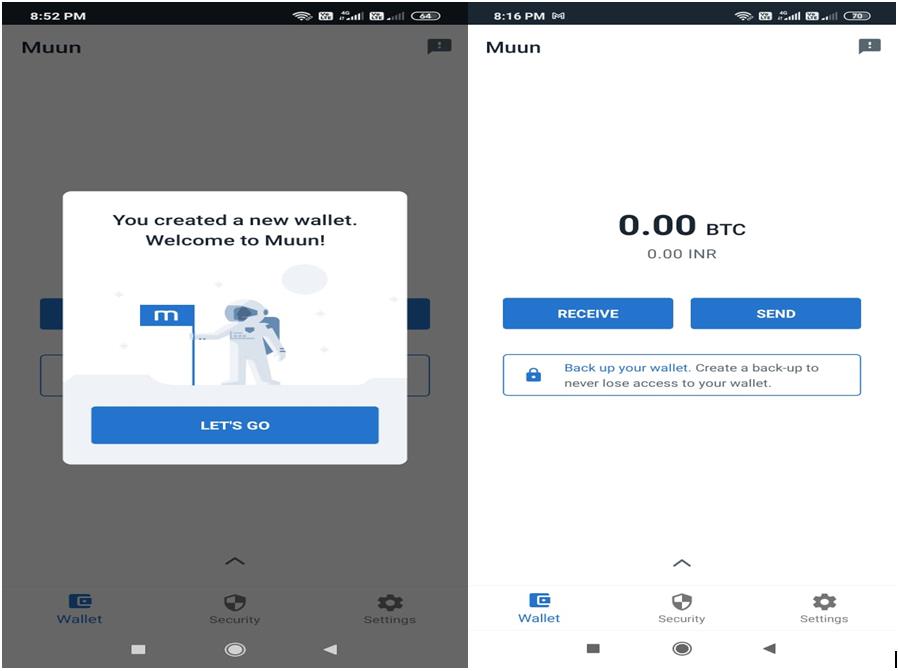
Security
The Muun wallet offers a high level of security. The wallet allows you to recover your funds using your email and password.
Users can also use their email address and recovery code to recover their wallet as an alternative wallet backup facility.
It offers an emergency kit that contains the instructions and information to recover your funds without using Muun.
We will explore and activate each of these features and enhance our wallet security.
Backup Wallet
Once you create a wallet, you will get a pop-up message to back up your wallet. Take Backup before making any transactions so that, in case you lose your device or forget the pin, you’ll be able to recover your BTC.
To back up, click on the Backup your wallet button.
The application will ask you to provide your email address that the user will need to verify.
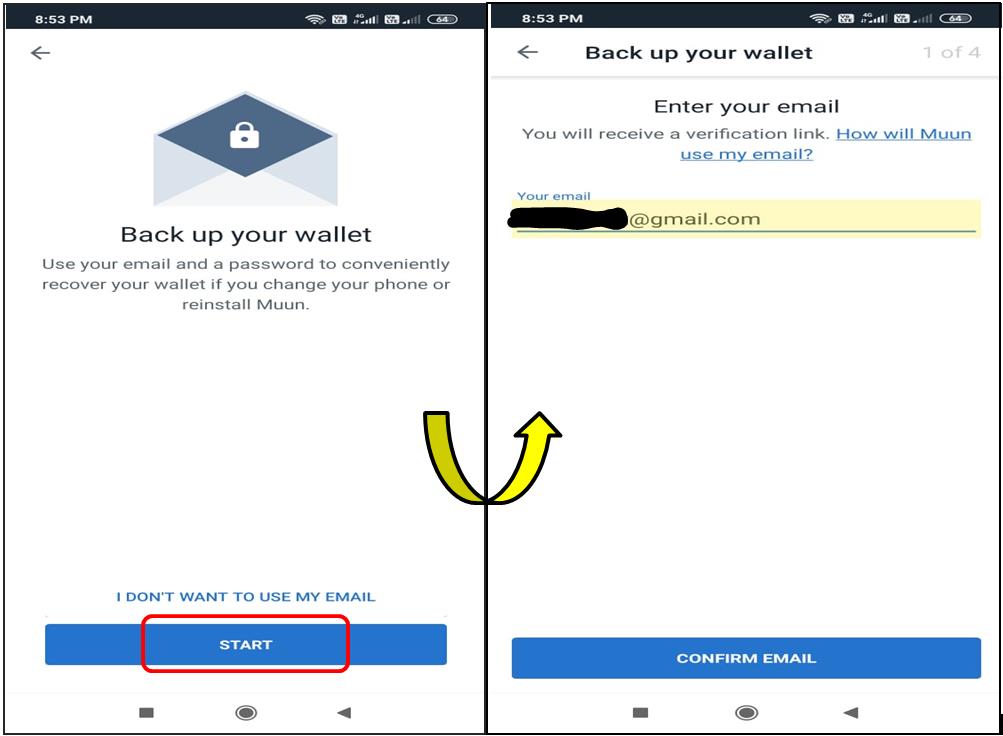
After that, it will ask you to set a backup password. Once done, you can see that your wallet backup status becomes green in the security section.
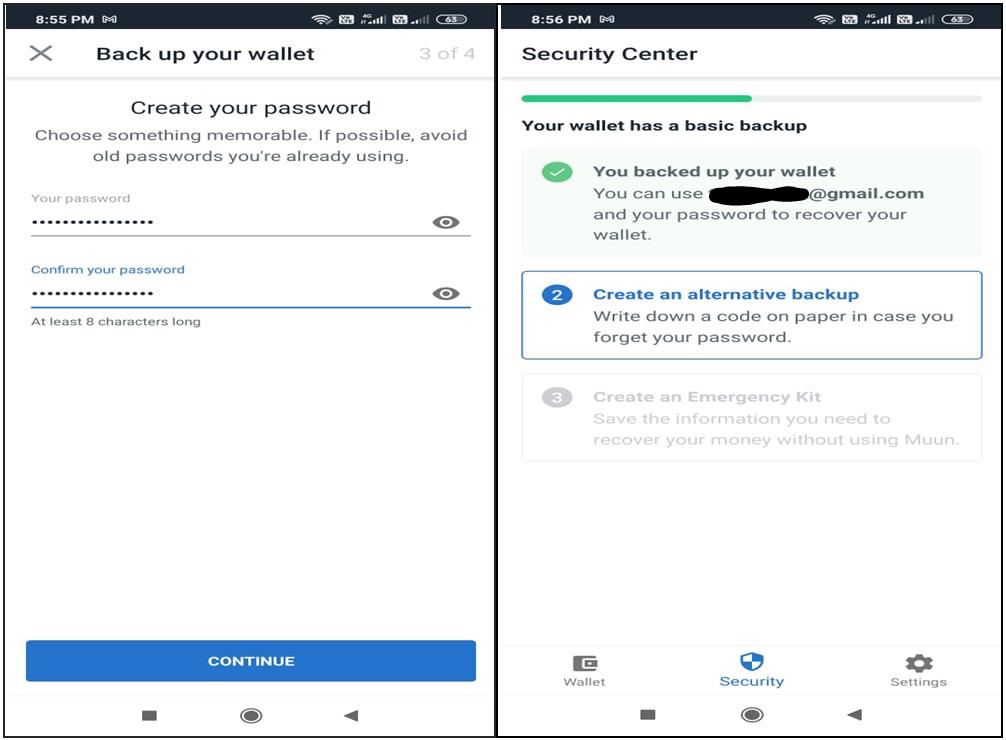
Important: The user needs to have access to your recovery email and the password to recover the wallet. So, keep the recovery email and the password safe.
Create an Alternative Backup
Click on this option, and the Muun wallet application will show you the recovery code that you can use along with your email address to recover your wallet.
Due to security reasons, we are not able to take the screenshot. Users choosing this backup facility are advised to store the code safely for future use.
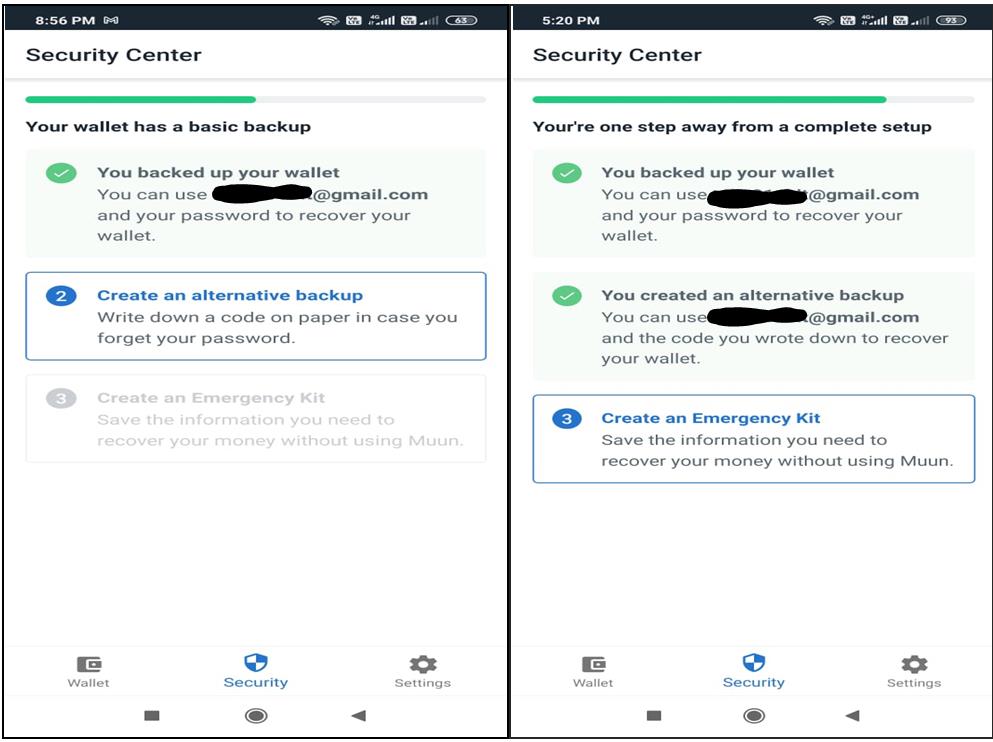
Alternative wallet backup is done.
Emergency Kit
The emergency kit is a PDF document with information and instructions to independently transfer your funds.
By combining your emergency kit and your recovery code, you will have total control over your funds.
Click on Create an Emergency Kit and follow the steps. The application will ask you to save the emergency kit. Use any of the below methods to save it:
- Google Drive (recommended)
- Manually save
As recommended, we have chosen the Google Drive option. Check and verify your emergency kit in the drive and finish the process.
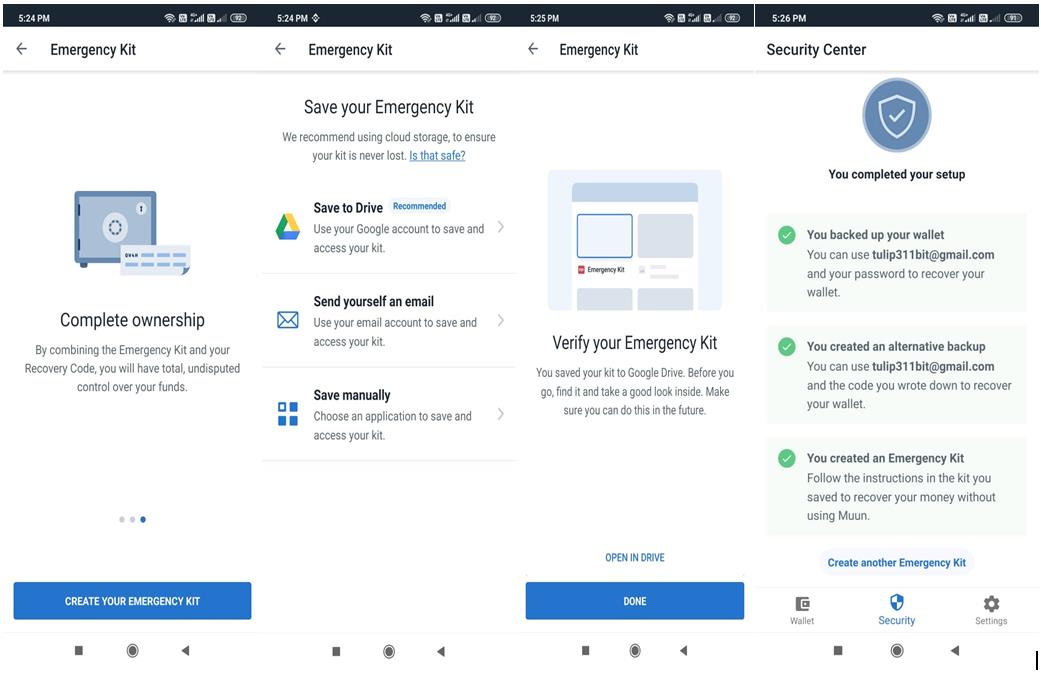
Your funds are all safe now. You can use your wallet to send or receive Bitcoin.
As we have already mentioned, we have some BTC in our Binance exchange. So now we will transfer that fund to our MUUN wallet.
Receive
Through this option, you can share your public address with other users to receive tokens. You can share your address via Twitter, Telegram, WhatsApp, etc.
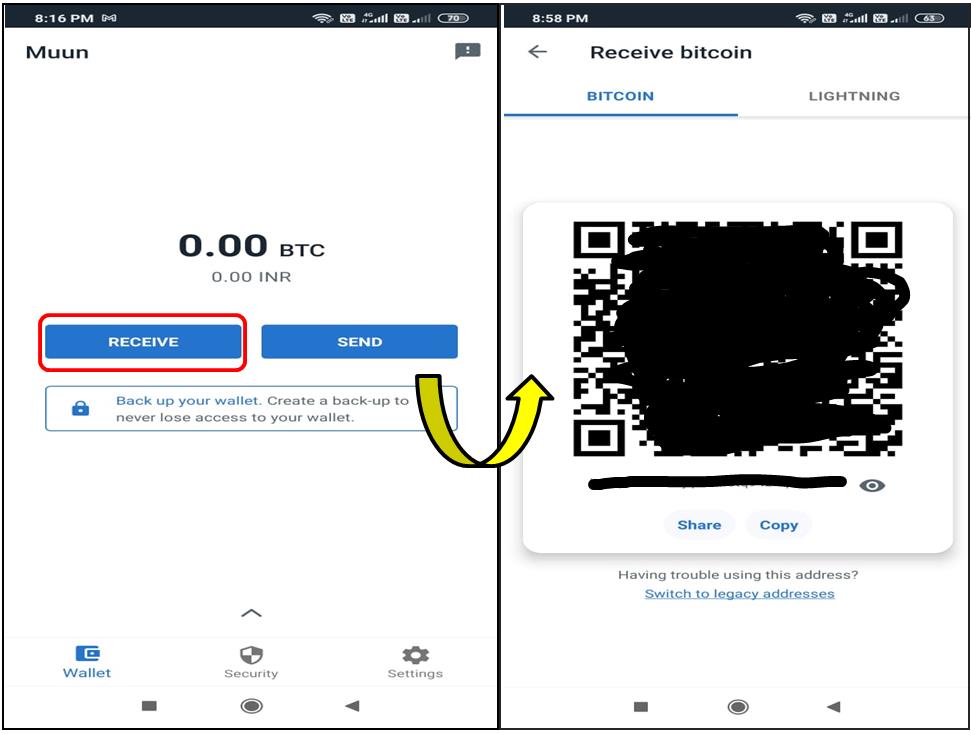
Transfer BTC From Binance Into MUUN
To transfer funds from Binance, go to your Spot wallet.
And click on Withdraw against BTC. The below page will appear. Enter the recipient’s MUUN wallet address there.
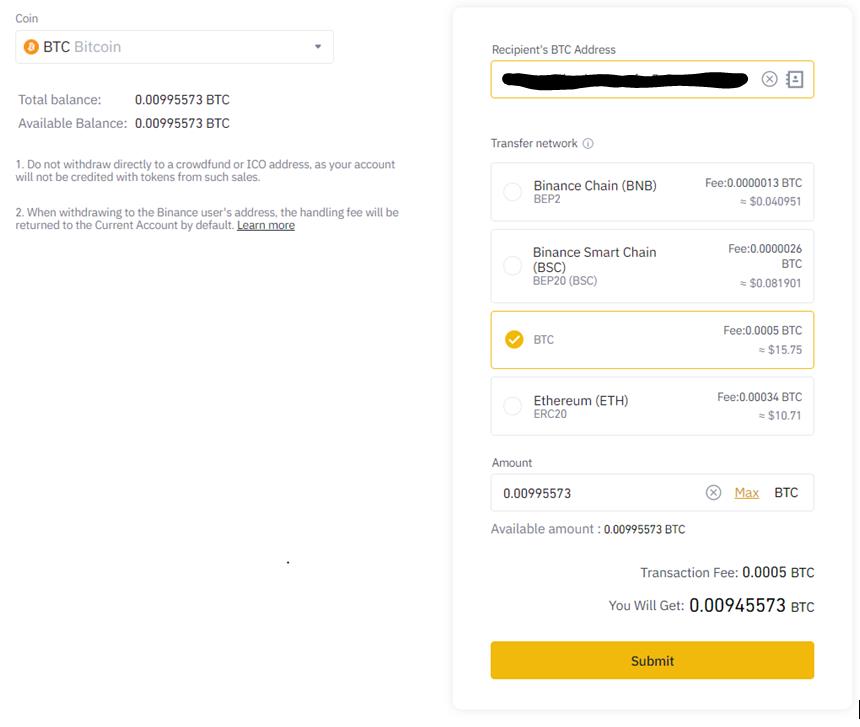
Click on Submit. Once the transaction is successful, you can see the BTC tokens in your MUUN wallet.
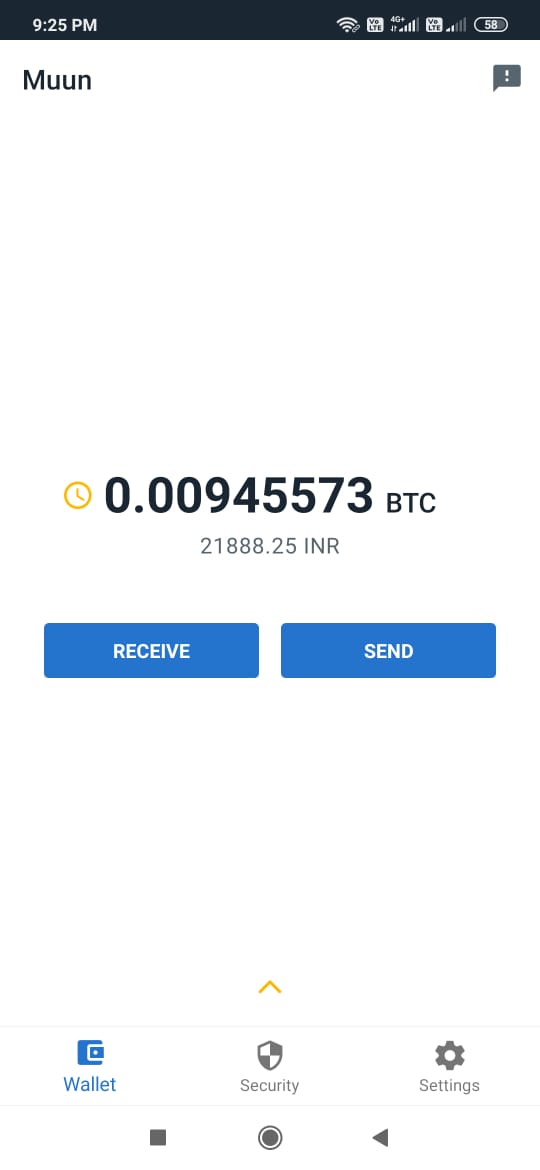
Send
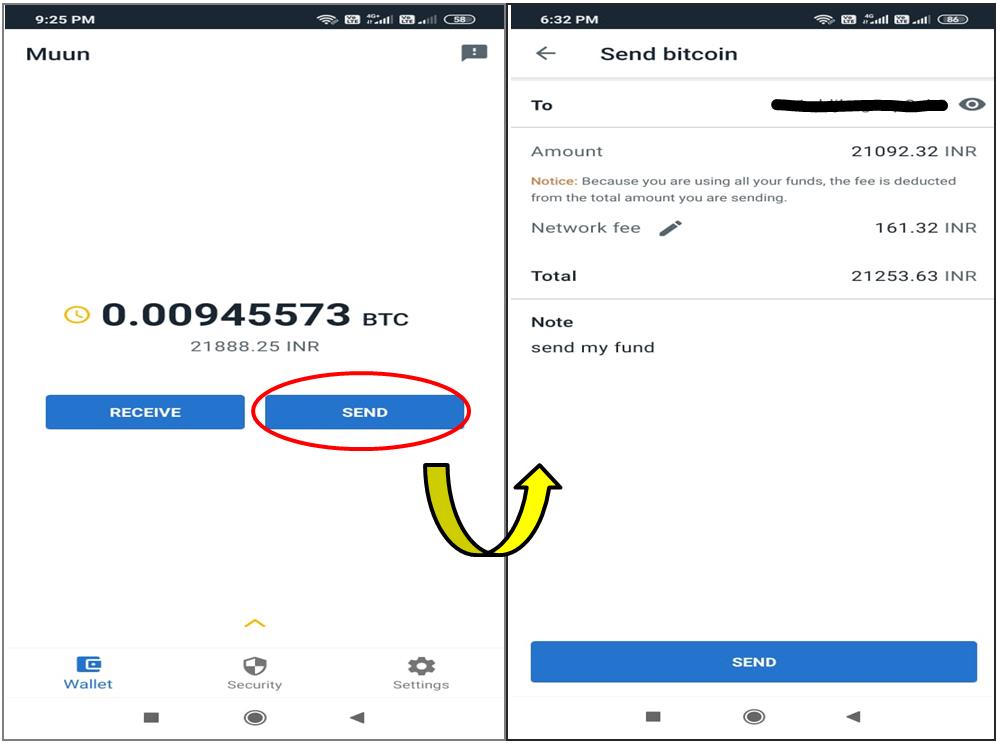
The Send option allows you to send the BTC tokens to another account. The Muun wallet allows you to send tokens to the recipient by either providing the address or scanning the QR code. Enter the recipient’s address and the token value.
Transaction History
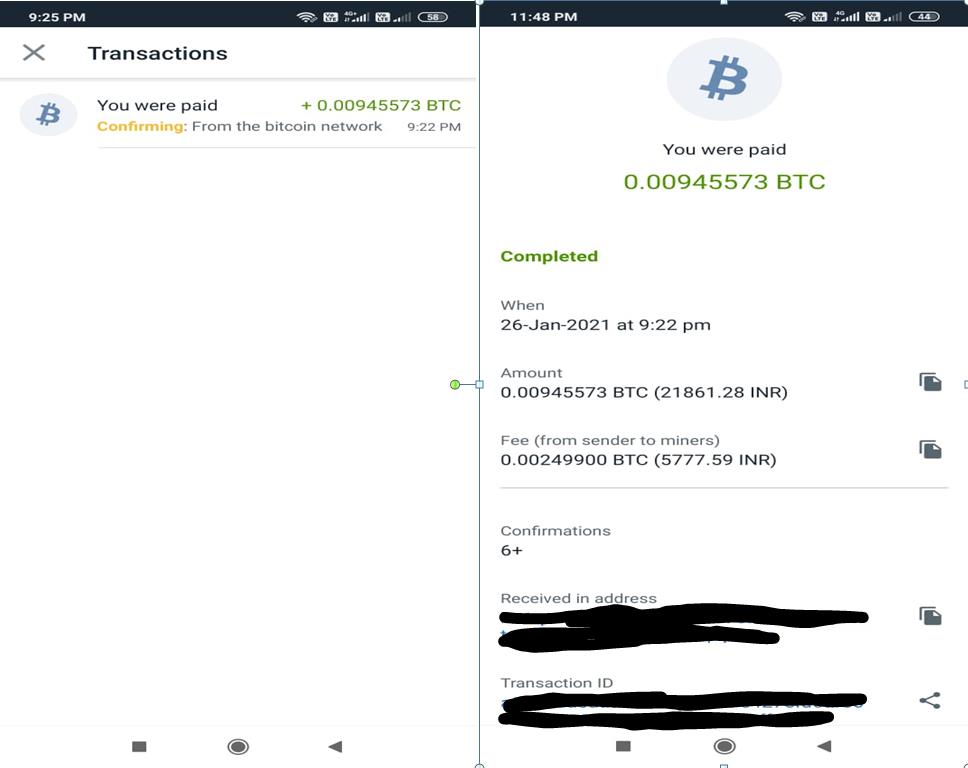
Users can also check the transaction details from the History tab.
Click on a particular transaction to get more details about the Lightning Network transaction.
Setting
Using the Setting tab, you can do the following things:
General
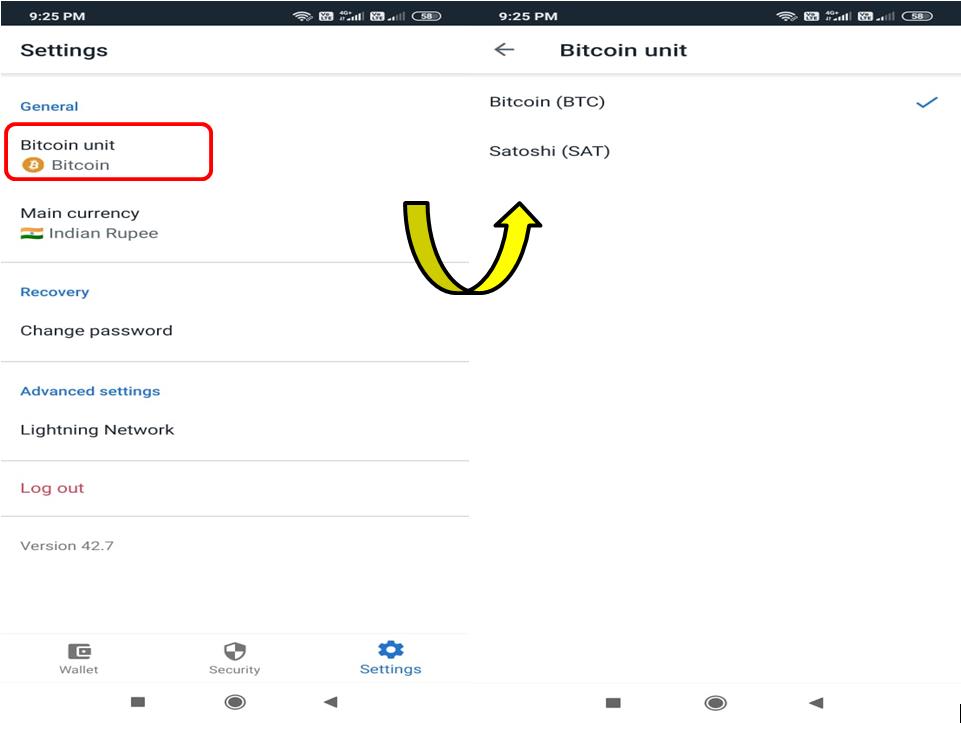
Bitcoin Unit
Muun wallet has two Bitcoin Units, namely:
- Bitcoin (BTC)
- Satoshi (SAT)
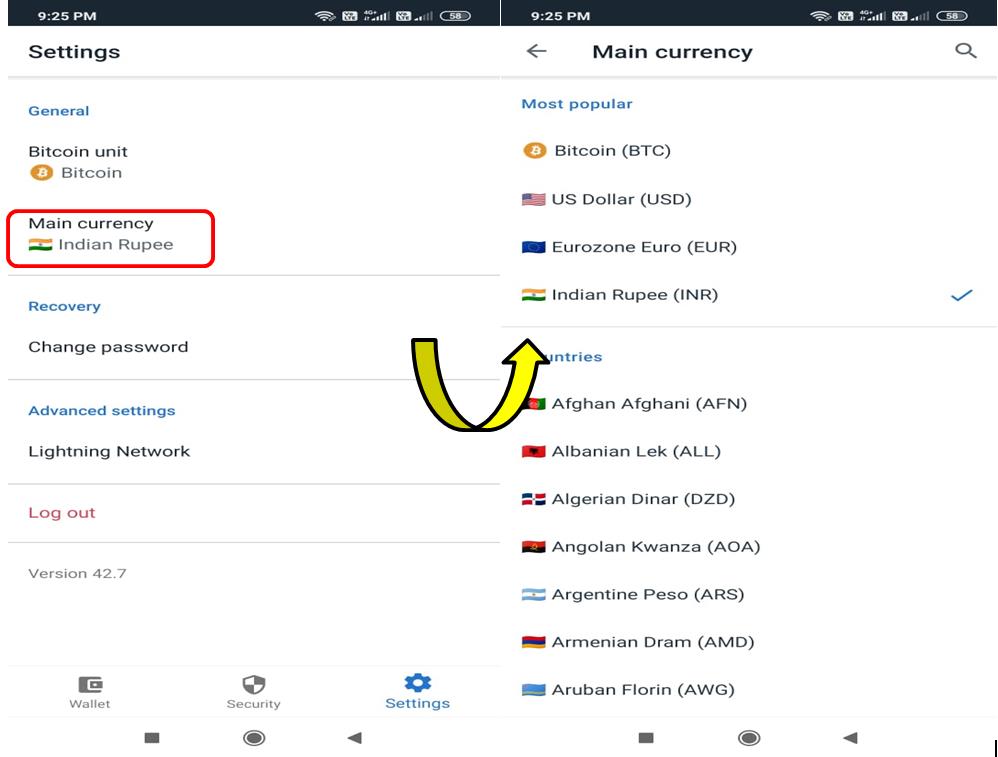
Main Currency
Muun wallet supports multiple currencies. Choose your desired one.
Recovery (Change Password)
You can change your wallet password from here.
Lightning Network
Set Turbo channel on/off.
Social Presence
Conclusion
Muun is a powerful wallet for Bitcoin and Lightning. The UI is simple and has an intuitive interface. Muun uses advanced Bitcoin scripts for its security model (with multi-signature) and to enable instant and cheaper transactions (with Lightning). The mempool-based estimator helps in confirming transactions fast without overpaying. All these features can make it a good choice for both new users and experts.
Resources: Muun fee estimator, Muun wallet
Read More: Everything You Need To Know About the Adventure Token and the LUNA Fund
Next up

Bitcoin ETFs Draw $1.07B in Three Days, Short of Rally-Era Pace
US spot bitcoin ETFs took in about $1.07 billion from Oct. 19 to 21, led by IBIT. Past steep rallies ran on months of $200 million-plus daily inflows.
 BTC
BTCRelated
More in Crypto NewsRelated
Bitcoin Drops Below $80K as Crypto Liquidations Top $834M
BTC ETH
ETH
Sui's Hashi Adds Anchorage Digital as $500M Bitcoin Launch Nears
BTC SUI
SUI
Bitcoin Core Speeds Up Fixes for AI found Bugs Drops
BTC
Bitcoin ETFs Lose $635M in a Day as DWF Study Says Flows Chase Price
BTC