AltcoinBuzzAltcoinBuzz
Subscribe
  • Crypto News
  • Crypto Research
  • Technical Analysis
AltcoinBuzzAltcoinBuzz

An independent digital media outlet delivering crypto research, news, and technical analysis to a community of 600,000+ users.

Follow us on:

Discover

  • Crypto Research
  • Crypto News
  • Technical Analysis
  • Key Opinions
  • Upcoming Launches

Categories

  • Bitcoin BTC
  • RWA
  • Technology
  • Altcoins
  • Regulation

Company

  • Affiliates
  • Partners & Sponsors
  • Careers
  • Contact
  • Terms of Use
  • Subscription Terms
  • About the ALTCOIN BUZZ
  • Privacy Policy
  • Contact ALTCOIN BUZZ
  • Advertise with us

Copyright 2026 ALTCOIN BUZZ. All rights reserved.Something is buzzzzzzzing.
HomeCrypto NewsDEX: A Step by Step Guide on How to Use McAfee’s Exchange
Crypto News

DEX: A Step by Step Guide on How to Use McAfee’s Exchange

Everybody is excited about John McAfee’s new DEX. It promises anonimity, near zero fees and innumerable coins listed. In this article we will take a closer look at how it works.
AAni•Oct 10, 2019
McAfee's DeX

John McAfee has launched the beta version of a decentralized exchange (DEX) running on the Ethereum (ETH) blockchain. The privacy-focused DEX, McAfeedex, does not have any restrictions, “no name, no document, no document, no email, no bank info.” DEX will support any ERC-20 token and anybody can list their token on it.

This opens a whole new world of freedom for anybody trading any crypto, irrespective of identity, region, regulation. We at Altcoin Buzz will take you through a tour of DEX.
Log In
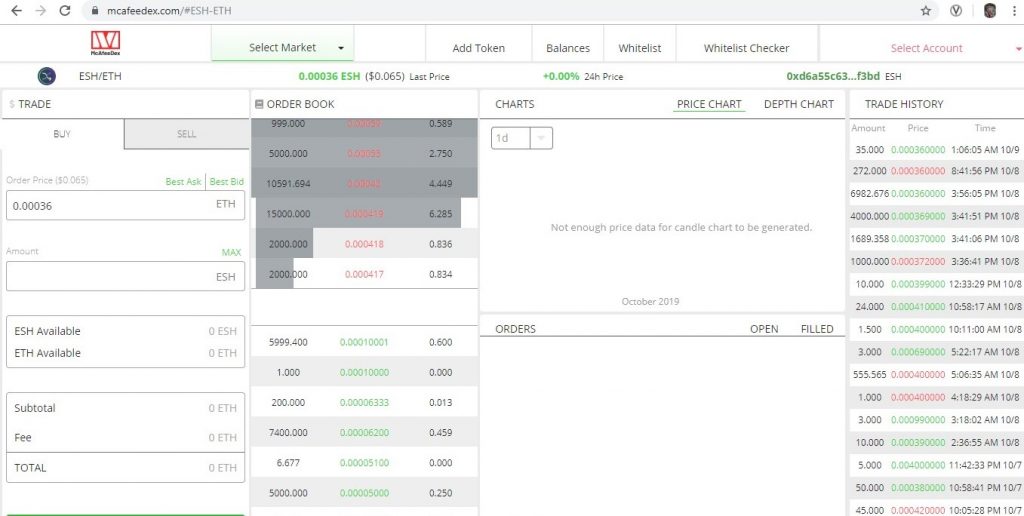
  • Open https://mcafeedex.com/ in your browser.

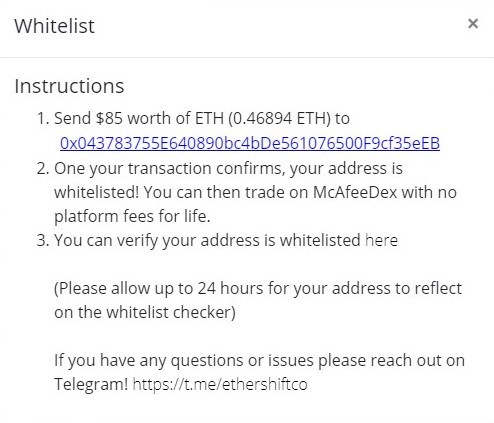
  • Immediately after you log in this pops up. Whitelisting enables you to trade on the platform without any fees.

Note: We have not tried the whitelisting procedure yet.
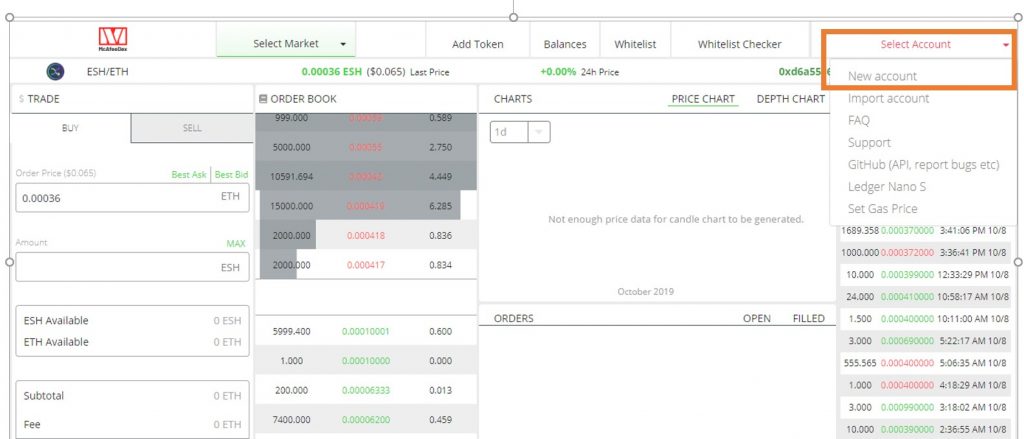
  • Go to the top right and click on Select Account — New account

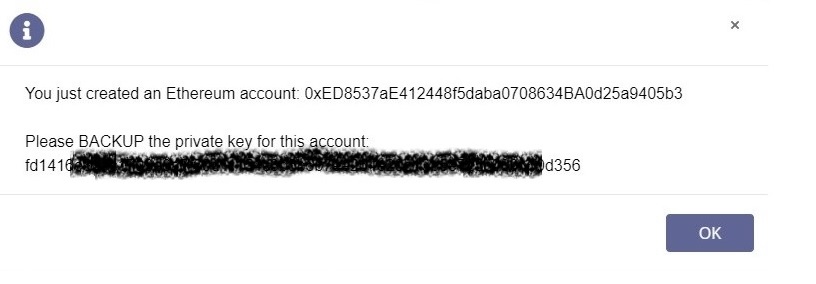
  • Once you click on New account, you will receive your Ethereum Address and Private Key. Keep your private key somewhere safe. Do not share with others.

(There’s no crypto in this account for you to take. Sorry!)
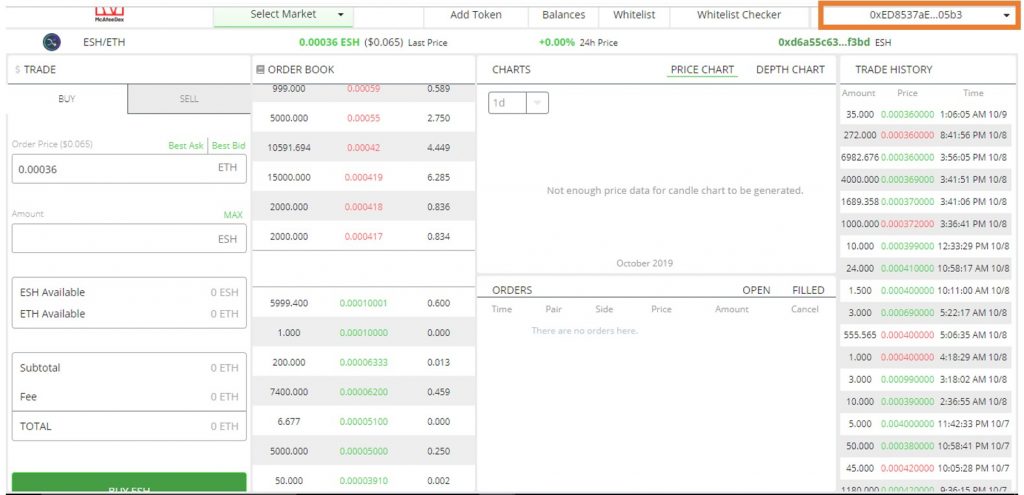
  • Once you click OK, you are logged in. See your Ethereum address on the Top Right Corner.

Security Set-Up

Before looking into other features, let’s check the security set up first.
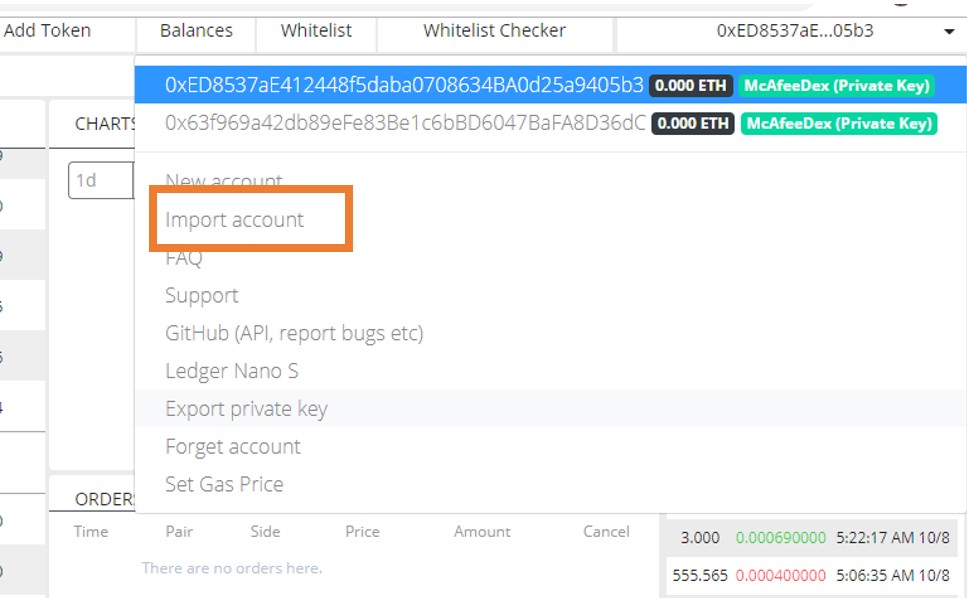
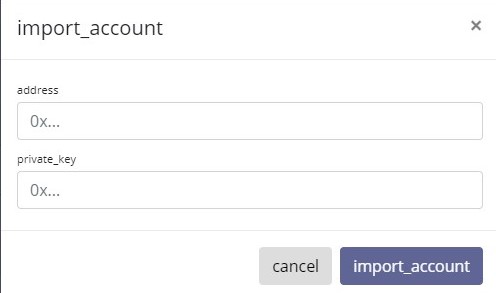
  • In case you accidentally log out, you can always import your account

  • Use your Ethereum address and saved Private Key to import account.

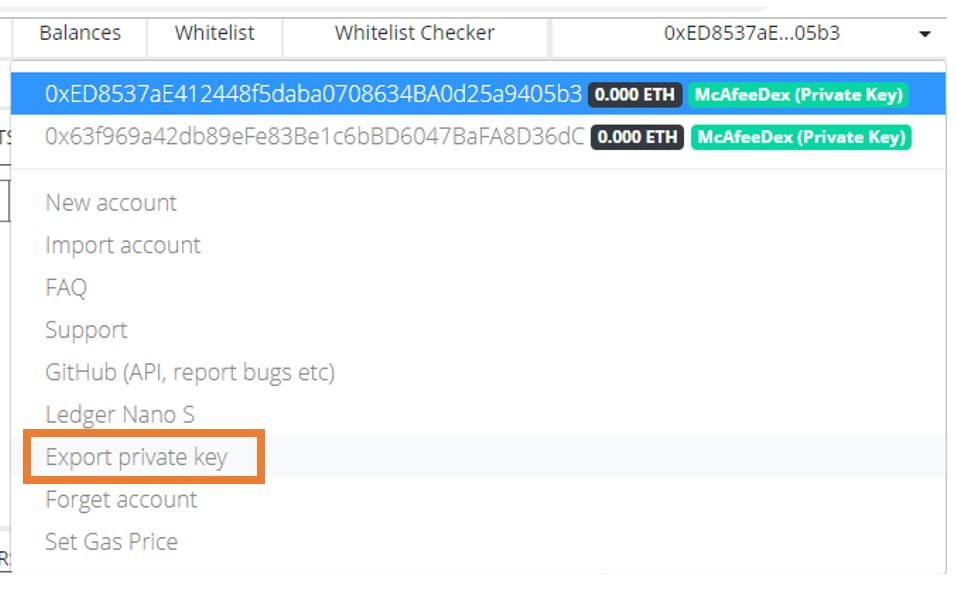
  • You can export your Private Key anytime and keep it safe

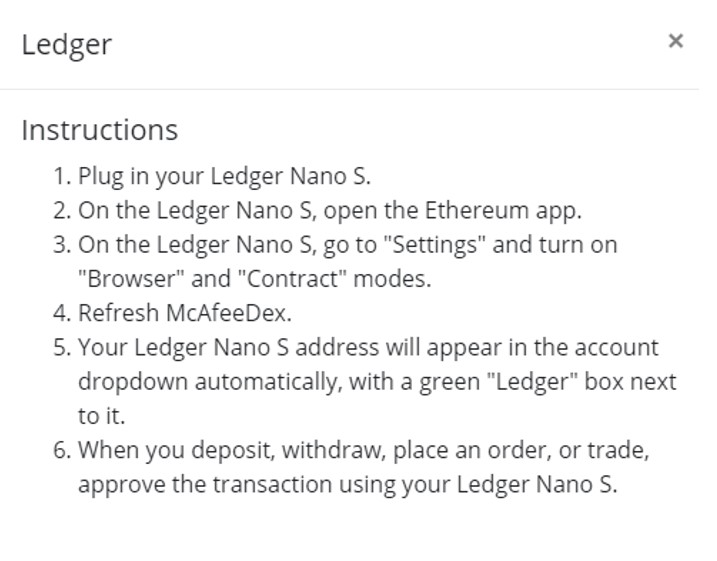
  • You can also use your Ledger Nano S, to do transactions securely.

 DEX

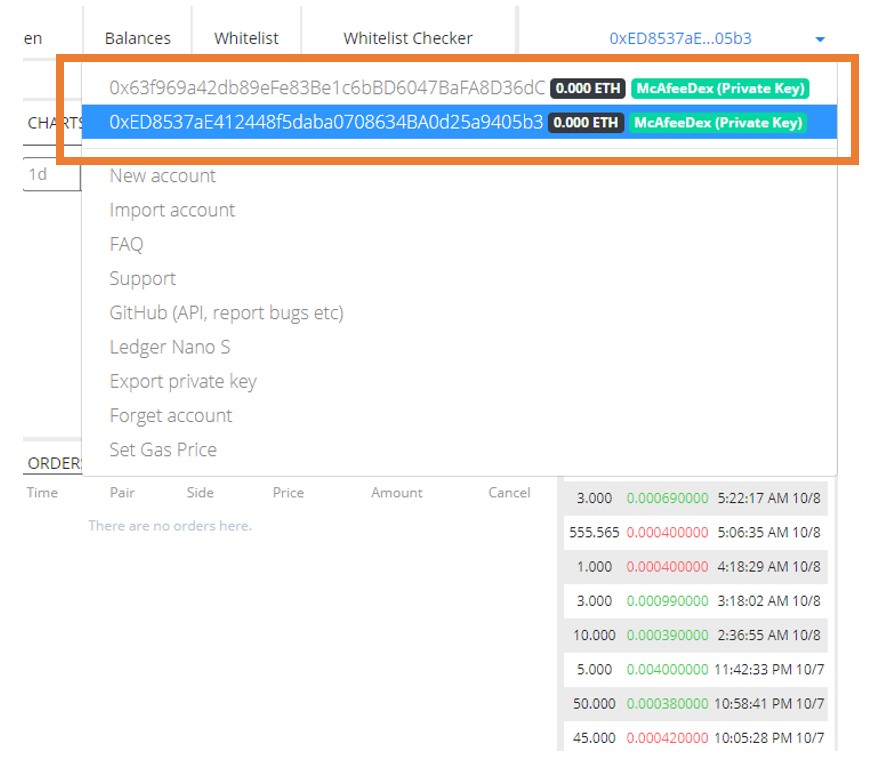
  • I can log in from 2 accounts and switch between them.

  • Whitelist Checker

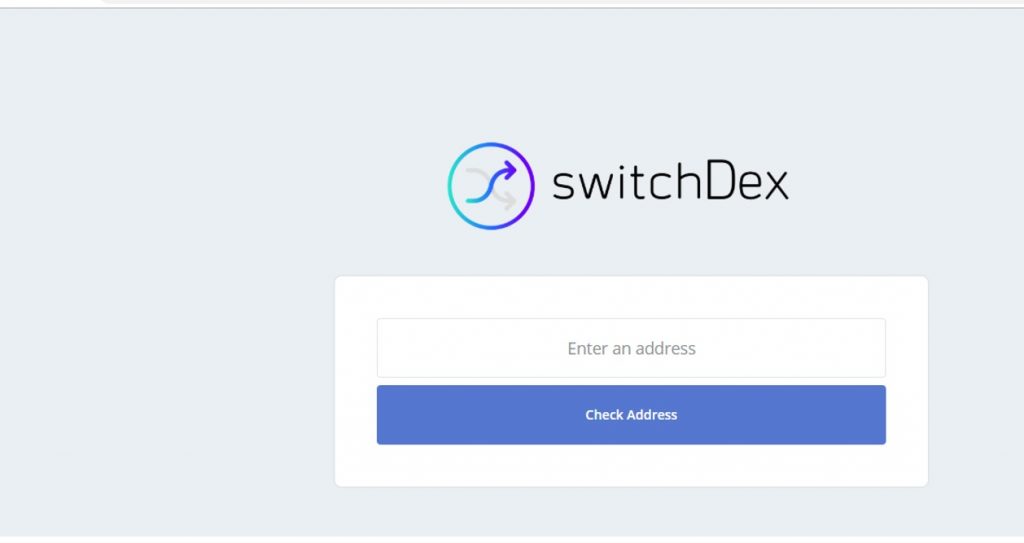
  • The whitelist checker takes you to the SwitchDex platform where you can check if your Ethereum address is whitelisted.

  • The Balance Tab

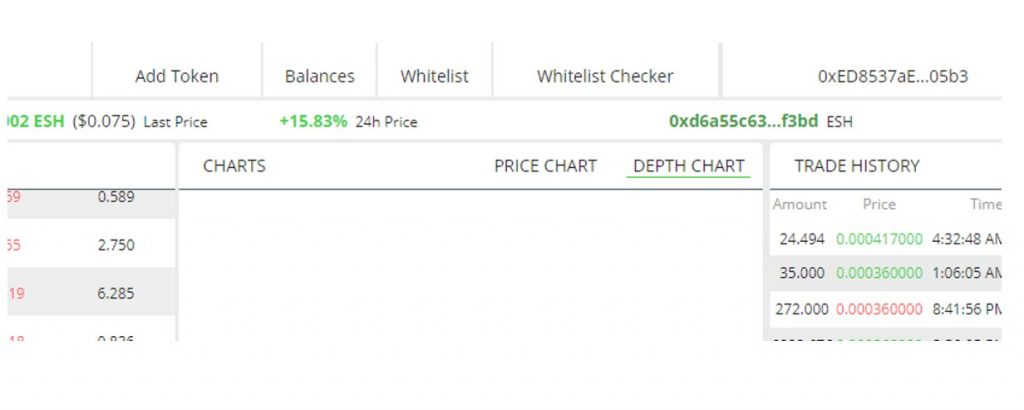
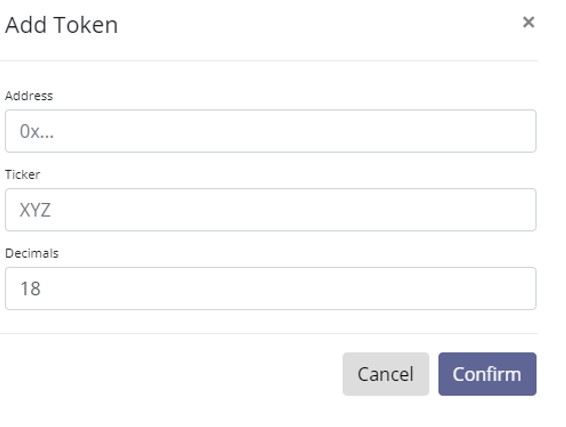
  • Add Token – This option is for companies to add their coin for free in the DEX.

Trade
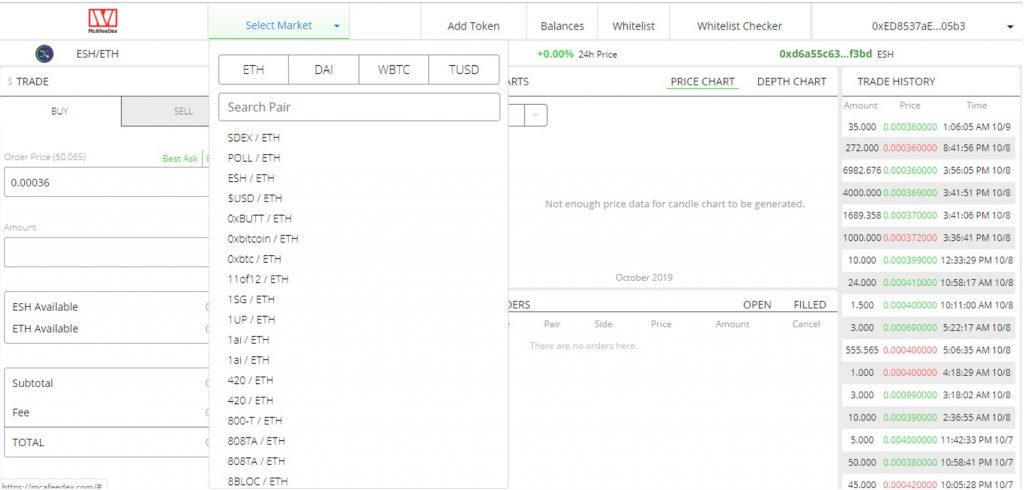
  • The DEX has the following pairs: ETH, DAI, WBTC, TUSD

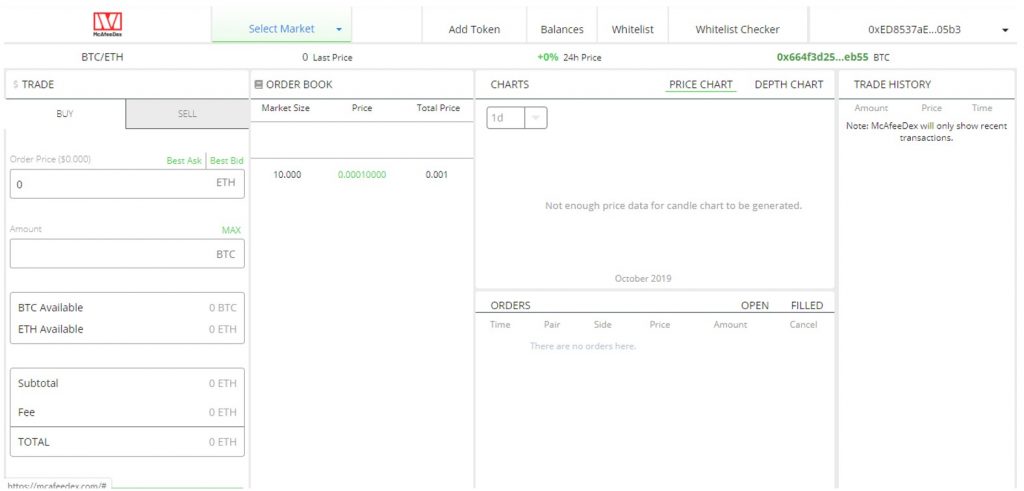
  • When we checked recently, there was not much volume in the BTC/ ETH Pair

Reviewing the Orderbook

So, we moved to an Orderbook which has volume. We selected the ESH/ETH trading pair.
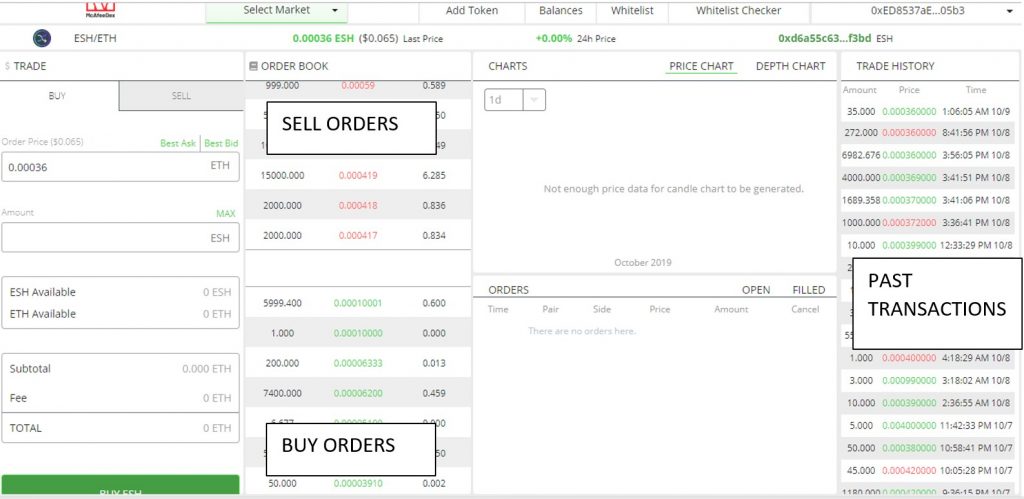
Let us look into a buy scenario
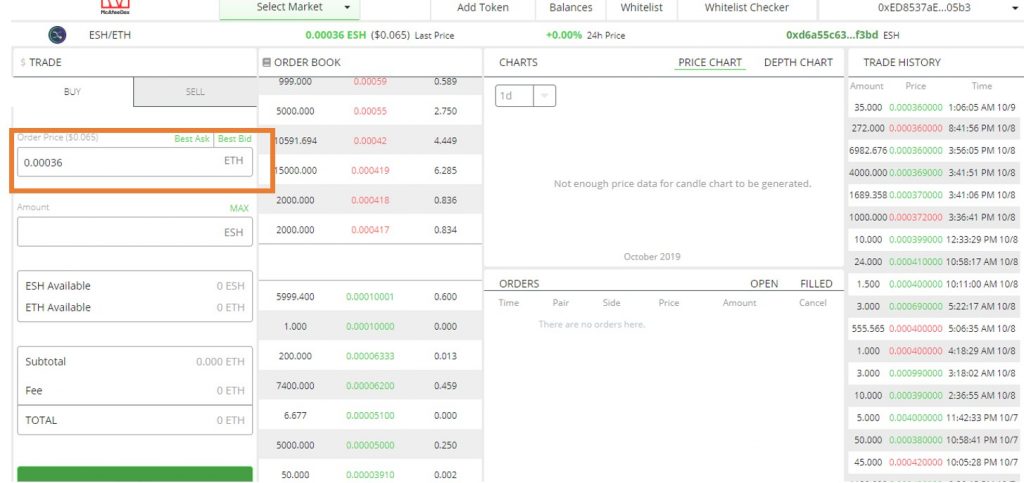
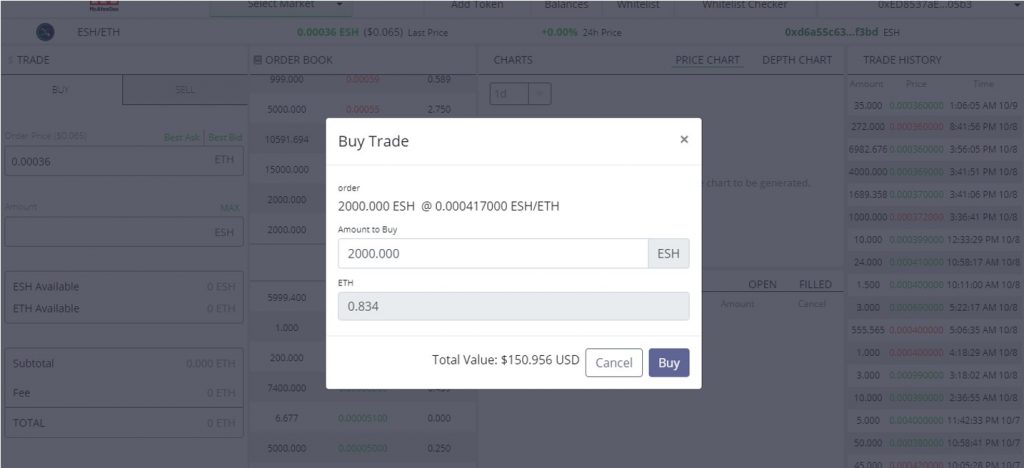
  • The order price shows the last traded price and not the lowest sell price

  • If I manually click on the lowest sale price, it takes the entire volume and the price. It does not actually insert the price in my buy box (like other exchanges)

  • So, I will manually insert the lowest sale price (you can also decide your own buy price) and click on buy ESH.

No transfer from the main account to trading account needed (like on IDEX)
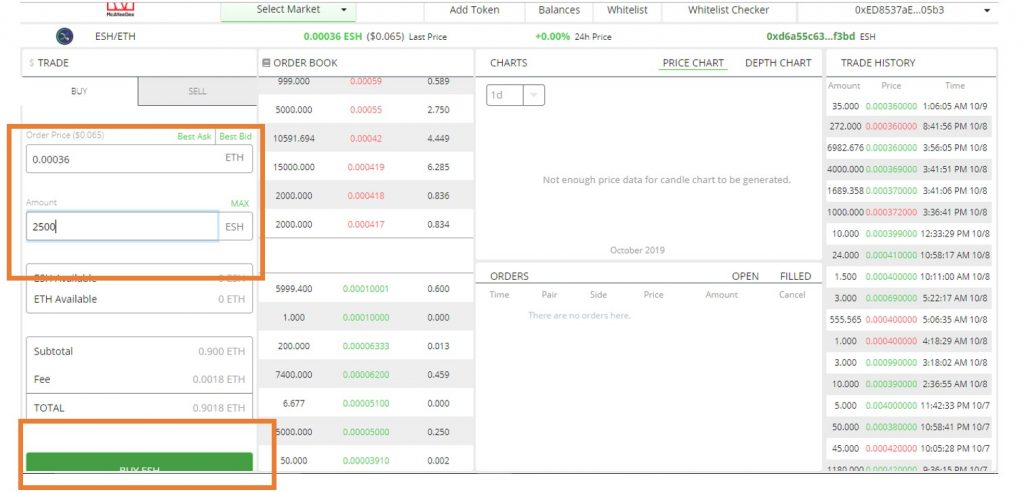
It should come up in the order.
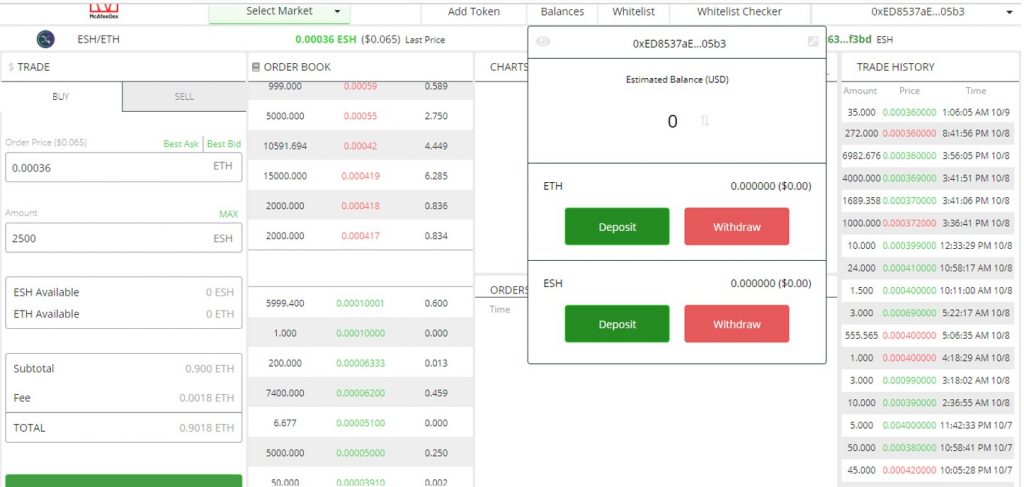
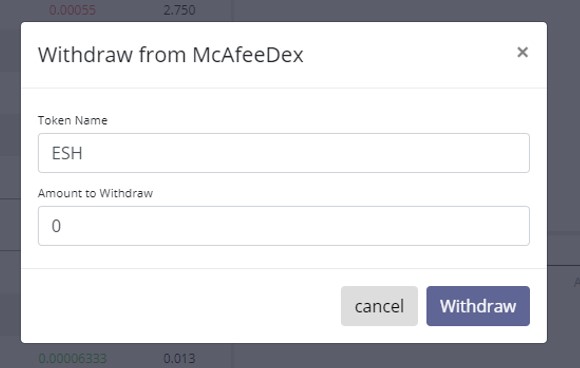
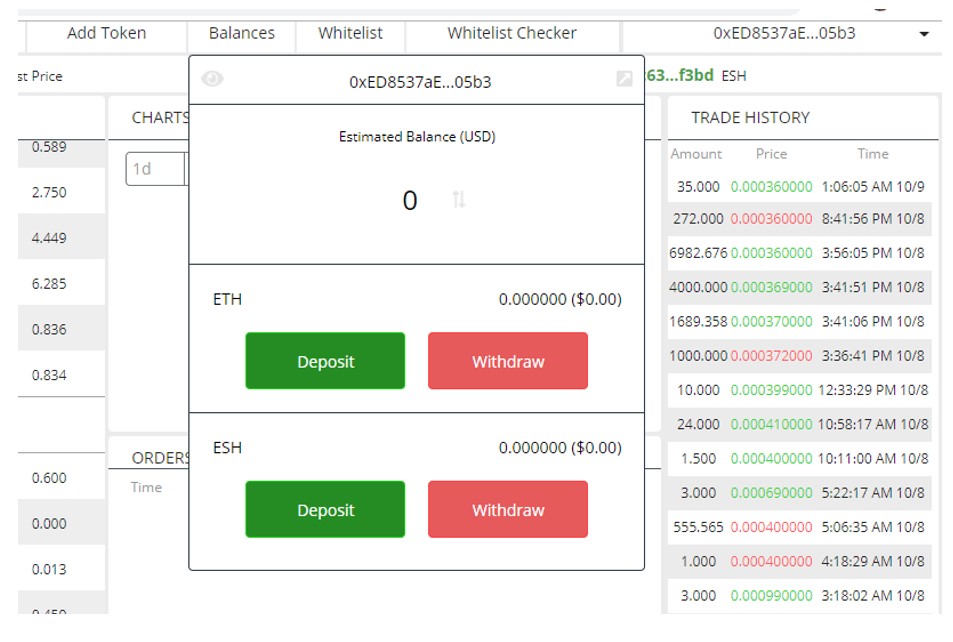
  • The actual amount will be shown in my balances. (In this example, we have not made an actual purchase, hence balance is zero)

  • You can withdraw whenever needed.

Our Take:

Though  http://McAfeedex.com looks like his own website, it’s actually a portal of Switch Dex

  • DEX Looks clean and easy to use;
  • User Interface needs some sharpening – with the headers in the buy and sell orders not coming up;
  • Page scroll function is not complete;
  • DEX is slow and should pick up over time;
  • BTC trading pair is not present’
  • Not much volume right now. It should pick up with time;
  • Backend security looks fine as it has overcome repeated DDOS attacks.

McAfee himself has commented that “This is just the Beta and we need to just play with it, things should be stable soon.”  We suggest you try your first taste of DEX with small amount of crypto, it might be worth it.
Related

Pop-art cover showing a chain link on the left breaking apart, a ZETA coin crossing a bridge to the right toward a Solana badge, with a speech bubble reading ZETA MOVES TO SOLANA.
AltcoinsAI
Sep 21, 2026

ZetaChain holders vote 99.4% to retire L1 and move ZETA to Solana

ZetaChain token holders backed retiring the L1 and moving ZETA to Solana by 99.4%. A second vote and exchange swap arrangements are still required.

SOL
Anmol Billa
XRP Price Climbs Above $1.40
Altcoins
Sep 20, 2026

XRP Price Climbed Above $1.40

XRP price has climbed above $1.40 as a short squeeze, rising XRPL activity and the upcoming Batch V1.1 upgrade boost market attention.

XRP
Bikash Deka
Pop-art cover showing an SEC shield and a Goldman Sachs badge framing a stock token split between an automated market maker pool and a central order book, with the headline AMM ONLY.
RegulationDeFi
Sep 19, 2026

Goldman: SEC's five-year tokenized stock window covers AMM venues only

Goldman tells clients the SEC's Sept. 17 tokenized stock exemption covers AMM venues only and excludes CLOBs, with a five-year clock.

Bikash Deka
John McAfee
John McAfee
@officialmcafee
·Follow

This is a beta version of McAfeedex.com coming today. The beta only supports coins on the Ethereum Blockchain. Additional blockchains will be added to the full release. For now any ERC20 token or any coin based on Ethereum's blockchain may be listed by anyone for free.

12:55 PM · Oct 7, 2019
277
Reply
Read 53 replies